

AcademyIdea
Explore and your learning profile
Explore is a chat in the Academy where you ask about anything you want to understand at work. A system, a role, a term, how two parts work together. You don’t need a track first.
Learning without a plan
Section titled “Learning without a plan”Sometimes you just want to understand how sign-in works before a call, or why a request went to the wrong approver. Explore is for that. You ask, and it teaches.
It answers from the tools your organisation connected, the record of its topics and initiatives, and the Landscape. Ask about Emargen itself, and it reads these docs. It also knows what you practise and how well you’d recall each part, so it starts from what you know.
Teaching, not just answering
Section titled “Teaching, not just answering”When your question is broad, Explore asks what you’re after first. Then it gives the idea before the detail, and draws it in the chat where a picture helps. It names the mix-up people usually make, and asks you one question to check you followed. Its feedback is never a score, and your answer doesn’t count as practice.
Under the message box you pick a way to learn, from Explain and Walk me through to Quiz me and Teach it back. The chat keeps the one you picked.
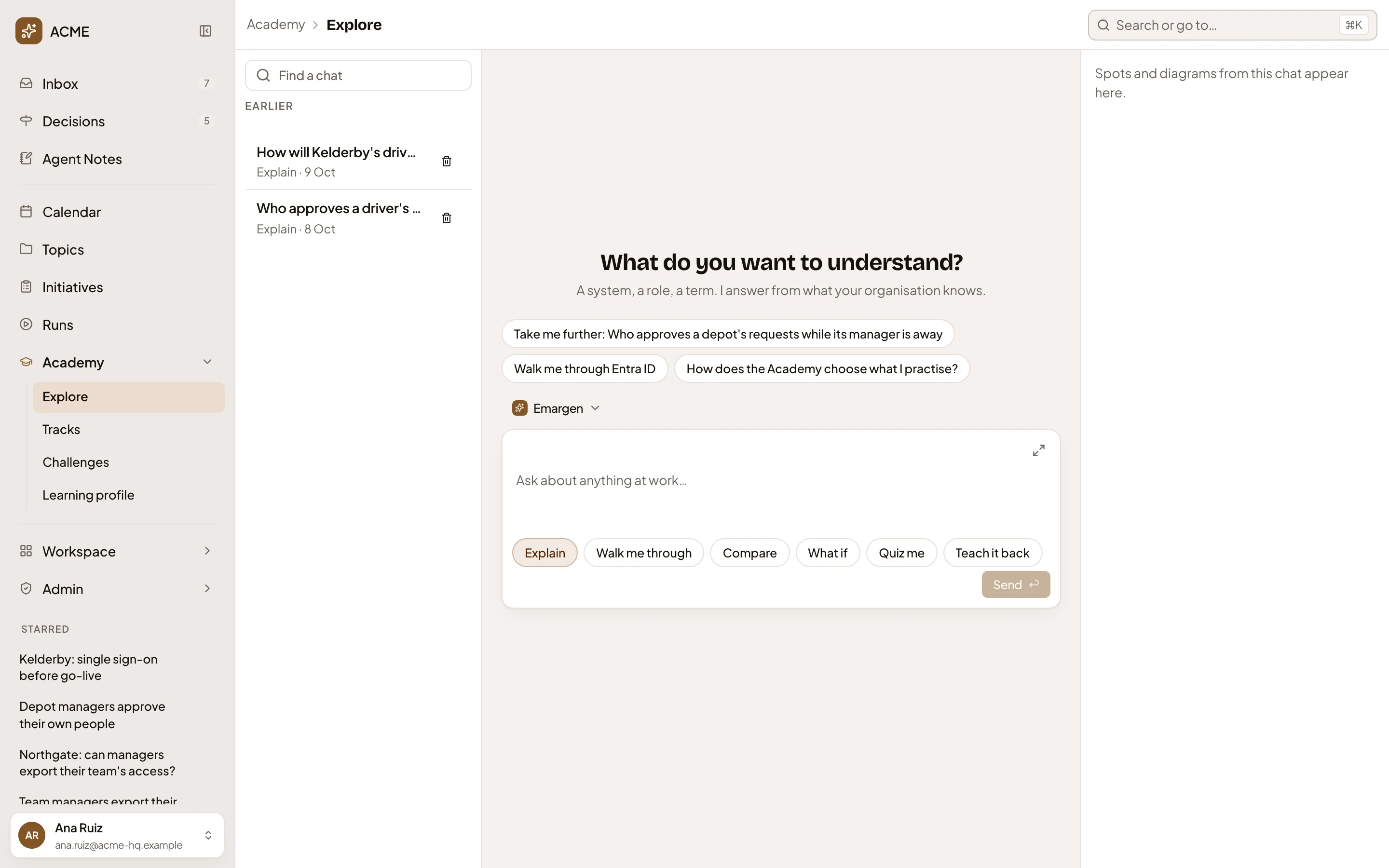
- Your earlier chats, each with the way it taught. Find one by its words, or delete it.
- Questions to start from, written each day from what you practise and ask about.
- The ways it can teach: Explain, Walk me through, Quiz me and Teach it back.
- The spots the chat names and the pictures it draws appear here.
Beside the chat, From this chat gathers the spots the chat named. You can add a spot that isn’t on your map yet to your practice, or have Explore check you now on the ones that are. You can also have the agent write what the chat found as a private topic, never the transcript.
Your chats are yours alone. Find one by its words, or delete it.
Your learning profile
Section titled “Your learning profile”Once a day, the Academy reads your Explore chats and your practice together, and writes your learning profile. It’s a page of short lines, under five kinds:
- Interests, what you keep asking about.
- Strong, the spots and regions you’d recall well.
- Slipping, the spots you’re starting to forget.
- Learning style, like turning each answer into what you’d tell a customer.
- Your work, the work your questions come from.
Strong and slipping come from your practice alone. The others come from your chats. Pick a line to see the chats behind it, or the spots it rests on and how well you’d recall each one today.
Explore answers your way, and practice picks the kind of card that suits you. When a subject keeps coming back, Explore suggests a track on Tracks, at most one Inbox item a week. Explore never changes a card’s due date.
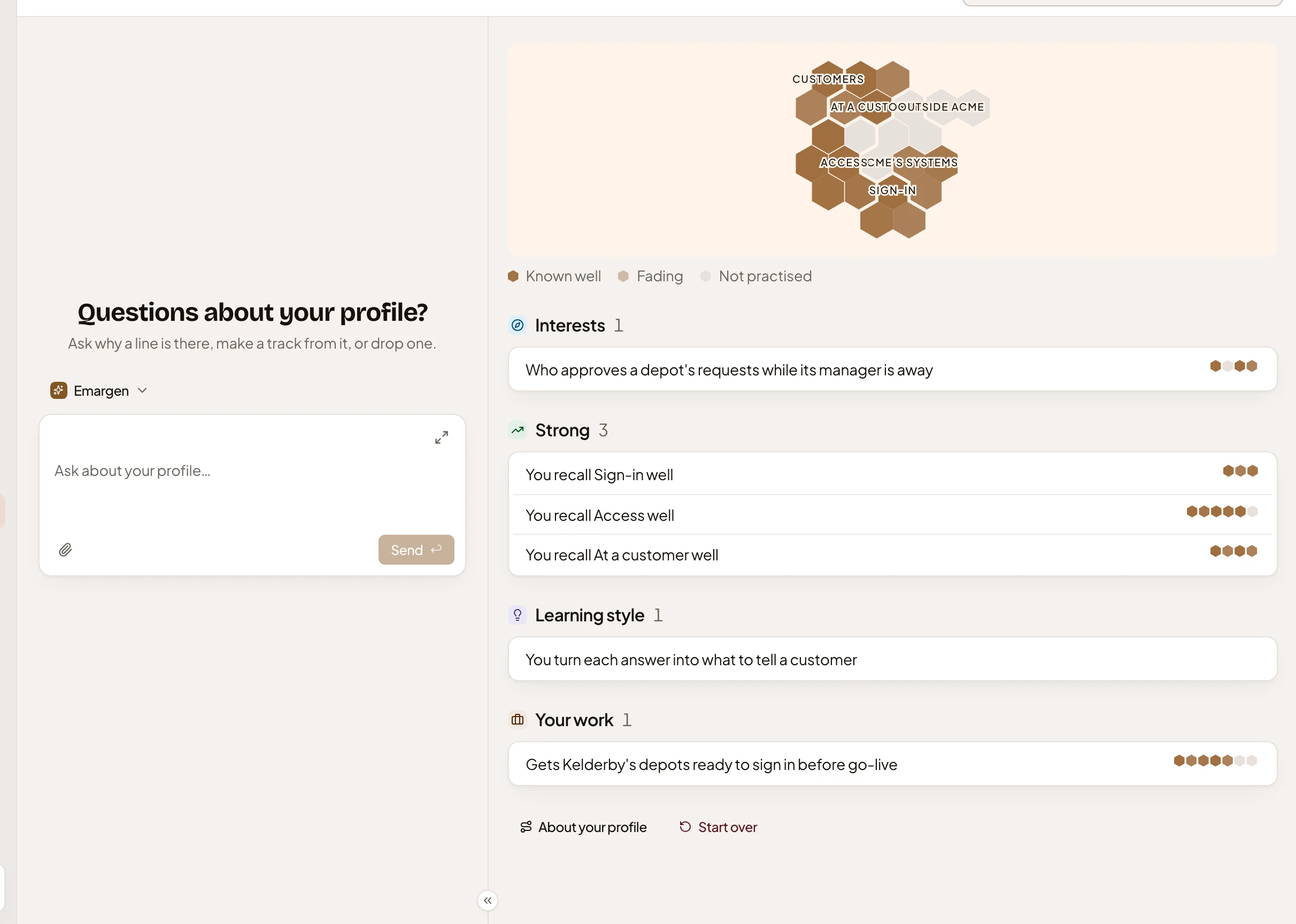
- A chat about your profile. Ask why a line is there, make a track of one, or forget one that’s wrong.
- Your map, drawn small. Pick a line, and the spots it rests on light up.
- Interests, from your chats: what you keep asking about.
- Strong, from your practice alone, with blocks for the facts behind each line.
- Start over, which clears every line and suggestion once you type the words to confirm it.
Only you see your profile. Forget a line that’s wrong, and it’s never written again. Start over clears every line and suggestion once you type the words to confirm it.
Someone in customer success asks Explore twice who approves a depot’s requests while its manager is away. Their profile notes they’re curious about it, and Tracks suggests a track on it. One press, and it’s built.