

AdminPage by page
Recipes
This tab lists every recipe a repository’s scan can recognise. The analysis reads what to look for from each recipe. Emargen’s own are here, and the ones your organisation wrote. Open it with the Recipes tab on Repositories. Recipes explains the idea.
Open the recipes (opens Emargen in a new tab)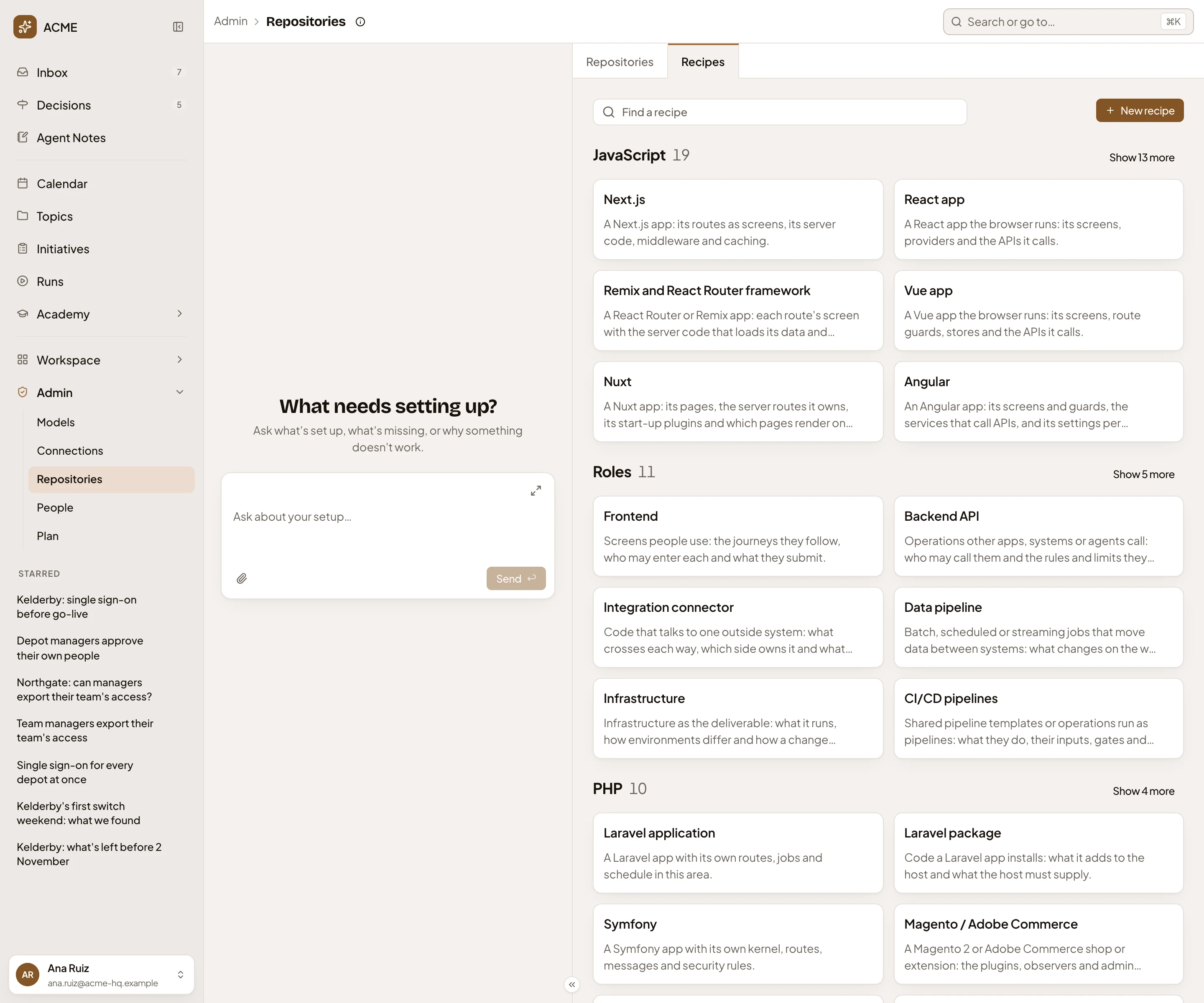
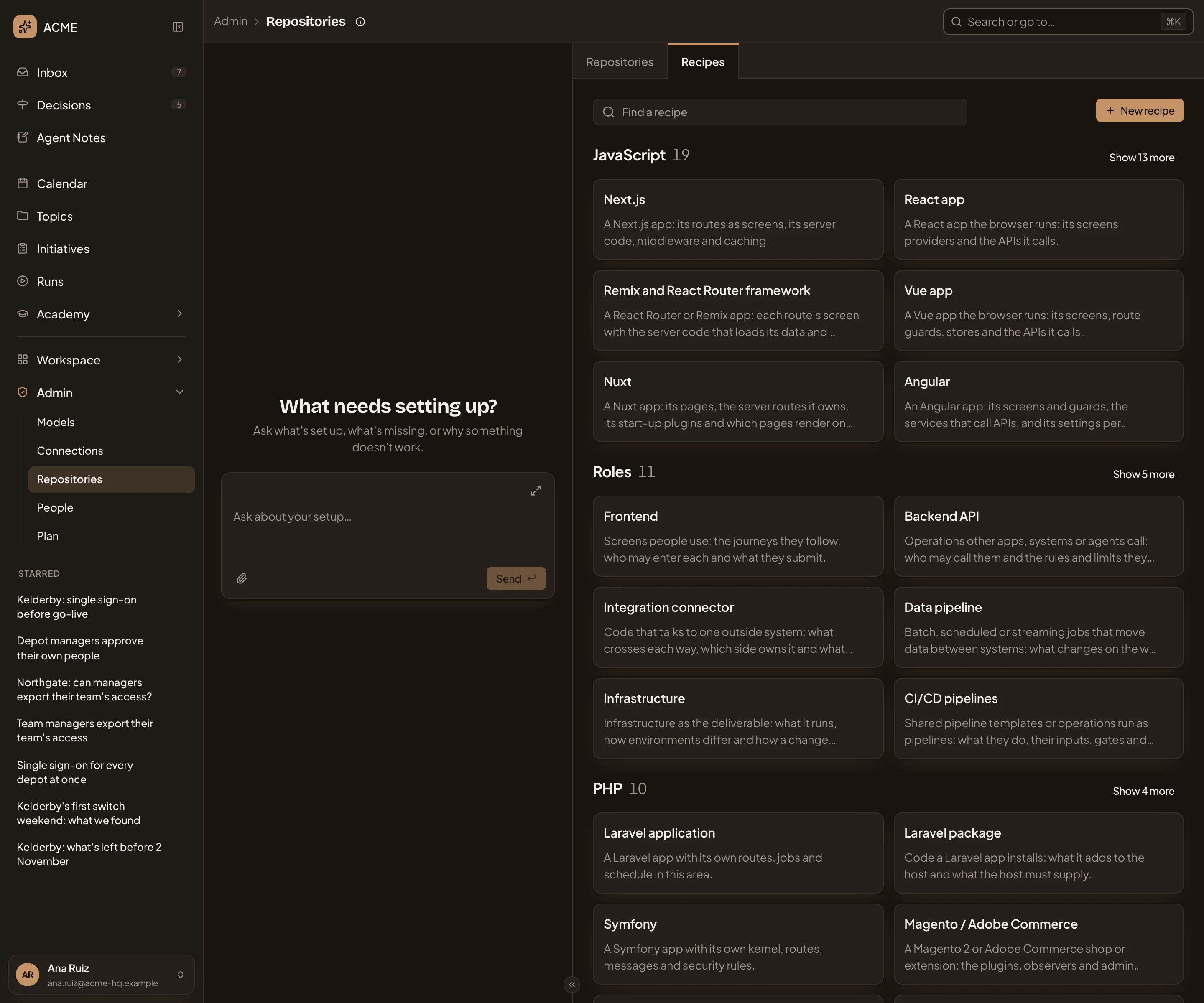
- You’re on Recipes. Repositories goes back to the list.
- Recipes guide. What recipes are for, and what to watch for.
- Find a recipe. Narrows the cards by name or summary, or filters them by source or by ecosystem.
- New recipe. Opens a new recipe.
- A group, with how many recipes it holds. Technologies group by language or platform. The rest group by kind: Roles, Structures and Patterns. The biggest groups come first.
- Show 13 more. A group shows six cards until you open it.
- A recipe: its name, and a line on what it recognises and what the analysis reads there. Click it to open the recipe.
A card says Organisation when your organisation wrote the recipe, and Customised when it’s your organisation’s version of one of Emargen’s. “Also” on a technology’s card names the other languages it’s used in. A card for a whole-repository recipe says “Every area”. Your recipes follow these grouping rules.
Filtering
Section titled “Filtering”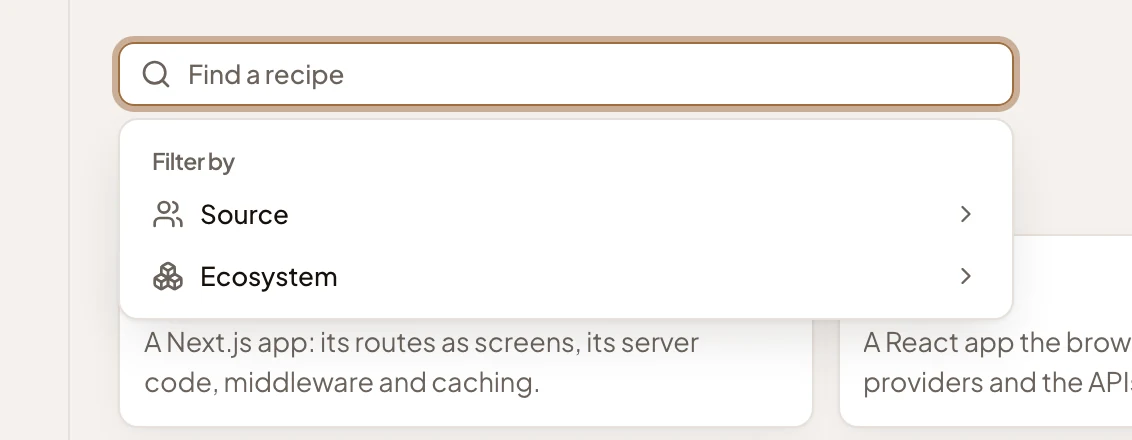
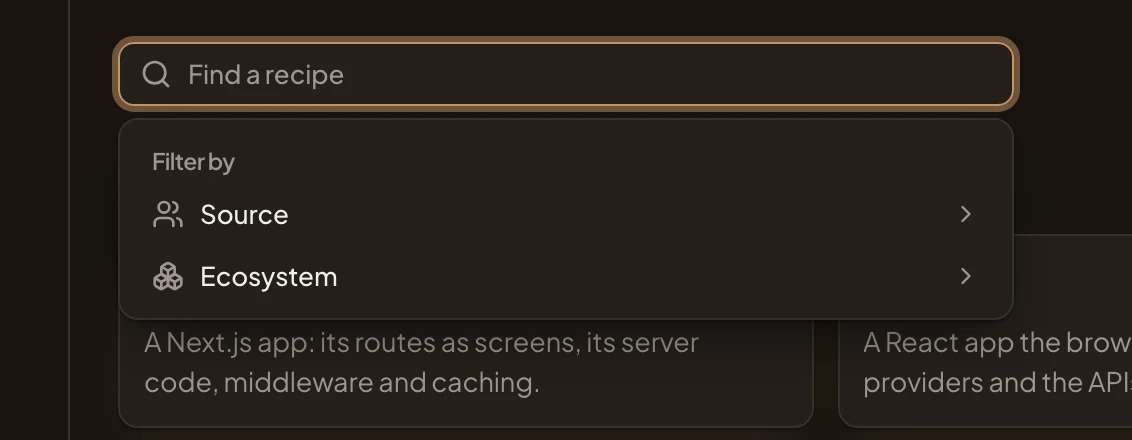
Source filters for Emargen’s Built-in recipes or your Organisation’s. Ecosystem shows one language or platform, such as PHP or Infrastructure. A search or a filter shows every match, with the groups open. When nothing matches, the page says “No recipes like that.”
Access
Section titled “Access”Everyone in the organisation can read the recipes. You need the permission to analyse repositories to make or change a recipe. Administrators have it.