

InitiativesHow to
Read the decomposition
Read an initiative’s decomposition when you need to know what it will change before anyone builds it. You might be about to approve it, or you might need to promise a customer a date or plan support for a screen that changes. Decomposition explains the idea.
Before you start
Section titled “Before you start”- Who can
- Anyone who can open the initiative reads its decomposition.
- You need
- An initiative with a chosen approach. The agent writes the decomposition on its own once one is chosen.
- The pictures
- ACM-293, Single sign-on for every depot at once, at ACME, the company in the docs’ pictures. The product manager who approved it reads the initiative without editing it, and the pictures show their view, with their chat hidden.
-
Open the initiative from the initiatives list, and click Decomposition in the bar on the right. The decomposition opens on Affordances. While it says Analysis pending, the agent hasn’t finished. Come back once the Summary and the map show.
Open the initiatives list (opens Emargen in a new tab)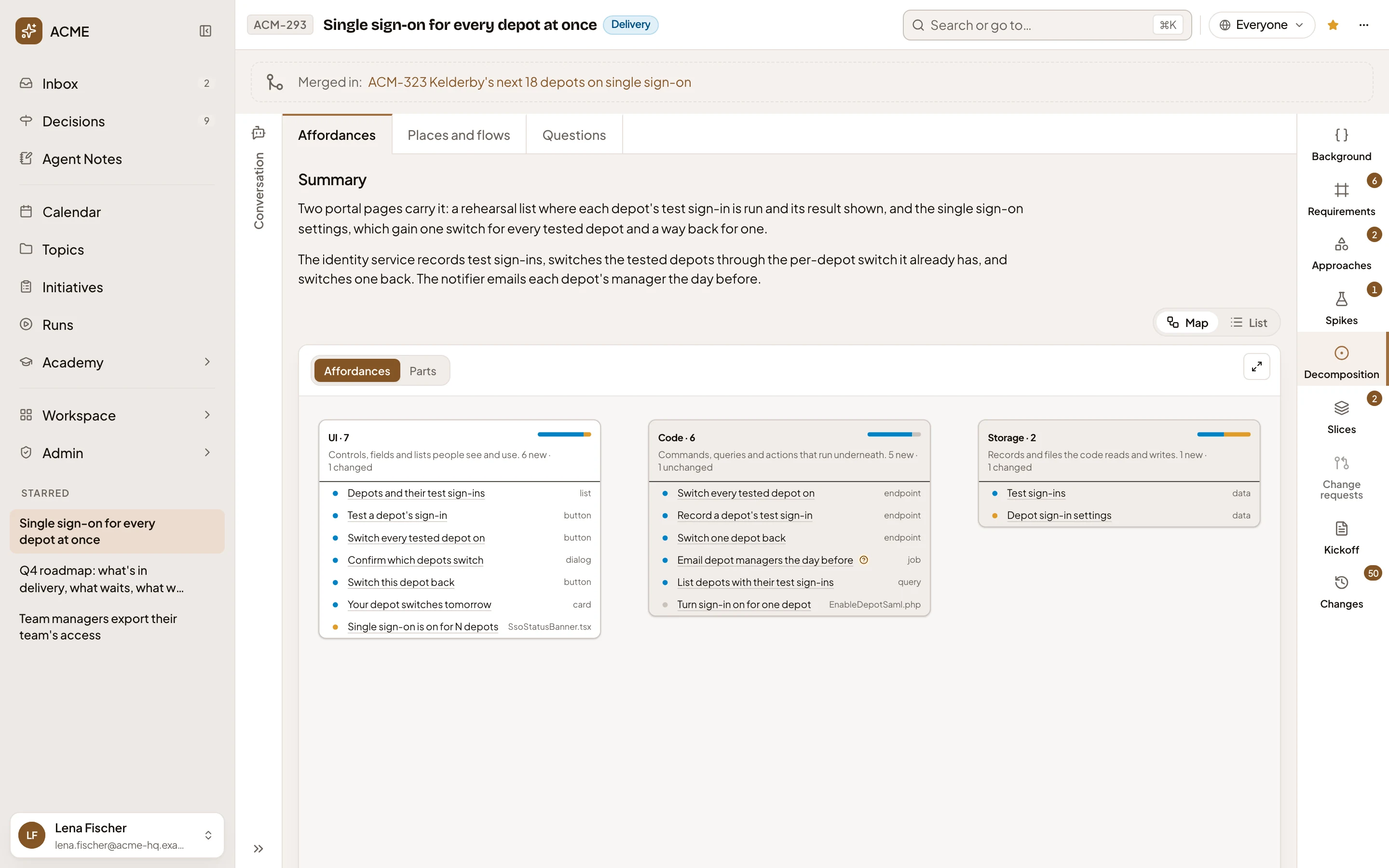
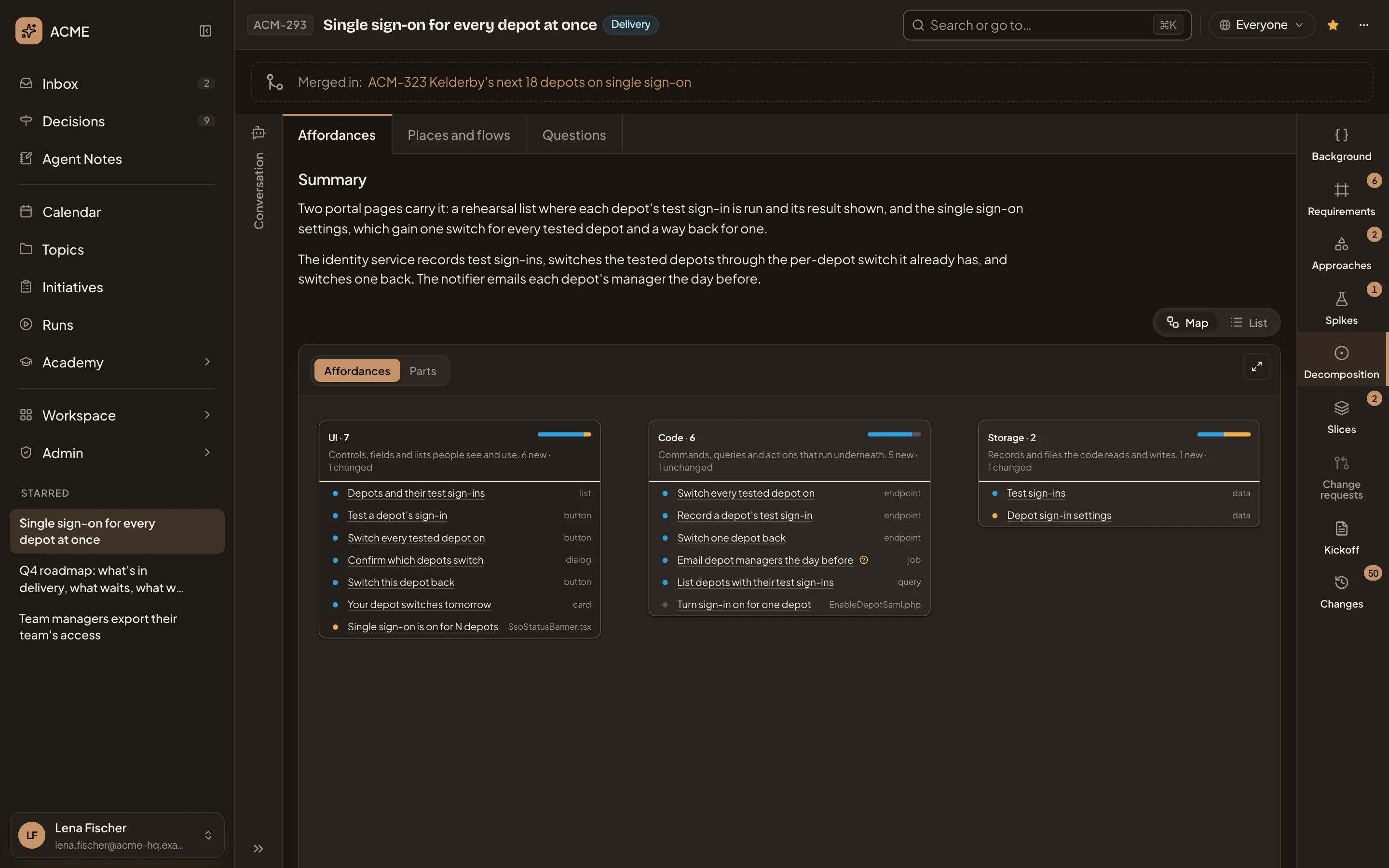
- Decomposition, in the initiative’s bar.
- The decomposition’s three pages.
- Summary. Start here.
- Map and List: two ways to show the pieces.
-
Read the Summary. In a few sentences, it says which screens change and what runs underneath. In the picture, the switch sits on Single sign-on settings. The identity service and the notifier run the rest.
-
Read the map. It has three columns. What a person sees and does, what runs underneath, what’s kept. Each row is a piece. A blue dot marks a new piece, an orange one a piece that changes, and a grey one a piece used as it is. An icon beside a piece means a question about it is still open.
-
Click a piece to read its note beside it. The note says what the piece does, and which part of the approach it belongs to. Click it again to close the note.
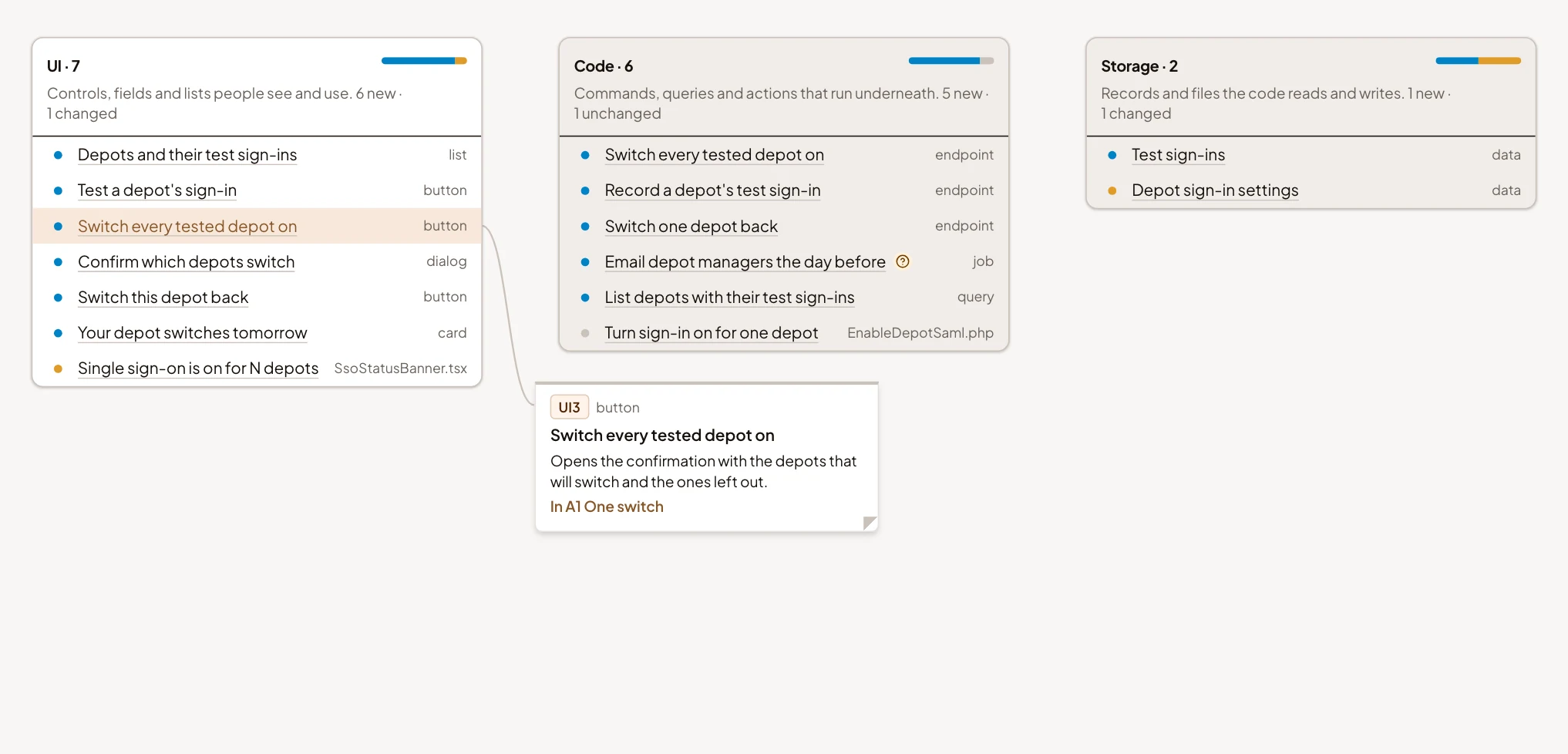
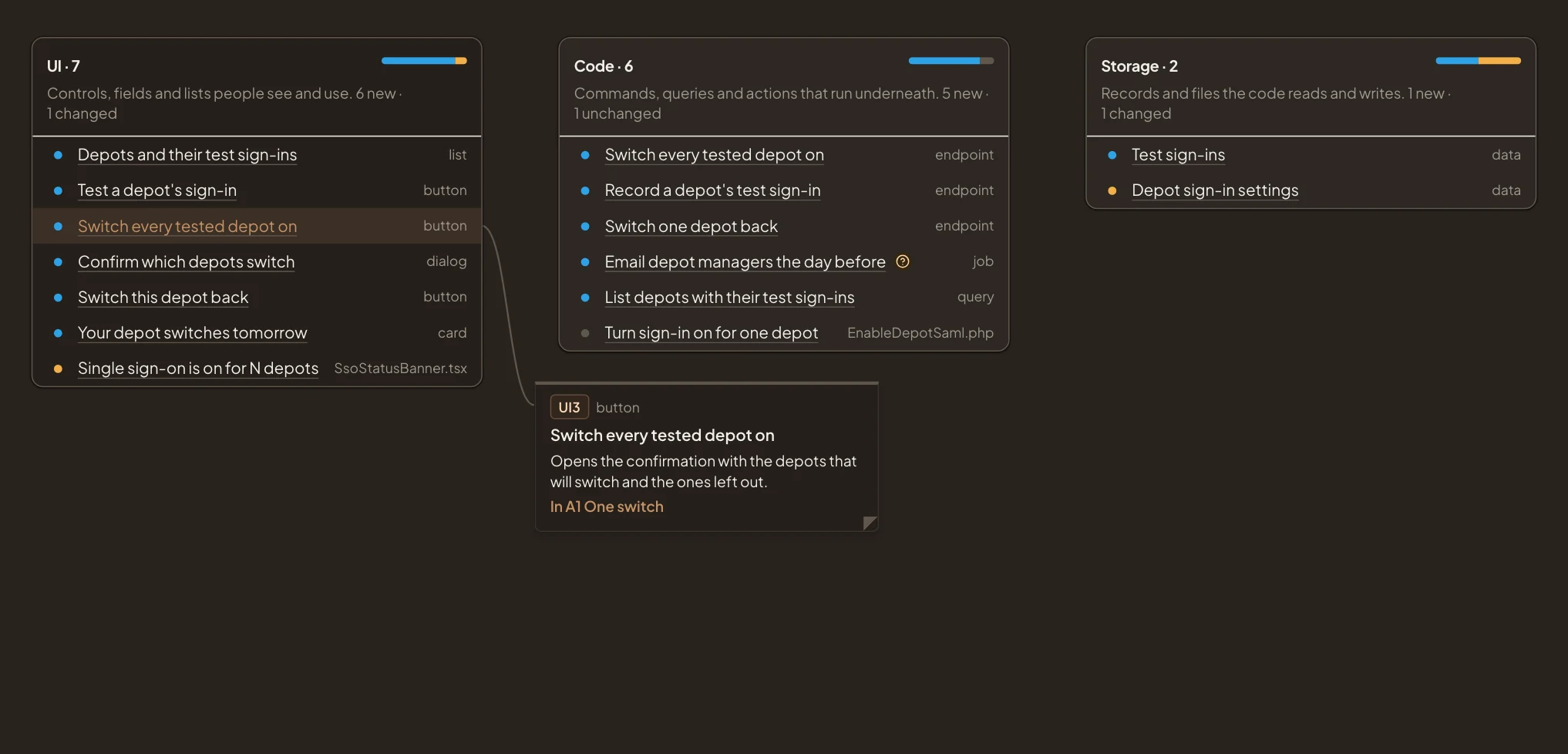
- The piece you picked.
- Its note, ending with the part of the approach it’s in.
To go through the approach one part at a time instead, click Parts above the map, and pick a part.
-
To ask the agent about a piece, or tell the initiative’s people something about it, click List. Click the row of the piece. Click Quote to add the piece to your message, or Comment to talk about it with the initiative’s people.
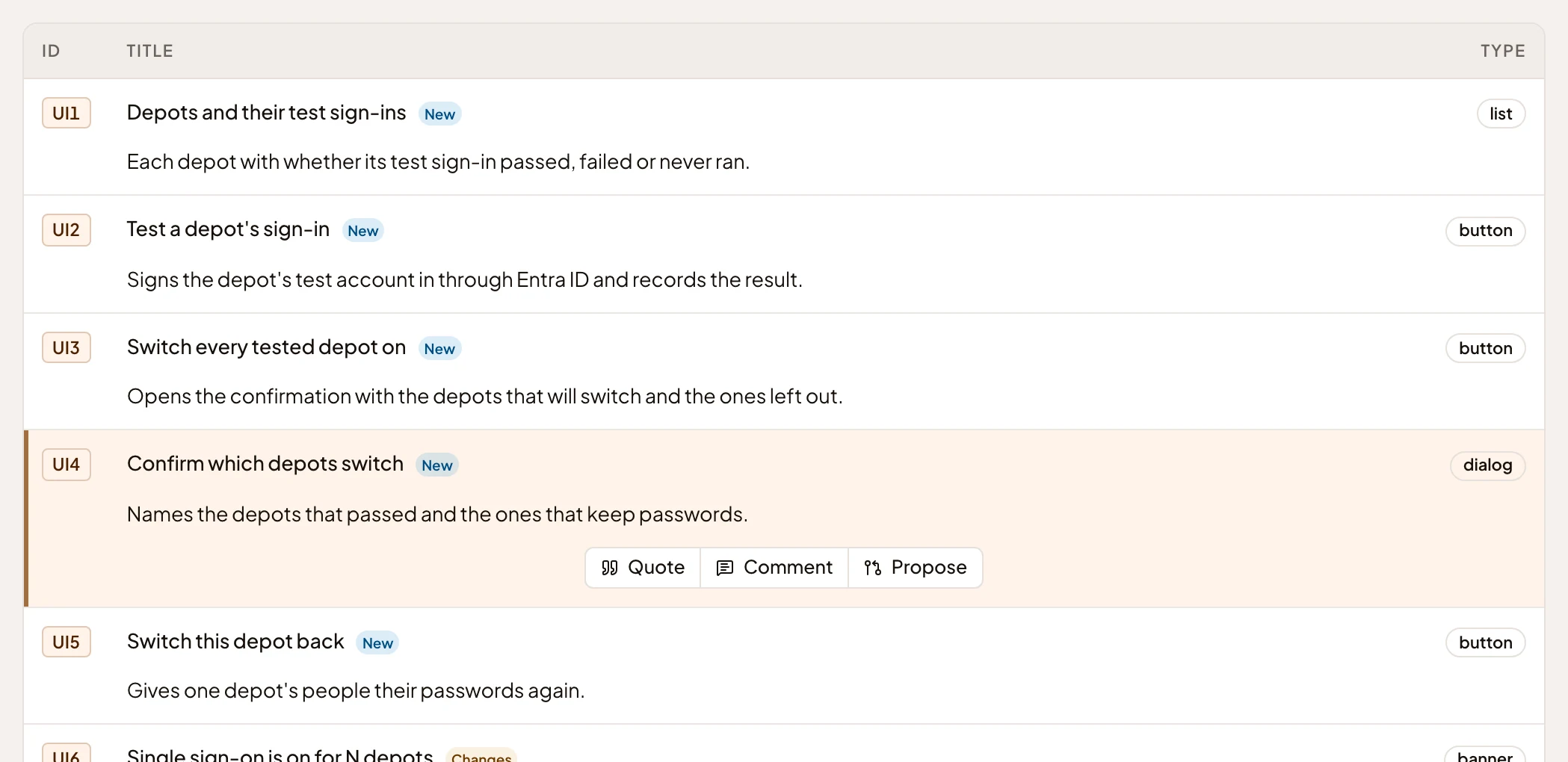
- Quote. Ask the agent about this piece, in your own chat.
- Comment. Tell the initiative’s people about it.
-
Click Places and flows to see the settings page, list or email each piece appears in. Each card lists what a person can do there.
-
To walk through a flow, open Follow a flow above the map and choose one. The map shows only the places the flow visits, from Start to End. What happens behind the scenes gets a card of its own. The steps below the map say where each one happens. Previous and Next move a step at a time. The flow’s sequence diagram is at the end.
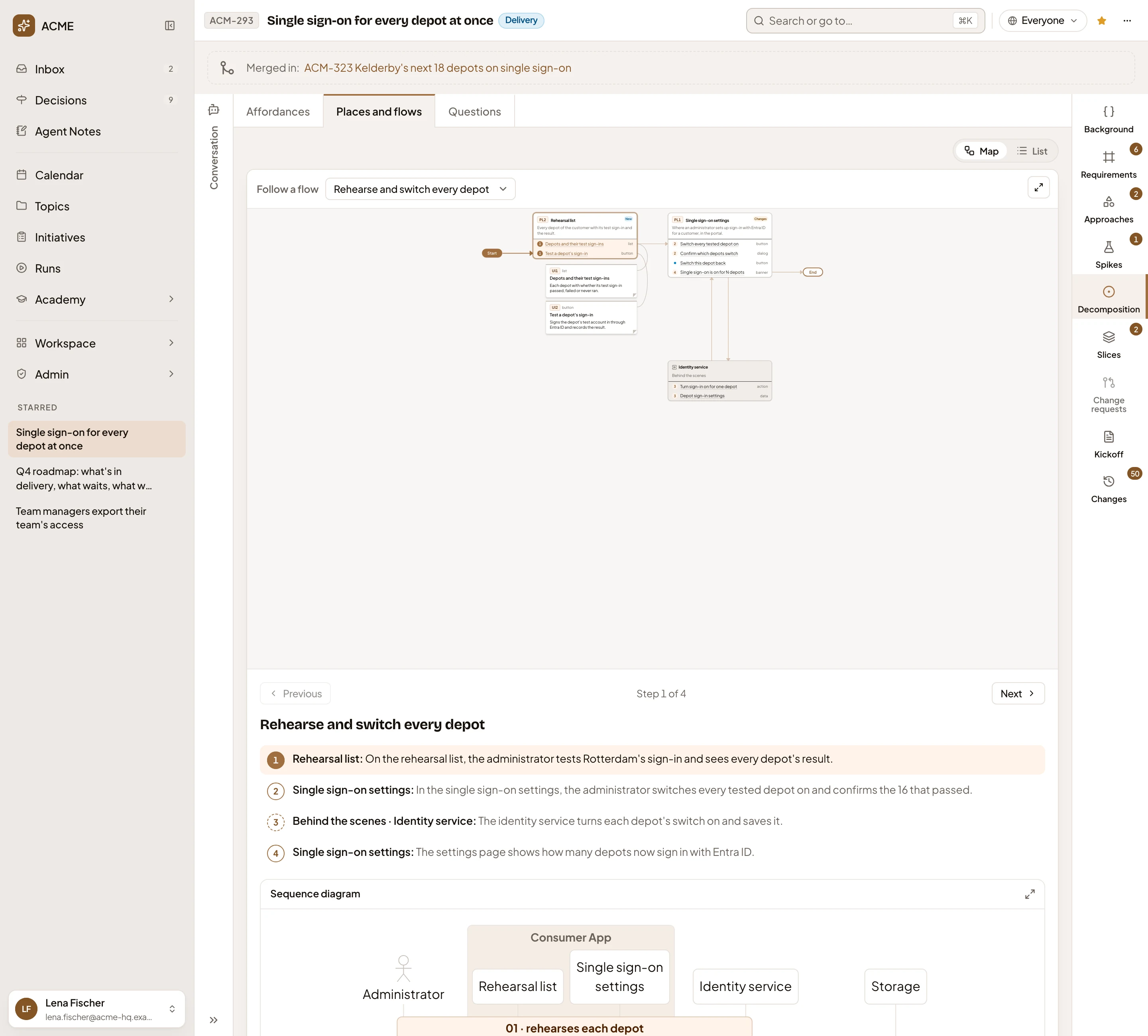
- Follow a flow, with the flow chosen.
- The flow on the map, from Start to End.
- Its steps. Click one to jump to it.
-
Click Questions for what only a person can answer. Each question says what the plan assumes for now, and what changes otherwise. The chips above it name the part of the approach, the piece and the requirement it’s about. The owner, or someone who edits the initiative, answers it there. In the picture, the open question is where the day-before email finds each depot’s manager.


What you get
Section titled “What you get”- You know what the initiative will change, piece by piece. New pages and buttons, changed code, data that’s new or kept differently.
- You know what still waits on a person’s answer, and what the plan assumes until then. In the pictures, that’s the day-before email.
- A piece you quoted is in your message box. Everyone who can open the initiative can read a comment you posted about a piece.