

WorkspaceIdea
Boards
A board is a saved way of looking at topics or initiatives. You open it and see what’s there now, without filtering again.
One view, kept current
Section titled “One view, kept current”Someone in customer success wants every customer’s questions together, without filtering the topics list each time. A spreadsheet would do it, but it’s only as current as the last person who filled it in. A board stays current on its own, and you share it with whoever looks at the work the same way.
Manual or automatic
Section titled “Manual or automatic”A board holds topics or initiatives, never both. A board is manual or automatic, and the choice is fixed.
A manual board shows lists, each as a column or a group. A list can come from the workspace, or live on the board alone. A support lead can put the questions an agent task finds beside a colleague’s list of cases waiting on the customer. A list on a board can fill itself too, so the board stays current.
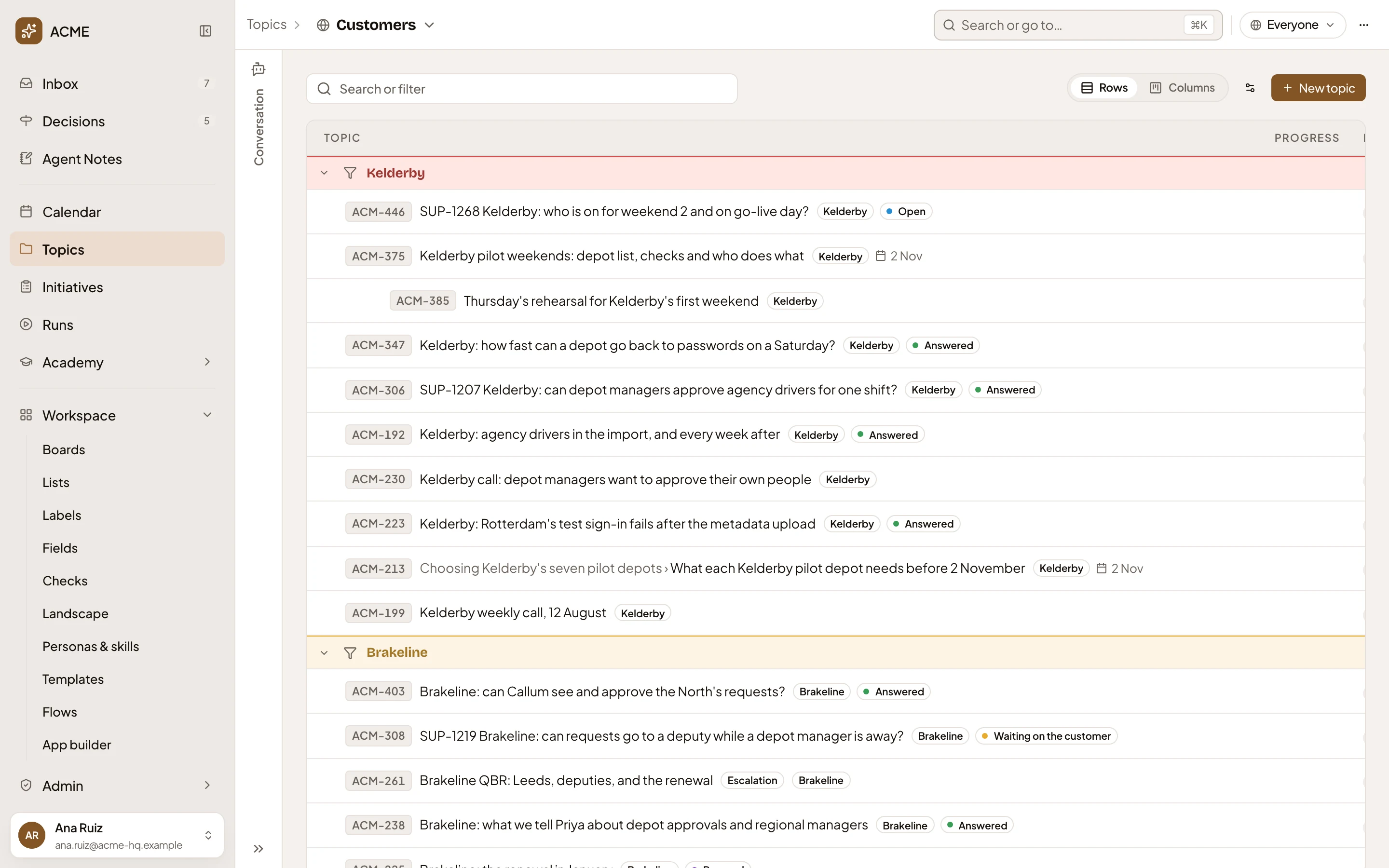
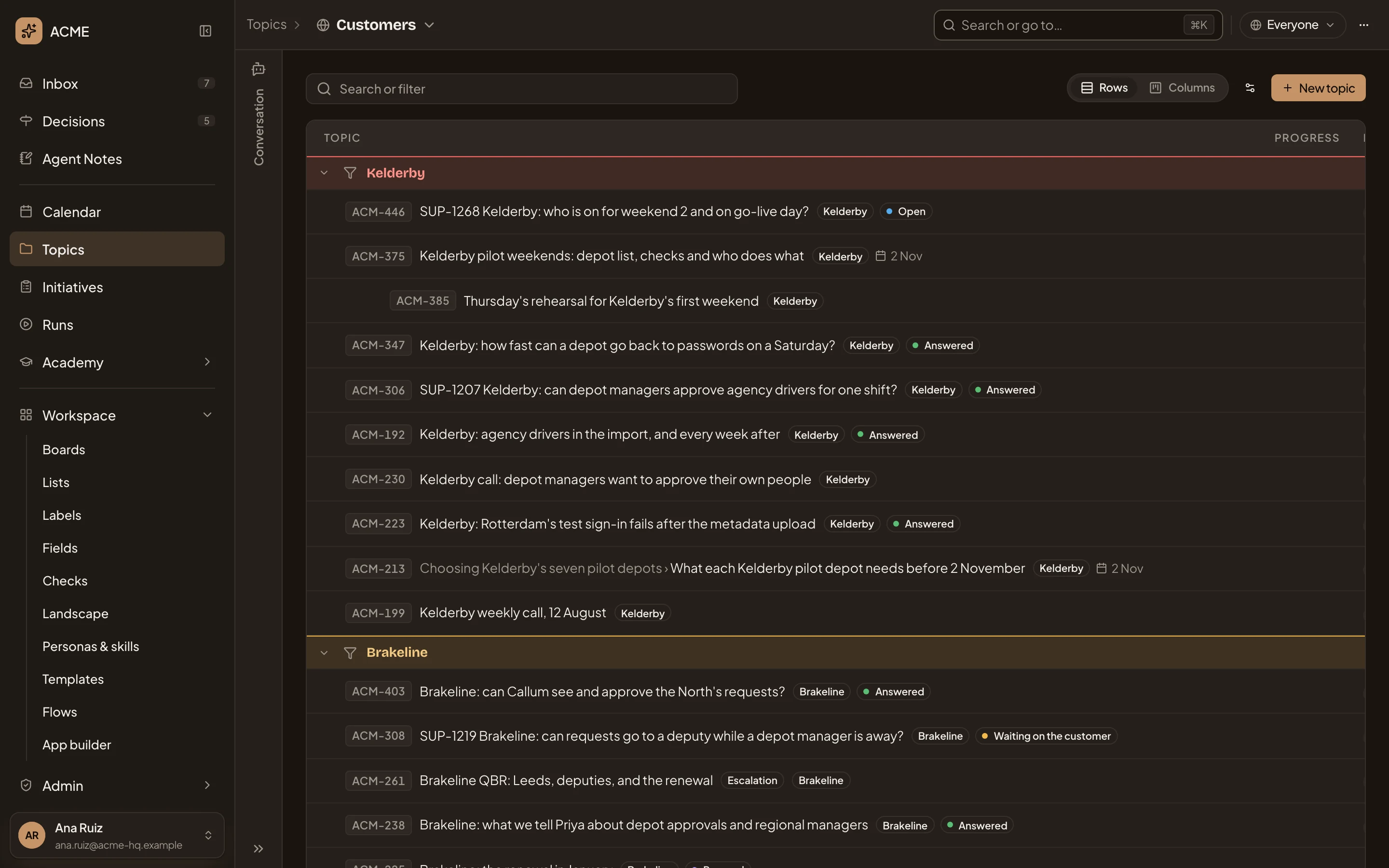
- The board. Click its name to switch to another.
- Sharing. Who sees it. A new board is yours alone until you share it.
- Rows or Columns. Your choice, which changes nothing for anyone else.
- One of the board’s lists, with the topics on it.
On the board, you drag topics between the lists kept by hand. You can’t drag them onto or off a list that fills itself, or one an agent task fills.
An automatic board has no lists. It shows everything that matches its conditions. A condition could collect every topic that follows the template Customer question. A condition can also be a label or one of your fields. Every condition must match. Nobody updates an automatic board. When someone writes a new customer question, it’s on the board. When a topic loses the Security label, it leaves a board of Security topics.
Laid out the way you like
Section titled “Laid out the way you like”You choose how to lay out a board. You can see it in rows or columns, and initiatives on a timeline too. You can group the board by Customer while a colleague groups it by Status. Their choice changes nothing for you.
Each person sees their own
Section titled “Each person sees their own”A board of initiatives shows every initiative you can see. A board of topics shows your own and the ones shared with you by name. A topic open to everyone that doesn’t name you is found by search, not on a board. So two people can open the same board and see different topics.
Every area also has a board called Everything, with no conditions. It’s always there, and you don’t make it.
Making one
Section titled “Making one”Ask the workspace agent beside the board’s page for “every topic labelled Security, for everyone”, and it fills in the page for you to check. Nothing is made until you press the button.
A new board is yours alone until you share it. People can view it or edit it, and whoever sees a board sees the lists it shows. Only its owner shares it or deletes it. Deleting a board deletes no topic or initiative. Its own lists go with it, and the workspace lists it showed stay.