

DecisionsPage by page
AI Overview
AI Overview is the agent’s reading of what the Decision Map shows. Open it with AI Overview at the top right of the map, or with Read all on a place’s page. When the lanes are by person or by kind, click a name for that lane. It uses the map’s days and filters. Send its address to a colleague, and they open the same reading of what they can see.
The whole map at ACME, the company in the docs’ pictures.
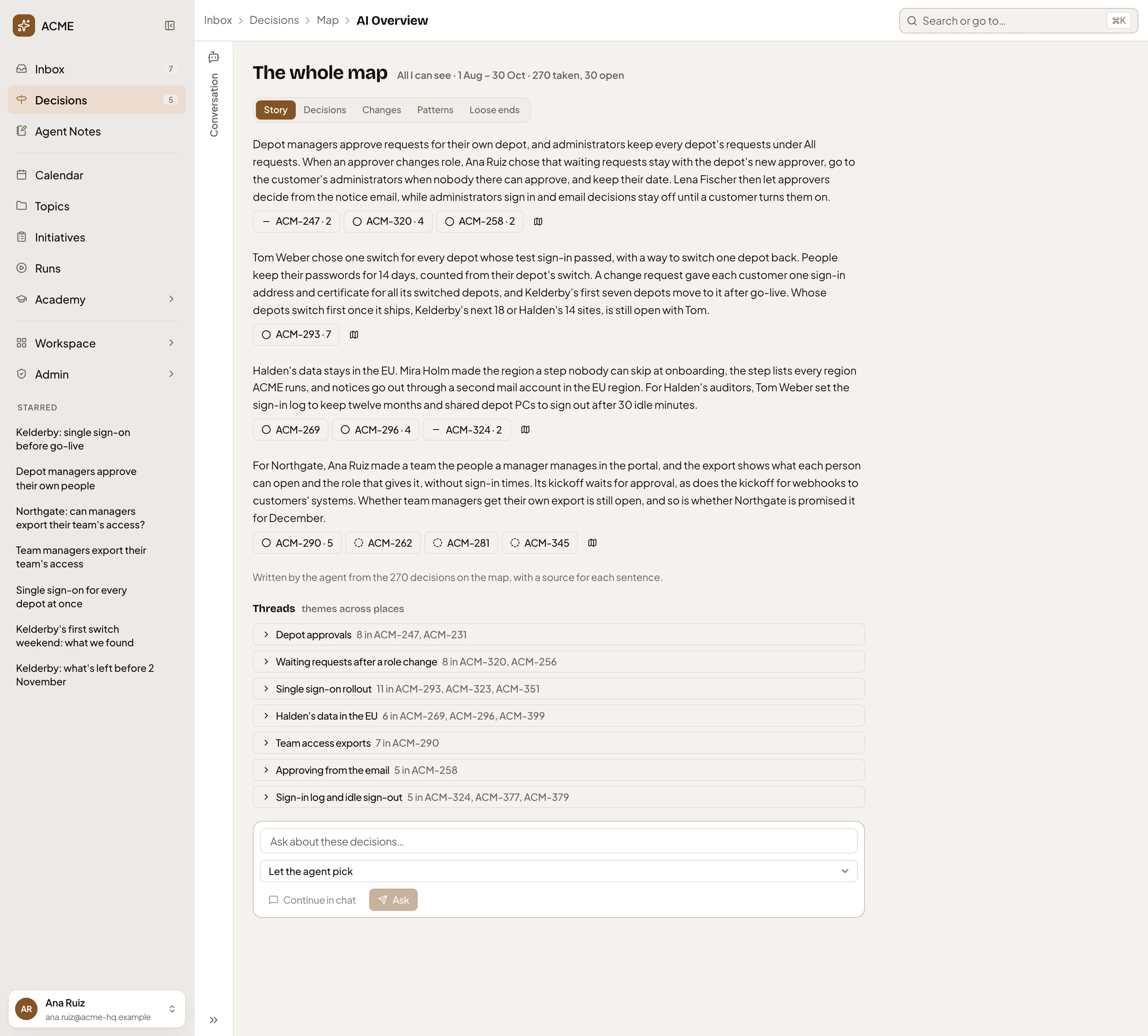
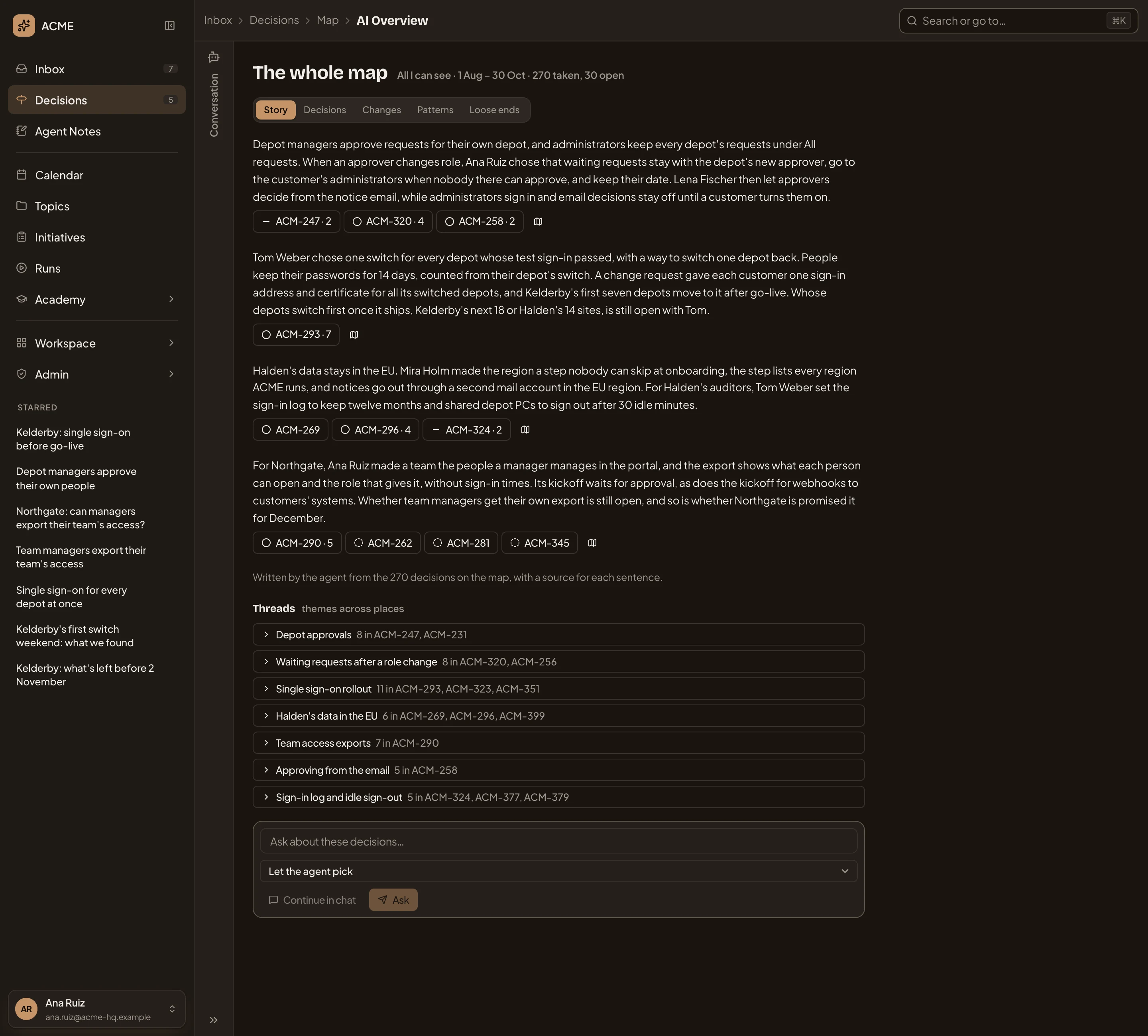
- Map. Goes back to the map as you left it.
- The reading covers The whole map. It takes in whose decisions, the days, and the counts.
- The tabs: Story, Decisions, Changes, Patterns, Loose ends, then any you saved.
- The story: what the decisions add up to, and what’s still open.
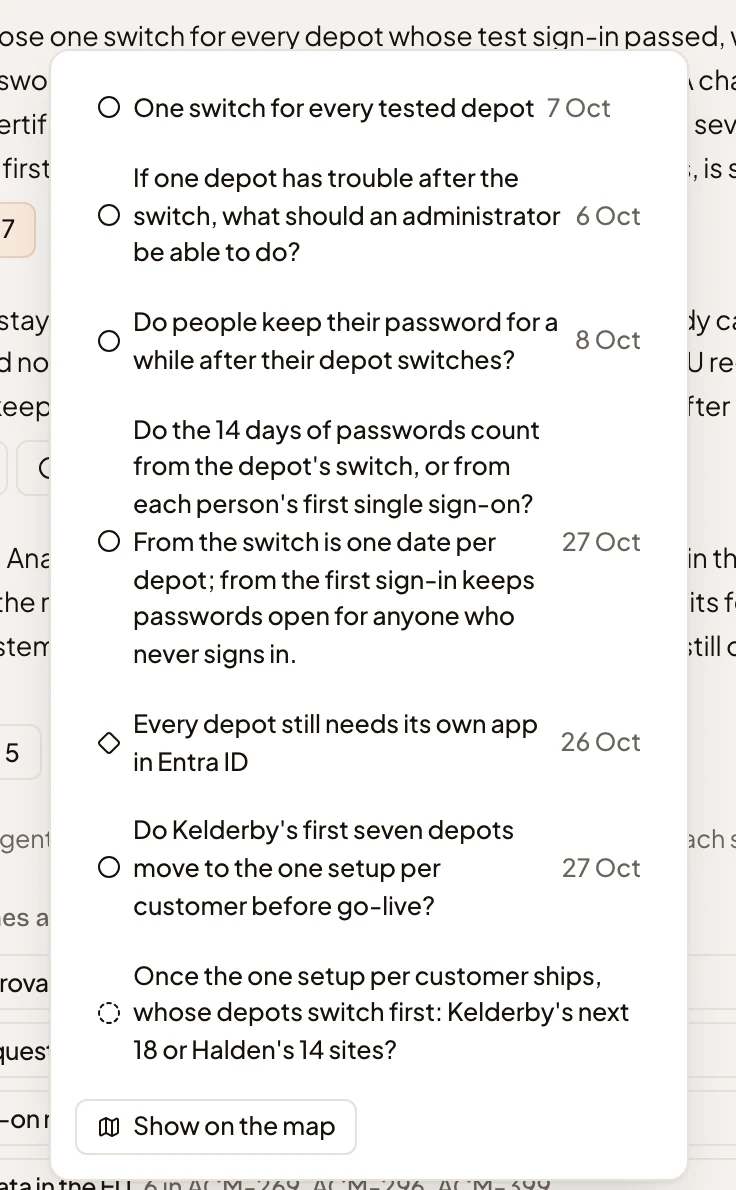
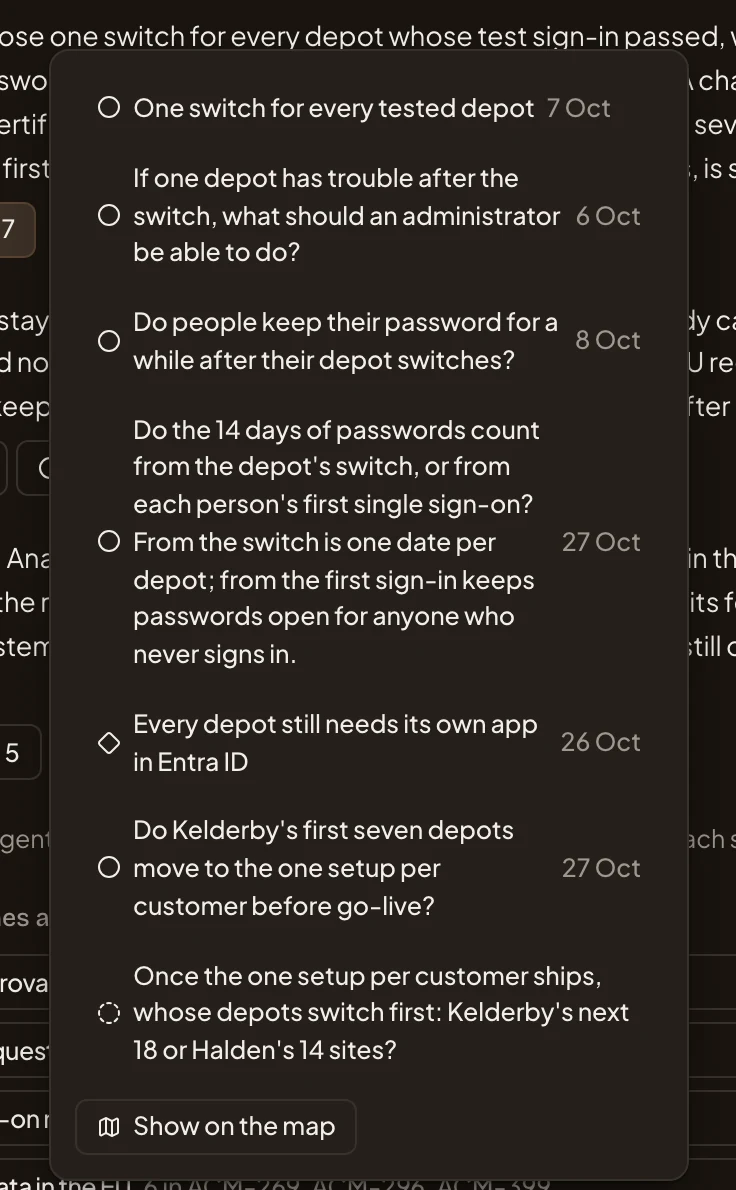
- A button for each place lists the decisions a paragraph cites. ACM-320 · 4 lists the four decisions, each opening its page. A button with only a key cites one decision. Open ones open in Decisions.
- Show on the map. Goes back to the map with only those decisions on it.
- How many decisions the agent read. Every sentence cites those decisions.
- A thread: a subject the decisions are about, across places. Click it to list its decisions.
- Ask about these decisions… puts your question about the decisions on the map to the agent.
- Answer format. Let the agent pick, A few paragraphs, Groups or A line on each.
- Continue in chat. Hands your question to your chat beside the page.
- Ask. The agent answers here, citing the decisions.
The agent writes the story and its threads on your organisation’s chat model, and keeps them until those decisions change. Then it writes them again, so your reading differs from the picture. The page never waits for it. You see the last reading at once, with “The agent is reading the map…” under it, and the new one takes its place when it’s ready. Without a chat model, Story shows no overview yet. The other views are counted from the decisions and show either way.
Threads and citations
Section titled “Threads and citations”A button that cites several decisions in one place lists them, with Show on the map for all of them. A thread expands in place to list its decisions.
On the map, the filter box reads “From the AI Overview:” then where they came from. Its × shows the whole map again.
The other views
Section titled “The other views”Decisions lists what was taken, newest first. Each row has the decision, what was picked, the reason, who took it and when. Click one to open its page.
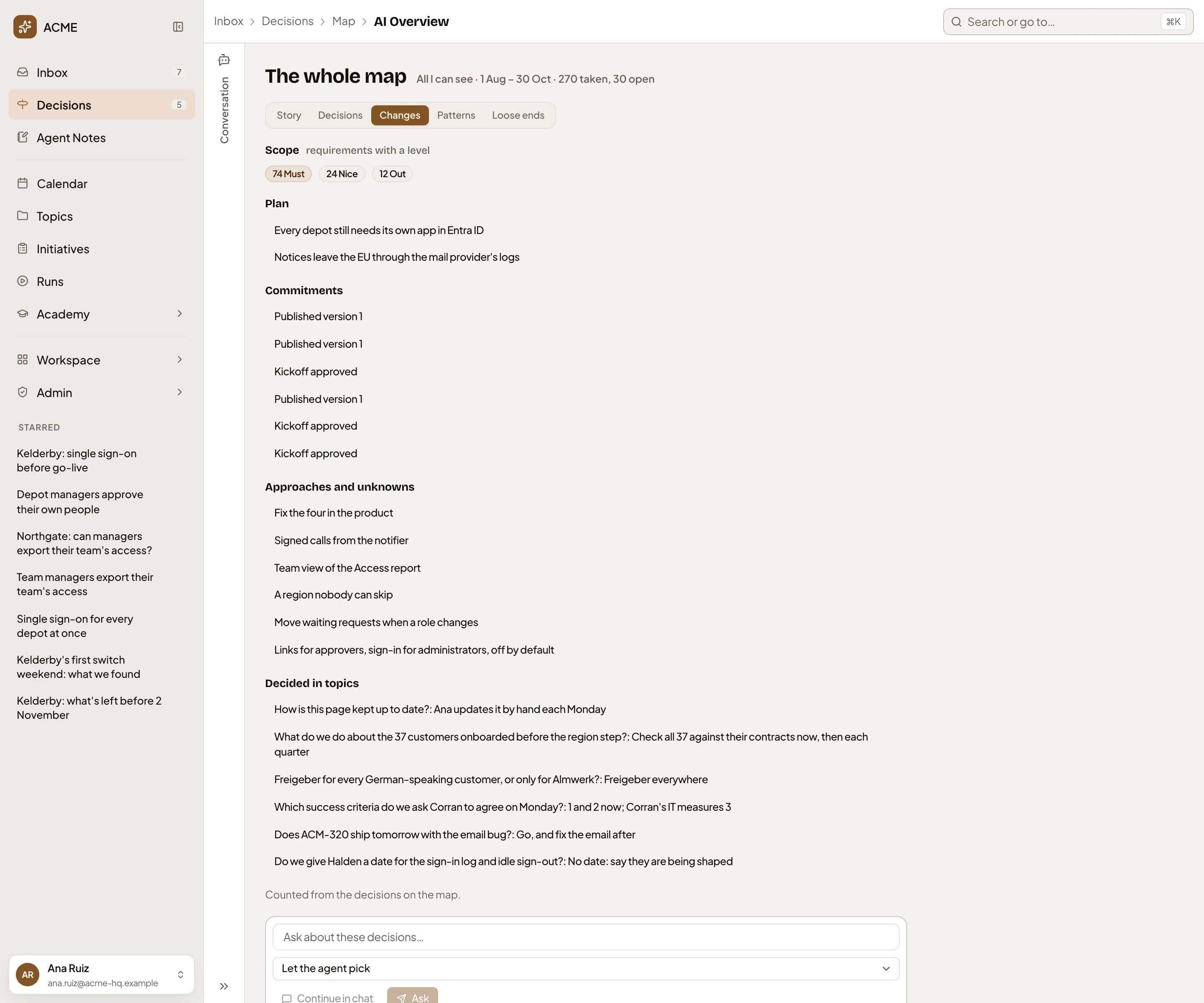
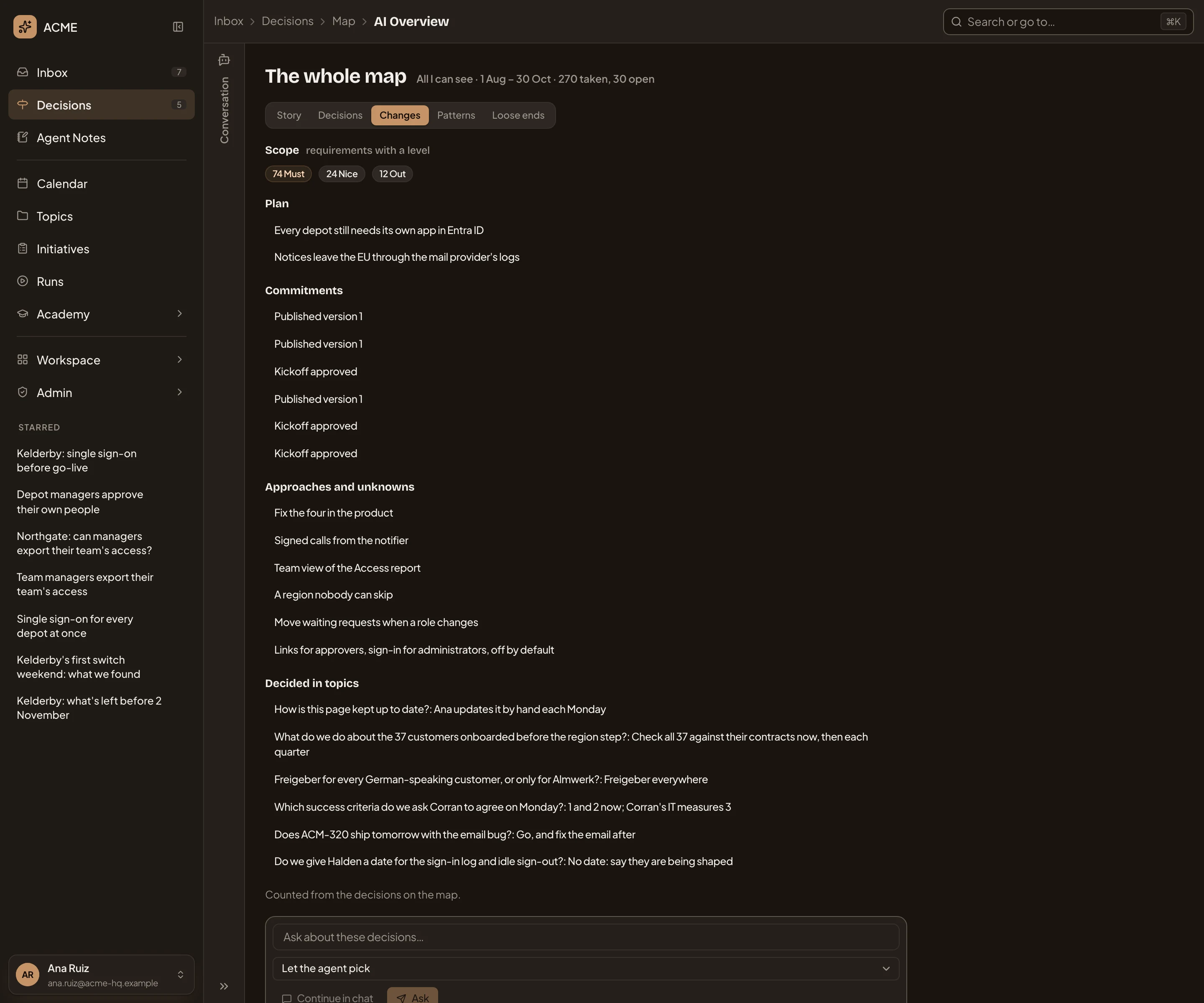
Changes holds five views. Scope counts requirements by level (Must, Nice, Out). Each lists what was decided. Plan lists change requests. Commitments lists versions published and kickoffs approved. Approaches and unknowns lists approaches chosen and unknowns decided. Decided in topics lists each topic decision with what was picked.
Patterns counts how often people Followed the agent’s recommendation or Asked the agent before deciding, and how often they Gave a reason. It also shows how long a decision stayed open, on average, and how many people decided. Went another way lists the decisions that went against the agent’s recommendation, and Took longest what was open longest.
Loose ends lists what may need another look. Still open lists what’s open, how long it has waited and whose turn it is. Possible conflicts is the agent’s reading of two decisions that can’t both hold as written, or that leave a gap nobody decided. When there are any, it also lists decisions taken without a reason, changed after they were decided, or replaced by a later one.
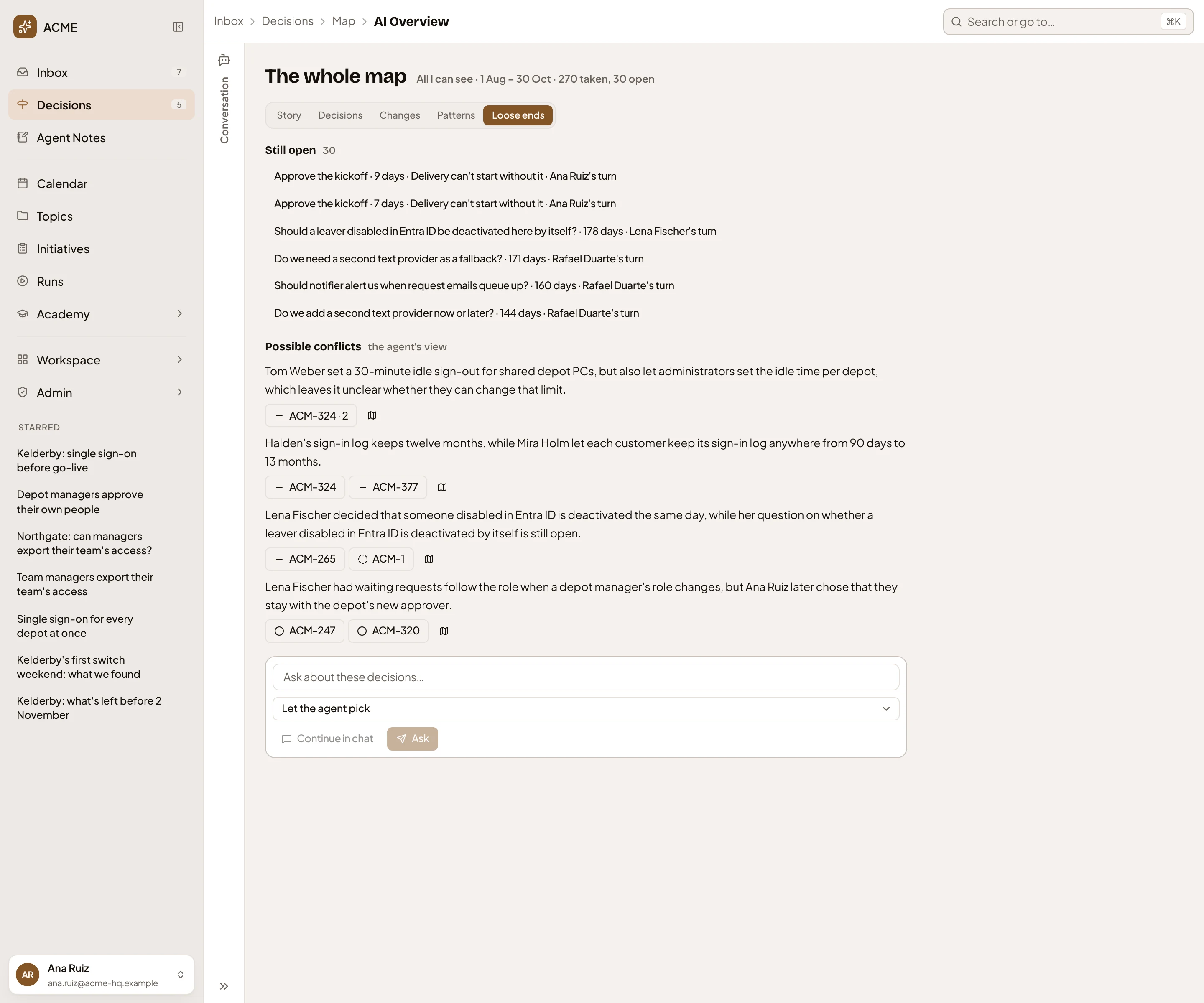
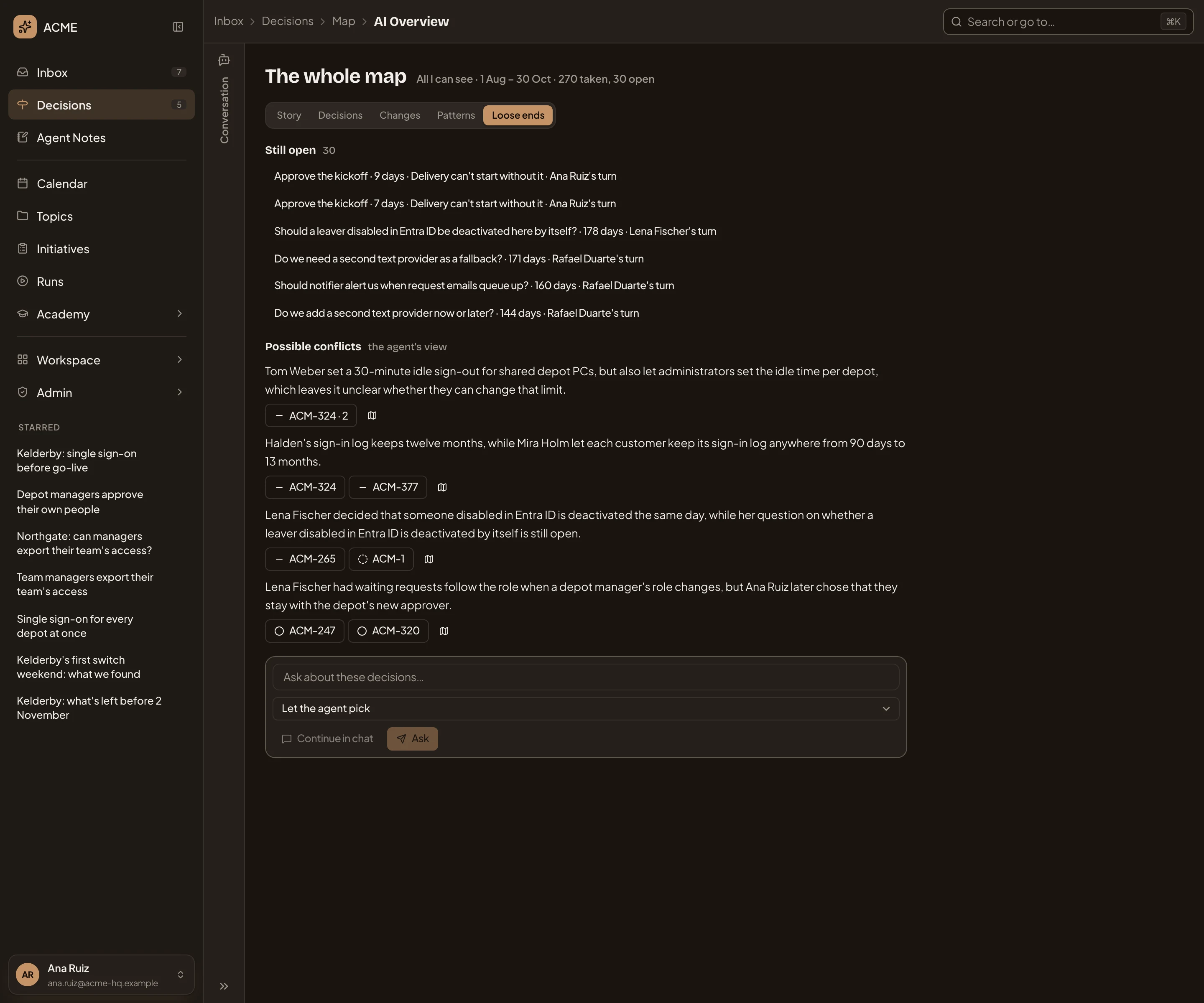
- Still open. Click one to open it in Decisions.
- Possible conflicts, in the agent’s words.
Your own questions
Section titled “Your own questions”Type a question in Ask about these decisions… and click Ask. The answer appears under a new view, Your question, citing its decisions like the story. Save as a view adds it as a tab beside Story, which you can share or delete later. An answer you don’t save disappears when you open another view.
Access
Section titled “Access”AI Overview reads only the decisions you can open. A view you save is yours until you share it. What you share is the question. Each reader’s answer is written from what they can open.