

Area of Emargen
Agents
Beside most pages of Emargen sits a chat with an agent. You tell it what you’re after in your own words, and it does the legwork. It reads what your organisation has, works on the page with you and says where each thing came from.
The area has an agent of its own, with that area’s tools. The topic agent writes a topic’s document, the workspace agent makes boards, lists and fields, and they all know the page you’re on, so you never have to explain where you are.
It goes and looks
Section titled “It goes and looks”The agent reads what your organisation gave it. That’s the tools you’ve connected, like Jira and Confluence, and your repositories, so it can say what the code does today. It reads Emargen’s own record too: earlier topics, initiatives and what was decided in them. On a topic or an initiative it can also search the web, when your AI provider offers that. It reads the files and emails you give it too.
Bigger questions take longer. Ask if your product already does something, and the agent runs a check against the code in the background. It puts the result on the page when it’s done, with the parts of the code it read and what it couldn’t see. When it isn’t sure what you want, it asks first.
Everything it writes says where it came from. You can open the ticket or the earlier topic it read, and see which code a check looked at. So a colleague can check the source instead of taking the answer on trust.
You stay in charge
Section titled “You stay in charge”The agent does a lot without asking. It writes a topic’s sections as you talk. It stars, pins or flags something for you, with an Undo. Those marks are only yours, so we left out the confirmation.
A change to how your organisation is set up is different. Ask for a new board or a field, and the agent puts a card in the chat saying what will change. Nothing happens until you press it. Anything you can do with a click, you can ask any chat to do.
A job of several changes becomes a checklist. The agent writes every step down first, you start it once, and it follows you from page to page until it’s done.
Some things stay with a person whatever you ask. The agent sets out the options and says which it would pick, but a choice only you can make waits for you as a decision. So do approving an initiative, publishing it and deciding a change request.
Every chat is private
Section titled “Every chat is private”Your chat with an agent is yours. Nobody else reads it, the owner of the topic included. Several people can take part in one topic, each in their own chat, and the agent writes what each of them asks into the same document.
Shaping how it works
Section titled “Shaping how it works”- Personas and skills. A persona is a way of working you pick per chat, like a security reviewer that checks every claim first. A skill is know-how the agent loads when the work calls for it.
- Templates. The shape of one kind of topic, which the agent starts from every time.
- Flows. How a kind of work goes, step by step, and who does each step.
- Checklists. One job of several changes, written down before anything happens.
An agent task runs a job on a schedule, and the agent writes up the result.
A customer’s question, start to finish
Section titled “A customer’s question, start to finish”Someone in customer success asks whether a customer’s team managers can export who has access to what, for their audit. The agent names the topic, which follows the organisation’s template for customer questions, and fills in the customer and a date to reply by. Then it checks the code. Exporting exists, but only for administrators, as one PDF of the whole organisation. It writes that down with the parts of the code it read.
A sales engineer opens the same topic in their own chat. The customer also wanted a spreadsheet, so they ask what to say. The agent writes the answer to send, and opens one decision for the topic’s owner: should team managers get an export of their own? It recommends yes, and leaves the choice to them.
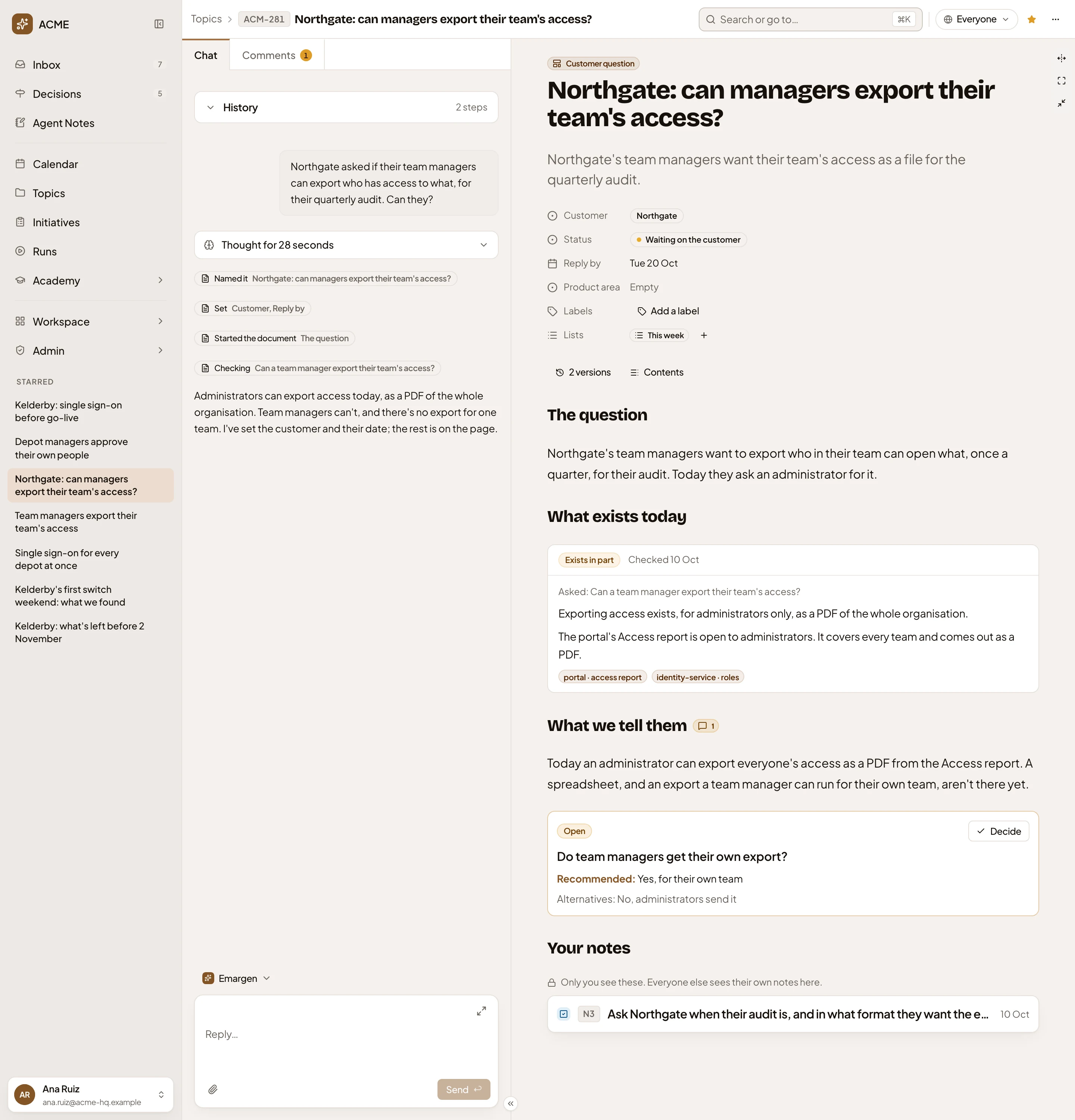
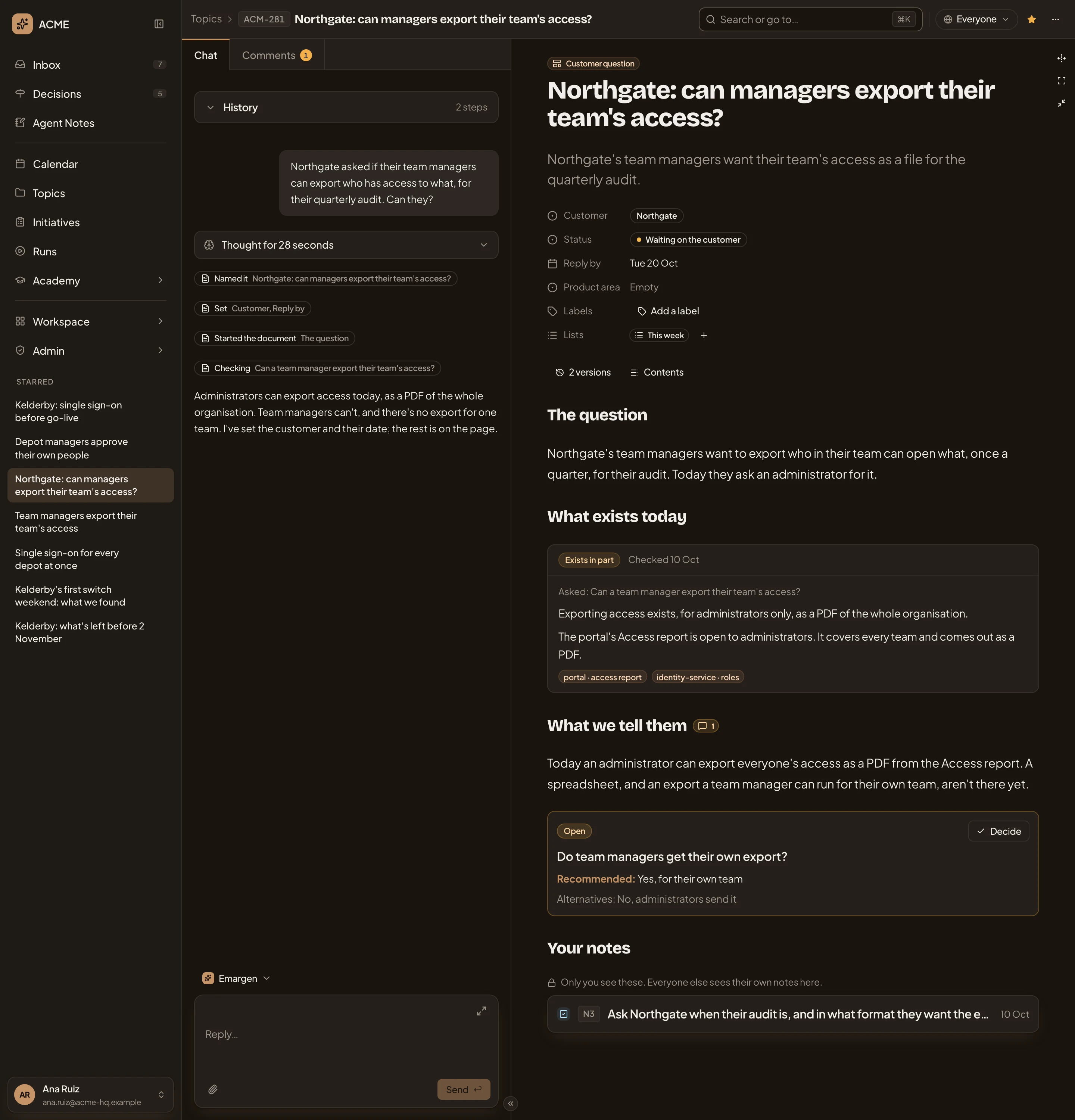
- The owner’s chat: her question, a line for each thing the agent did, and its answer.
- Customer question, the organisation’s template the topic follows.
- Exists in part, the check against the code and what it found.
- The parts of the code the check read.
- The decision left to the owner, with the agent’s recommendation and Decide.
Later, a product manager asks the agent beside Templates for a Team field on customer questions, so the board shows who answers each. That takes a new field and a change to the template, so the agent offers both as one checklist.
Beside the rest of Emargen
Section titled “Beside the rest of Emargen”The agent works with you in topics and initiatives, and what’s left for you is in Decisions and your Inbox. Coding agents like Claude Code can connect from outside, read that work and leave notes. Emargen’s own agents run on the models your administrators choose, and each of their calls is in the record of AI use.