

InboxPage by page
An item's page
Every item in your Inbox has a page of its own, so a link to it works from search, a reference or an email. In the Inbox, an item opens beside the list. In Expanded, clicking an item opens its page. Opening it marks it read.
Open the Inbox, expanded (opens Emargen in a new tab)In the picture, a sales engineer’s question to ACME’s customer success lead, on a customer’s topic.
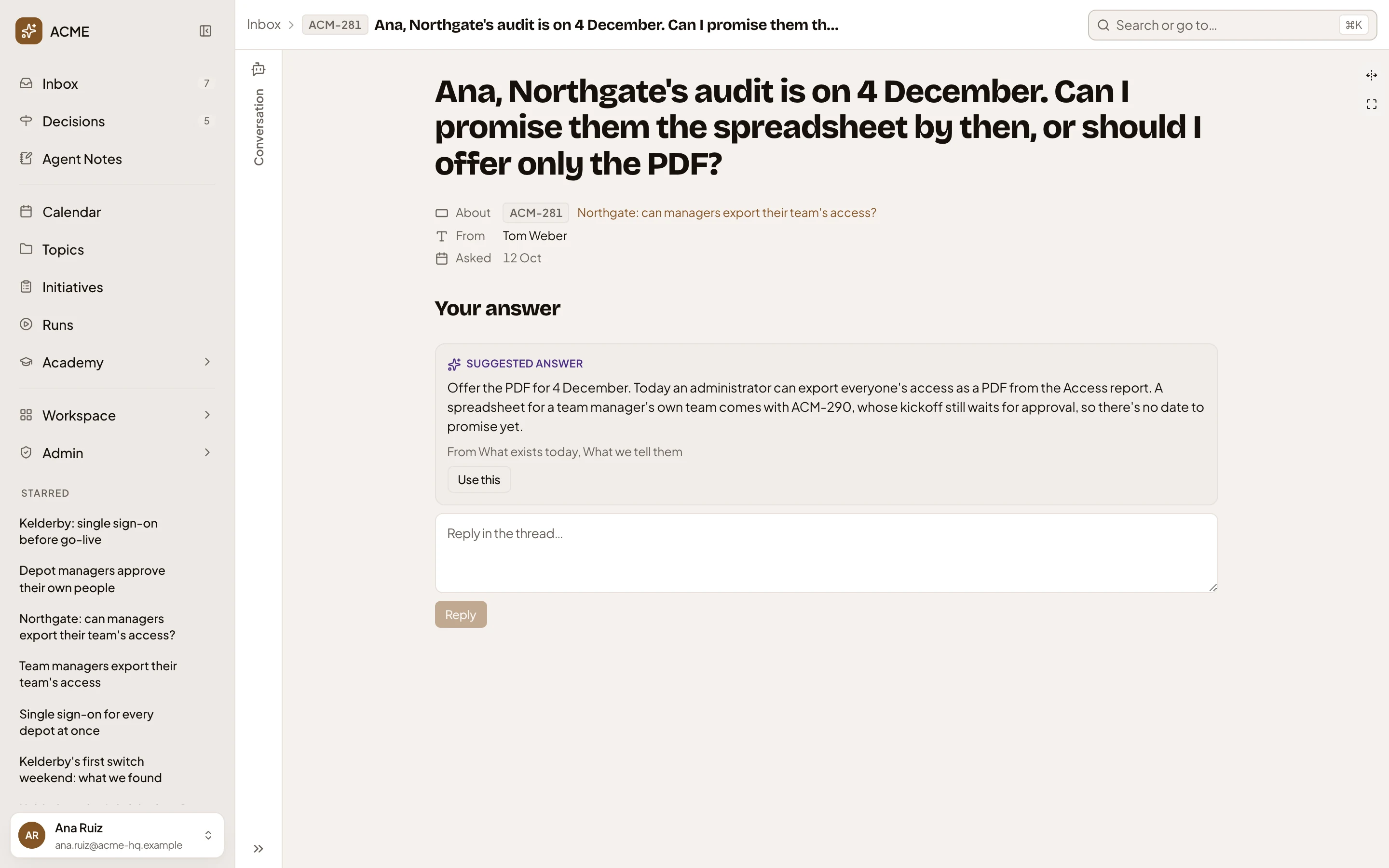
- Inbox, then the item’s subject. Click Inbox to go back to the list.
- Conversation. The inbox agent is closed. Open it to ask about the item.
- “Full width” and “Full screen”.
- The item. A question’s title is the question. A comment’s title says who replied.
- About. The topic or initiative it’s about. Click it to open it.
- From, and when it was asked.
- Your answer. Your reply goes into the thread on the topic.
- Reply. Greyed out until the box has words.
With a model set up for your organisation, the agent drafts a Suggested answer from the topic. Use this puts it in the box for you to change.
A question from your chats
Section titled “A question from your chats”Once a day, you get one Inbox item with the agent’s unanswered questions from your chats. When there’s only one, the page gives you the agent’s reason and the options. Pick one, or answer in your own words.
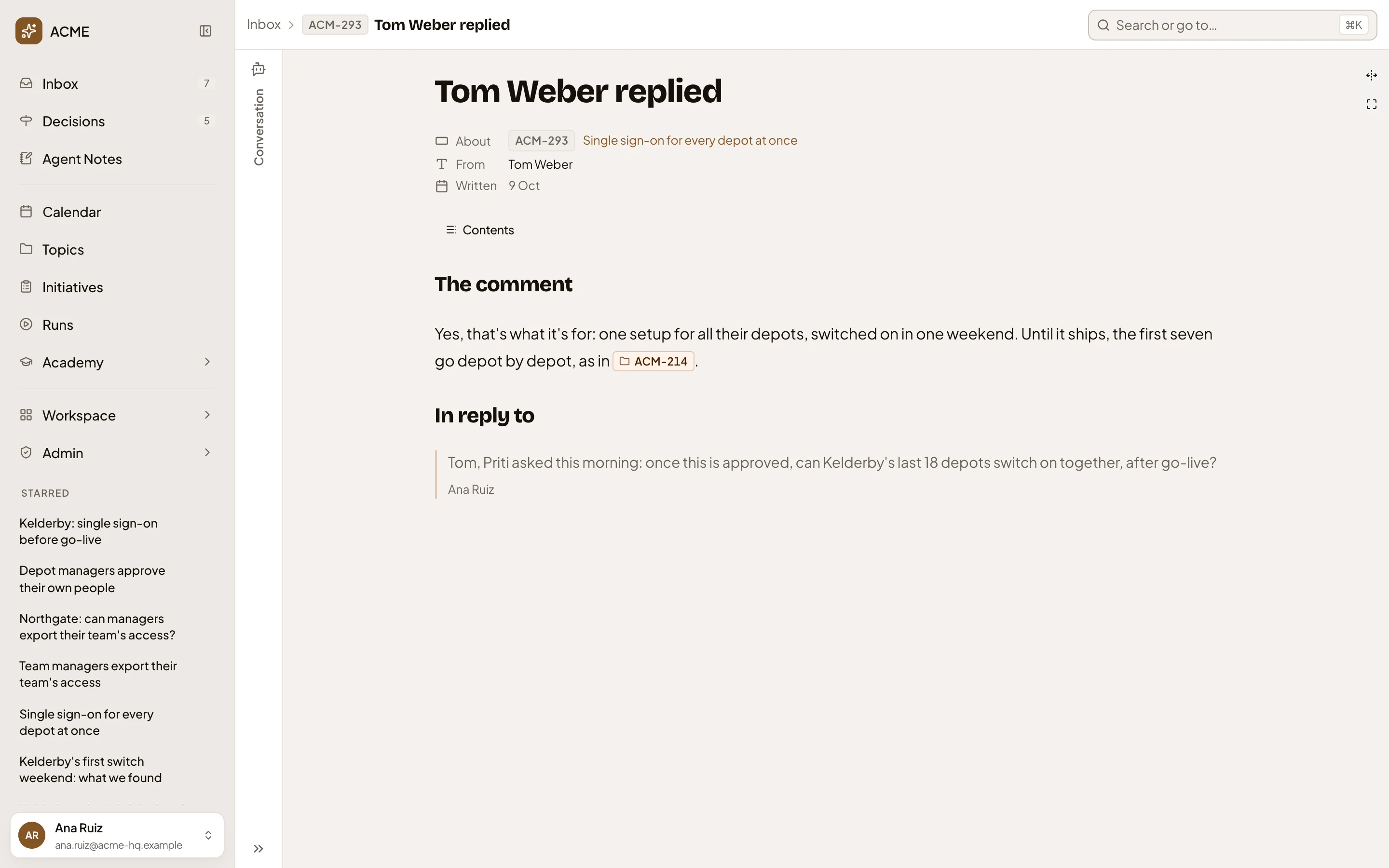
A comment
Section titled “A comment”A reply in your thread comes with the comment, and under In reply to, what it answers. Your own reply goes in the Inbox beside the list, or on the topic or initiative.
A task or a message
Section titled “A task or a message”A task says what to do under Task, and its button takes you there, like Practise for today’s practice. Doing it marks it done. A message only tells you something, and its buttons lead to what it’s about. In the picture, the news that a track is ready, with how its practice stands now.
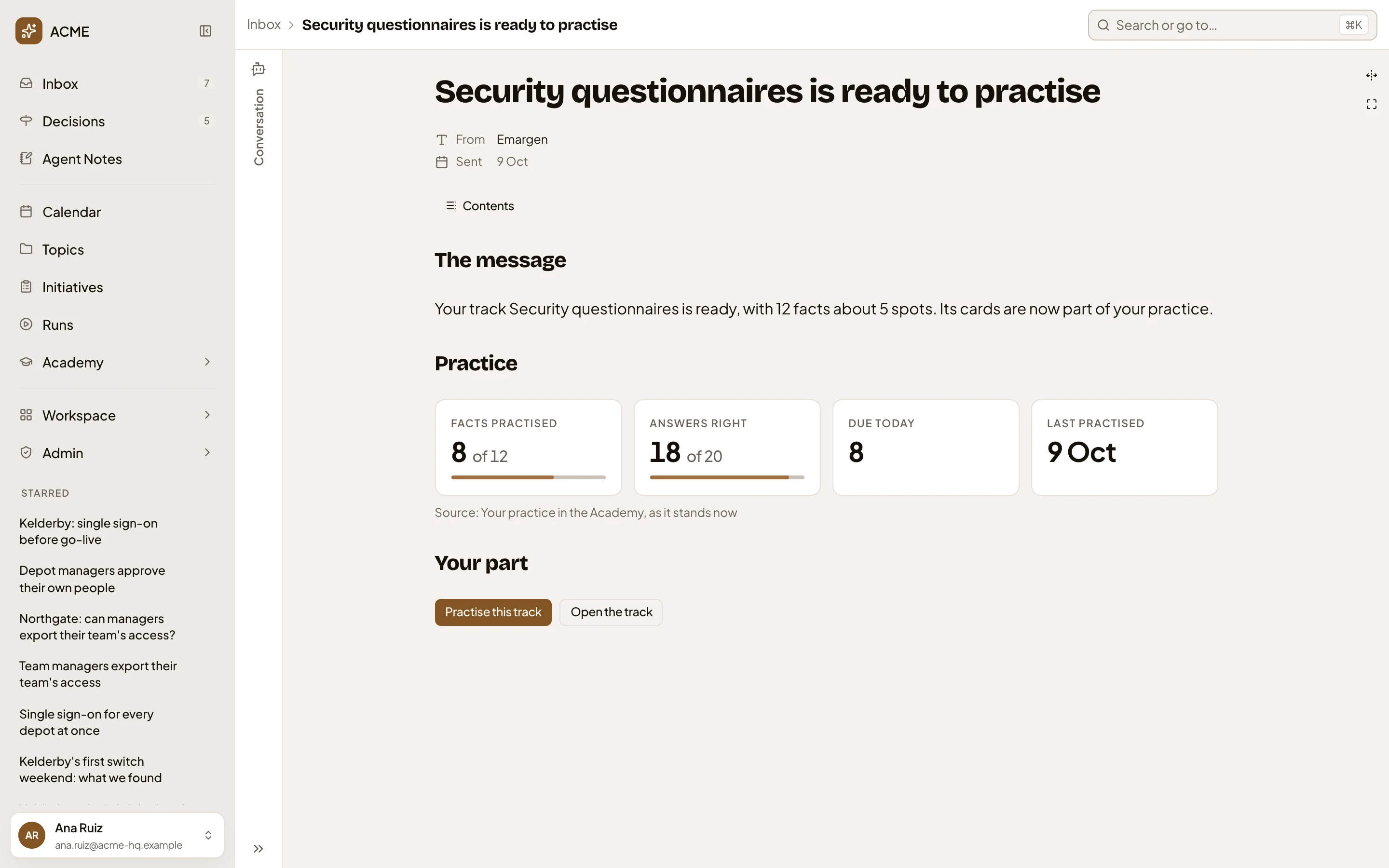
- Practice. How the track’s practice stands today, not when the message came.
- Practise this track and Open the track.
A note opens its own page.
On a phone
Section titled “On a phone”On a phone, tap Conversation or Inbox at the top to switch between the agent and the page.
Access
Section titled “Access”An item’s page opens for the people whose Inbox holds it. Everyone in a thread sees a reply.