

WorkspaceIdea
Lists
A list keeps related work together, under a name like “This week” or “Waiting on customers”. It holds topics or initiatives, never both, and you share it with the people who work on it.
A label says what something is about. A list says where it stands for you or your team.
Three ways a list fills
Section titled “Three ways a list fills”You keep it by hand and set the order. Someone in customer success keeps the topics they answer this week on a list called This week. A topic can sit on several lists at once, one for each reason it matters.
A list fills itself from its conditions. What you flagged comes first, then the newest activity. Nobody arranges it. Waiting on customers holds every topic whose Status is Waiting on the customer. When the status changes, the topic leaves. The conditions are the same ones a board uses.
An agent task can fill a hand-kept list of topics. You say in your own words what to look for. Under your words, the agent shows where it will look, in Emargen or a tool your organisation connected like Jira, and how far back. On each run, it makes a topic for each new thing it found, or one for everything new, and sets their fields. You choose. New topics go at the top. It makes up to ten topics a run. When something it wrote about changes in its tool, a later run brings that topic up to date.
A support lead collects new Jira requests twice a week, where customers ask if something can be done. Nobody copies questions out of the ticket queue. The ones the task found are already topics with a first draft, and the team’s time goes on the answers.
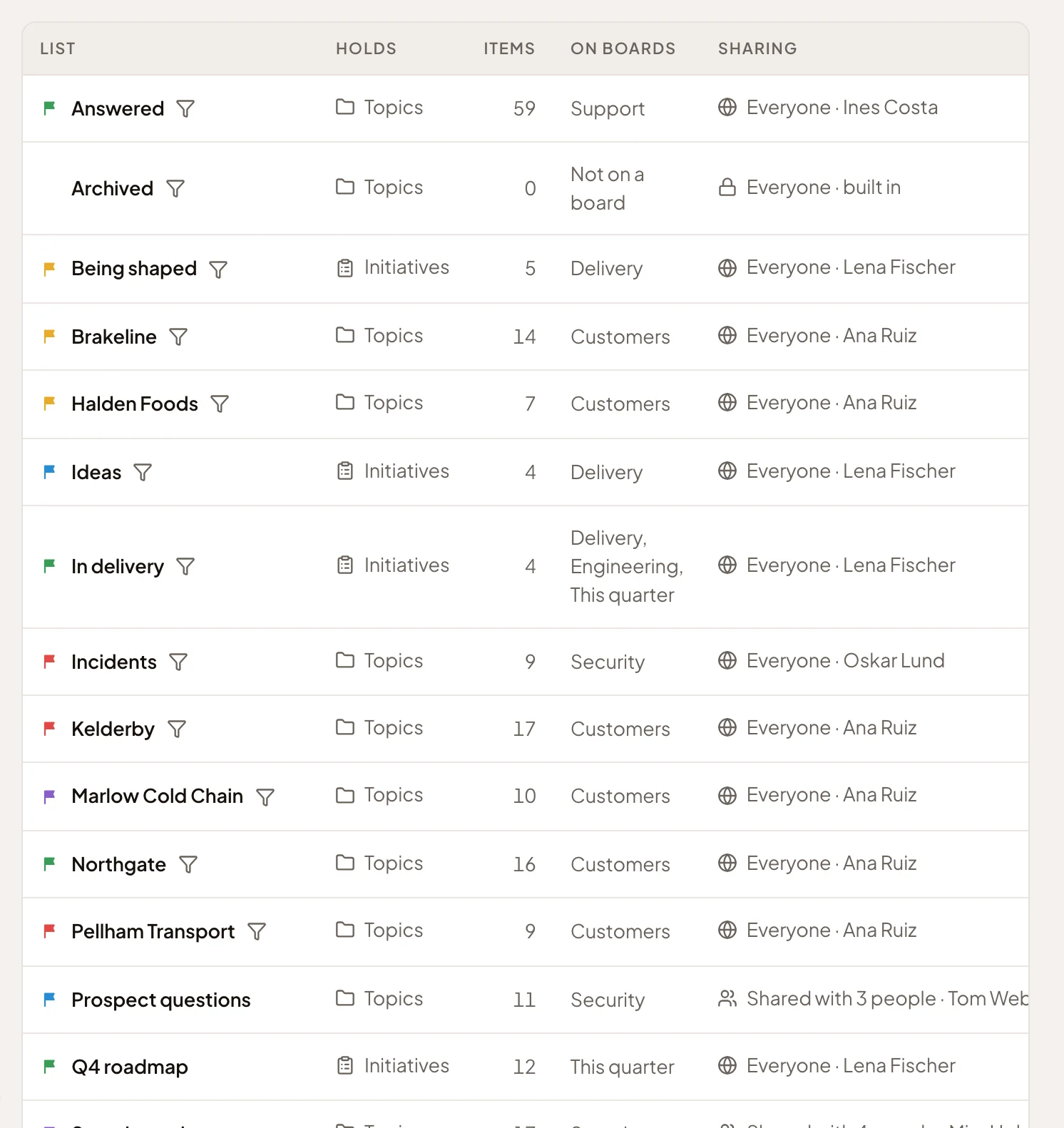
- Everyone · built in. A list that comes with Emargen, showing every person their own topics.
- Support questions. Kept by hand and filled by an agent task.
- This week. Kept by hand, seen only by its owner.
- Waiting on customers. Fills itself from its conditions.
You choose what a list holds and how it fills when you make it. You can add a task to a hand-kept list of topics later.
The lists that come with Emargen
Section titled “The lists that come with Emargen”Three lists fill themselves, and nobody changes them. Triage holds your topics on none of the workspace’s hand-kept lists you can see. Shared with you holds the topics shared with you by name that aren’t on one either. Archived holds the topics set aside as out of date. Each shows every person their own.
Workspace lists and a board’s own
Section titled “Workspace lists and a board’s own”A list made in the workspace can show on any board of its kind, and you share it yourself. A list made on a manual board is that board’s own. It shows only there, and whoever sees the board sees it. It goes when the board does.
Not a folder
Section titled “Not a folder”Putting a topic on a list changes nothing about who sees the topic. A list shows each person only what they may open already. The topics an agent task makes are the exception: they start shared the way the list is, so the people who see the list see them.
A new list is yours alone until you share it. Only its owner shares or deletes a workspace list. A board’s editors look after that board’s own lists. Deleting a list deletes its task, and the topics the task made stay.