

TopicsIdea
A topic the agent keeps
An agent task is a job you give the agent, with a schedule. A task can live in a topic and keep it up to date. On each run, the agent looks again and rewrites the parts you chose.
Some topics are never finished. What customers asked this week. Where a migration stands. They’re worth reading only while they’re current. Without a task, someone has to remember to ask the agent again, or a new topic starts each time and the old ones pile up.
Every Monday, the same topic
Section titled “Every Monday, the same topic”Someone in customer success asks the agent to list the previous week’s customer questions every Monday. The agent writes the first table, and a task keeps that section from then on, on Mondays at 09:00. They open one topic and read what every customer asked, by customer, each line with its topic’s key.
A repeat mark means the task keeps this section. Click it to open the task.
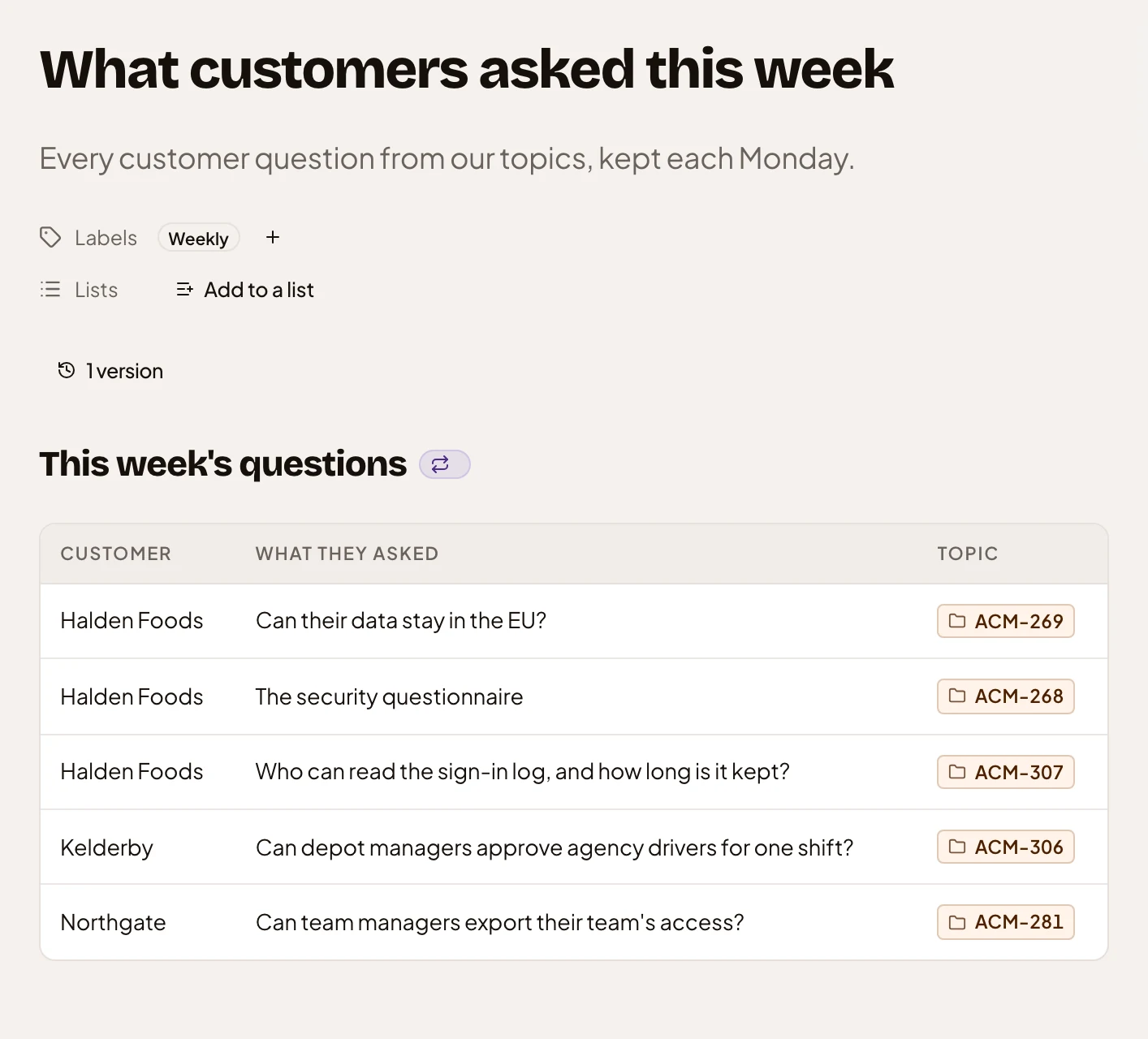
- 1 version. Each run that changes the topic adds one.
- The repeat mark. The task keeps this section, and the mark opens the task.
- The table the task rewrites on each run.
- A question’s own topic, by its key.
A run changes only what you named
Section titled “A run changes only what you named”The agent changes only what the task keeps. That can be a few sections and fields, or the whole topic with its title. To keep another section, add it to the task, from the section’s menu or by asking the agent.
It reads what people changed since the last run, and keeps their changes unless the source says otherwise. A kept field can revert when its source says otherwise.
Each run that changes something is a new version, named after the task, so you can still read what the topic said last week. A run that finds nothing new leaves no version. We left out a message for a run that works. Its version is on the topic. Every run shows on the Calendar of everyone who sees the topic. When a run fails, the task’s owner gets one item in their Inbox that day, so they can run it again.
One task a topic
Section titled “One task a topic”We kept it to one agent task a topic, for now. Everything it keeps runs on the same schedule, so a part that needs a different schedule goes into a subtopic with a task of its own.
A task can also add a new subtopic on each run, instead of rewriting this topic. That suits a series, like a weekly update where each week is read, commented on and shared on its own.
You can set up a task from the topic’s menu or a section’s menu. Or ask the agent, and it suggests one on a card. Nothing runs until you accept it. Anyone who takes part in the topic can set up its task while it has none. The task belongs to whoever set it up. Only they change or delete it, and anyone who takes part can pause it.
The task that made a topic for a list keeps that topic up to date, until you give the topic a task of its own.