

InitiativesHow to
Run a spike
Run a spike when something nobody knows yet would hold up a choice. Where the data you need is kept, say, or why an old ticket was never solved. The agent looks in your organisation’s knowledge, in Emargen, in the code and on the web, and answers each of the spike’s questions with its sources. Approaches and spikes explains the idea.
Before you start
Section titled “Before you start”- Who can
- You own the initiative, or it’s shared with you to edit.
- You need
- For questions about how your product works, connect your organisation’s repositories so the agent can read the code. Other questions it answers from your connected tools, Emargen and the web. The agent also needs a model. Until one is set, the spike says “No agent model is set”, and no question can be answered.
- The pictures
- Initiatives at ACME, the company in the docs’ pictures, as their owner sees them. ACM-290 shows an open unknown and New spike. ACM-362’s spike, answered, shows what a spike holds. The answered spike at the end is ACM-320’s, which read tickets, a topic, Microsoft’s documentation and the code. ACME has no spike waiting for an answer, so the Answer dialog isn’t pictured.
-
Open an initiative you edit from the initiatives list. Then find the spike, or open one.
Open the initiatives list (opens Emargen in a new tab)- The agent opens most spikes itself, when an approach it writes rests on something unknown. Click Spikes on the right to see them, each Open or Answered.
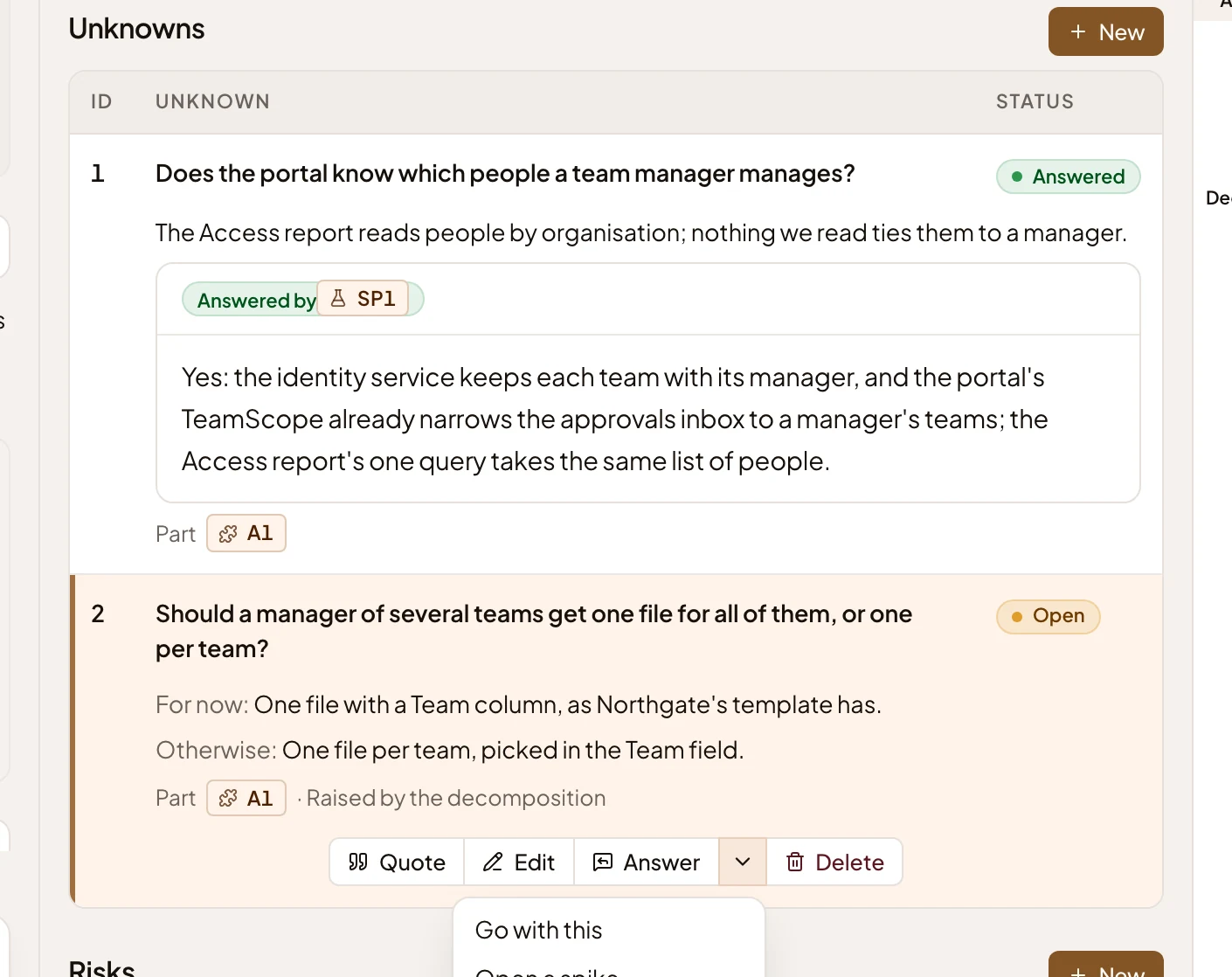
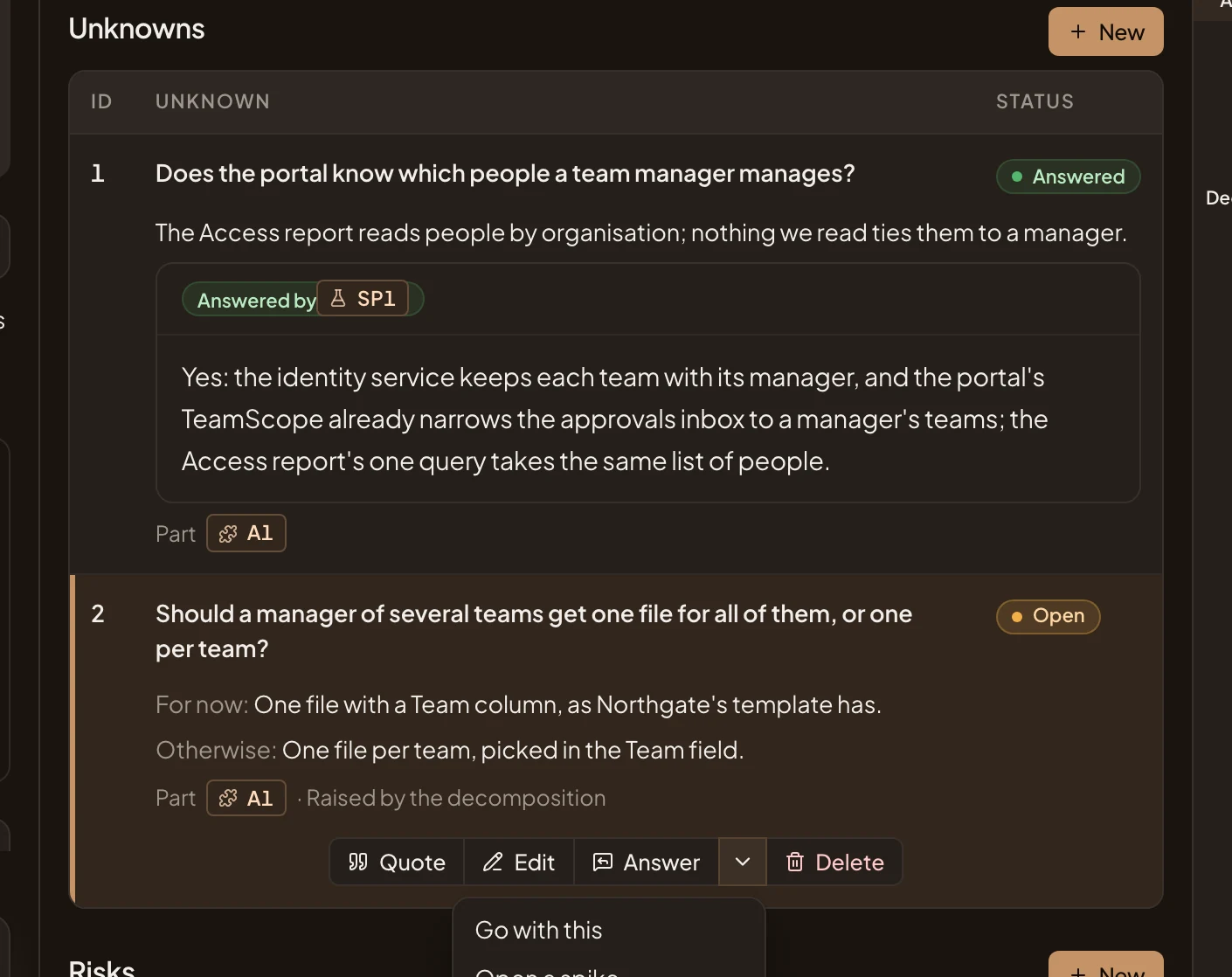
- On the approach’s page, click the unknown’s row. Then click the arrow beside Answer and Open a spike…. Your message box fills with a message asking the agent to open one. Press Send.
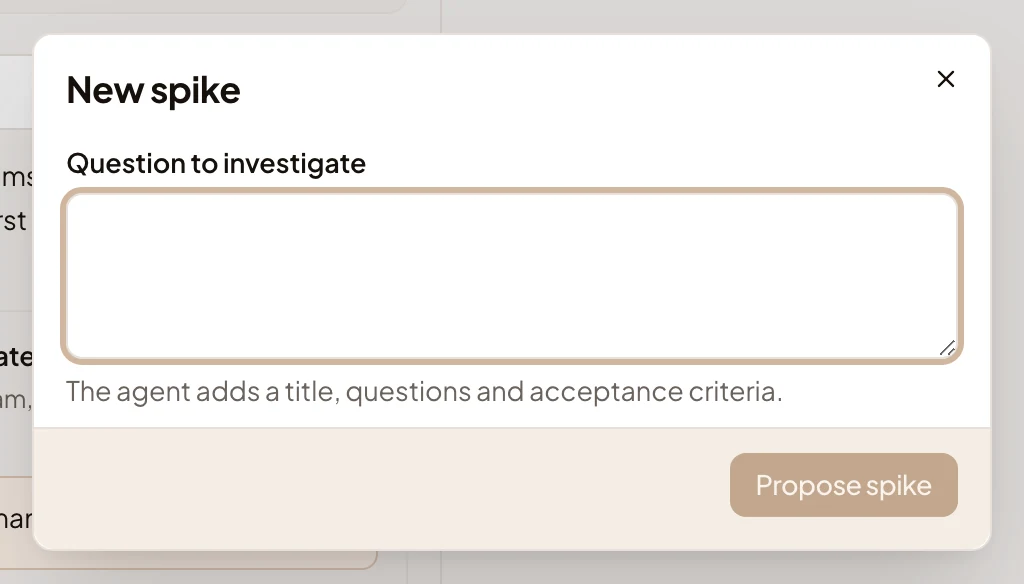
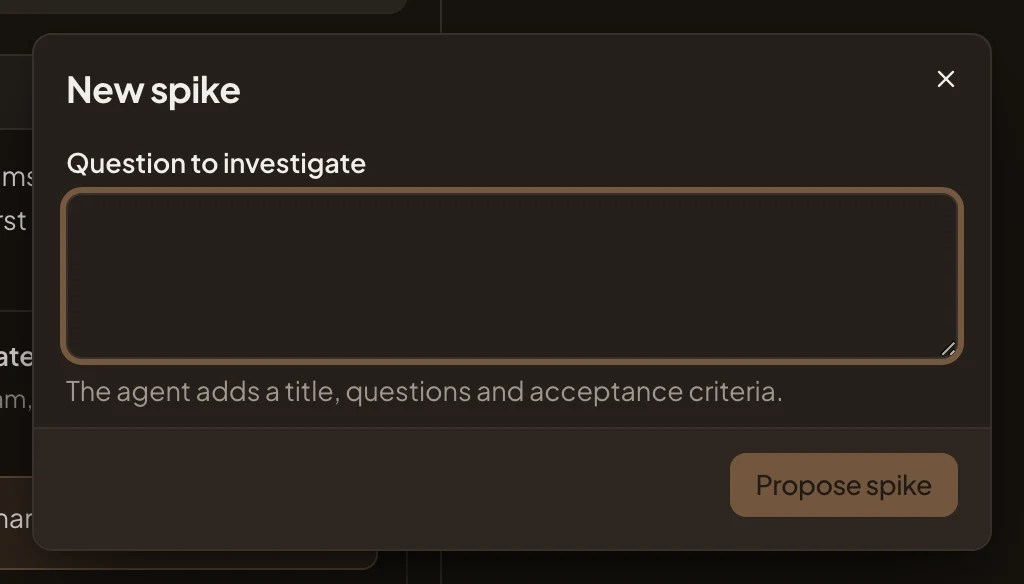
- On Spikes, click New spike, write the Question to investigate in your own words, and press Propose spike. You can do this from the first day, before there are requirements. The agent writes the spike: its title, its questions, and what an answer must show.
The arrow beside an unknown’s Answer:
- Open a spike…
New spike on Spikes:
-
Click the spike’s title on Spikes to open it. Read its Goal, then its Context, which says why it matters. Acceptance says what the answers must show for the spike to be done. Its questions are under them, each Not answered or Answered.
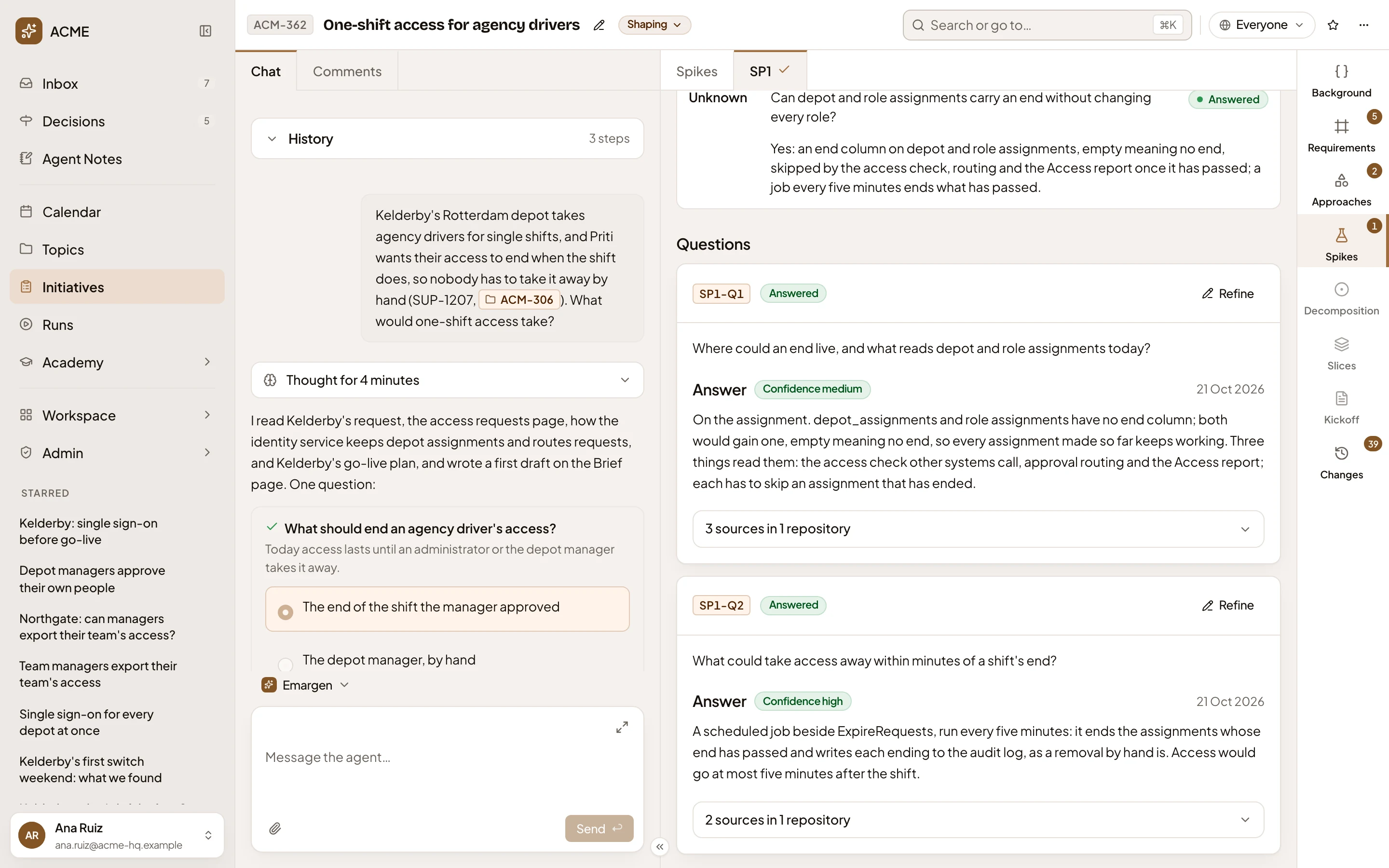
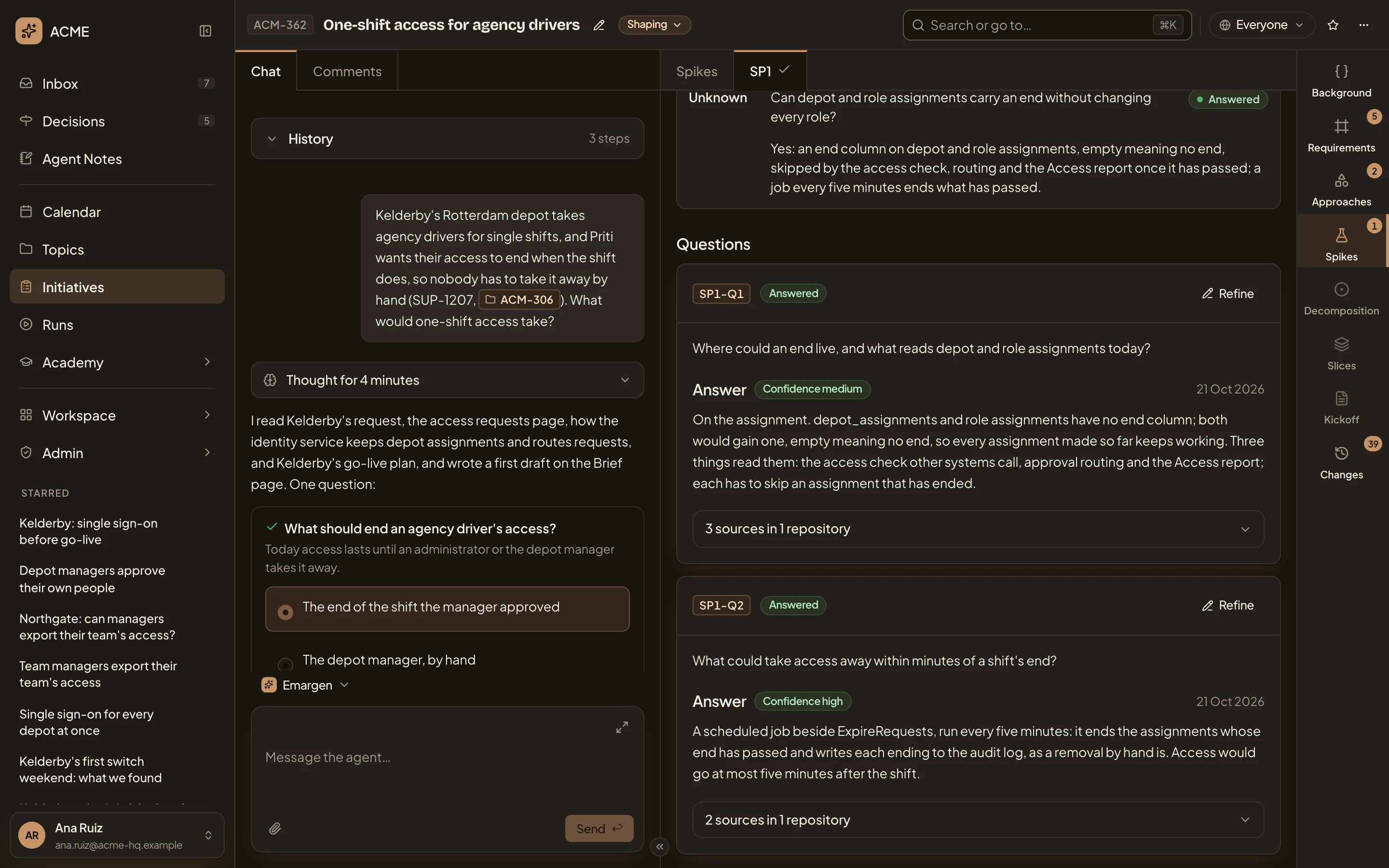
- Acceptance. What the answers must show.
- A question, answered, with Refine.
-
Click Answer on a question that isn’t answered yet. A box opens for a note, Note for the agent. Say where to look, what you already know or what to rule out, or leave it empty.
-
Press Answer. The dialog closes, and the question says the agent is looking into it. A box in the chat on the left shows how long it has taken so far, and its latest steps. They say what it searches for in your knowledge, in Emargen and on the web, and which files it reads. It usually takes minutes. The agent looks into one question at a time, so wait for it before you start the next.
If the agent can’t start, the dialog stays open. If it stops partway, the chat says so, as in “Looking into SP1-Q1 didn’t finish.”, and the question shows Didn’t finish. Nothing from it was saved. To try again, press Answer again. If it keeps failing, ask whoever looks after your organisation’s repositories and models.
-
Read the answer. It says how sure the agent is, high, medium or low, and when it answered. Click its sources, such as 2 sources in 1 repository, to see where it read each thing. Code is listed under its repository, with the files and lines. A document from your connected tools is under Knowledge, an item of Emargen’s under Emargen, and a web page under Web, with the day the agent read it. The agent cites a web page only if it opened it.
-
If the answer misses something or looks wrong, click Refine on it. Say in Your note what’s missing or wrong, and press Refine. Refine stays greyed until you write the note. The agent keeps the answer and changes only what your note and its sources call for.
-
Answer the spike’s other questions the same way.
What you get
Section titled “What you get”When the last question is answered, the agent reads the answers against the spike’s acceptance.
- If they meet it, the spike is Answered. The agent marks the unknown it was opened for as answered, and a risk it covered as Mitigated. Then it checks again the fit check’s verdicts that waited on the spike. If the brief is still a draft, there’s no unknown or verdict to decide yet, so the agent reads the findings against the draft.
- If they don’t, the agent adds a question to find out the rest. Answer it the same way.
The answers stay on the spike, with their sources, for everyone who reads the initiative. In the picture, ACM-320’s spike, with the sources of both its answers open:
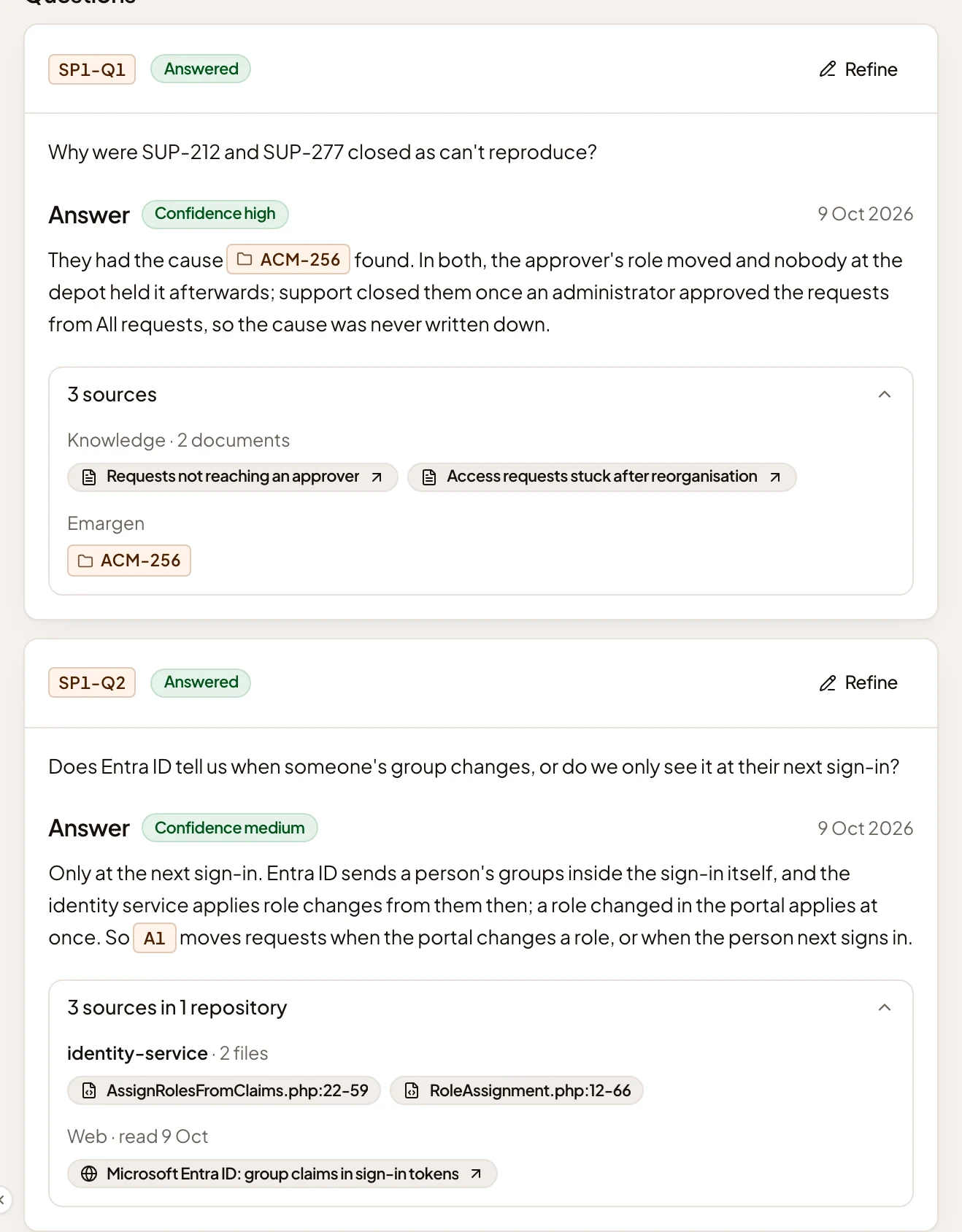
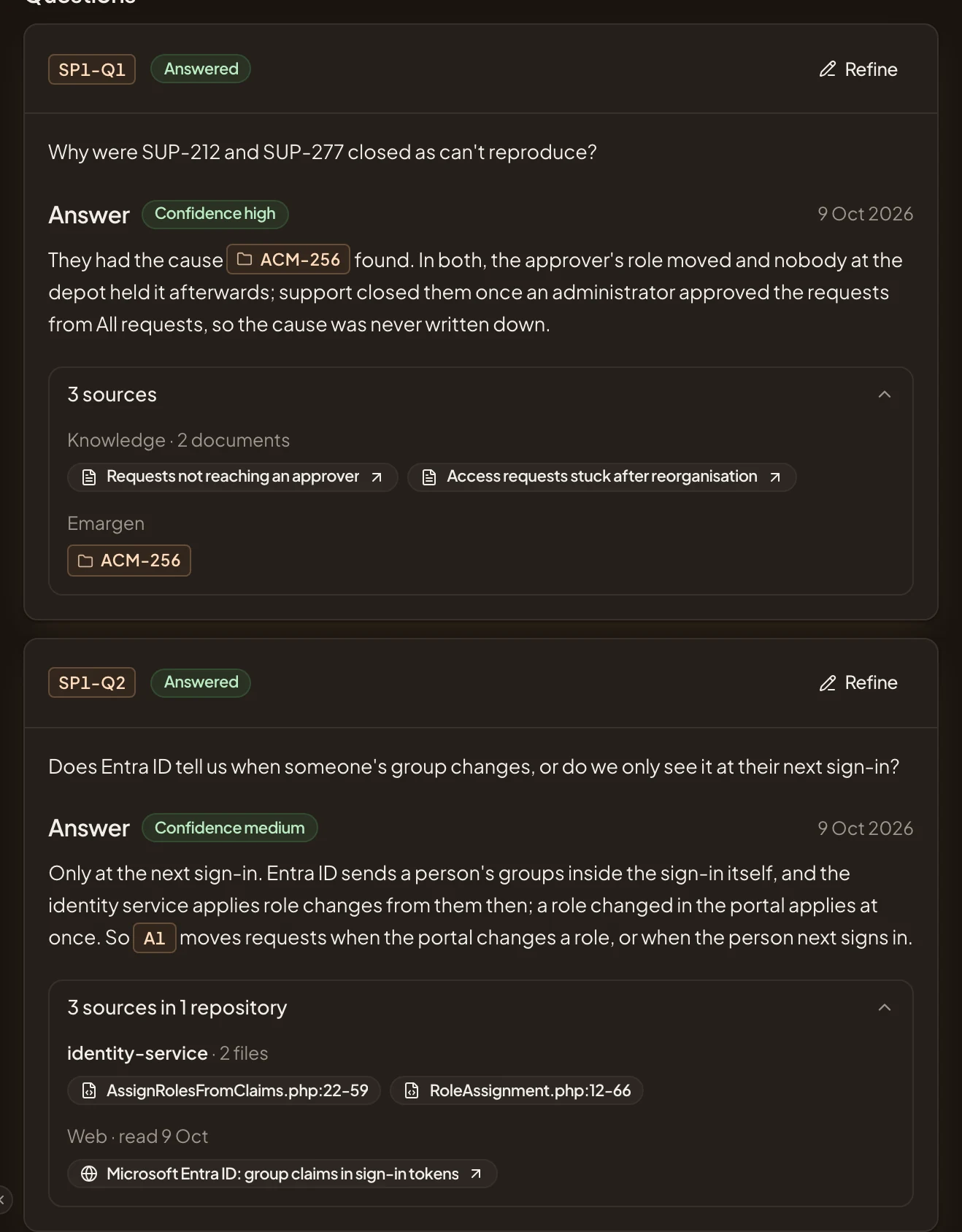
- Knowledge, from your connected tools.
- Emargen: a topic the agent read.
- Code, under its repository.
- Web, with the day it was read.