

AgentsIdea
Apps
An app is a tool your team needs that Emargen doesn’t have, with its own screens and its own records. Say a team rolls a new checkout out to stores in waves, and needs to see each wave’s stores and who has been trained there. You say what it’s for, Emargen’s agents build it, and the people you share it with open it under Apps, inside Emargen, with its own agent beside it.
From a need to a tool
Section titled “From a need to a tool”Building an app takes five steps, and you decide at each one.
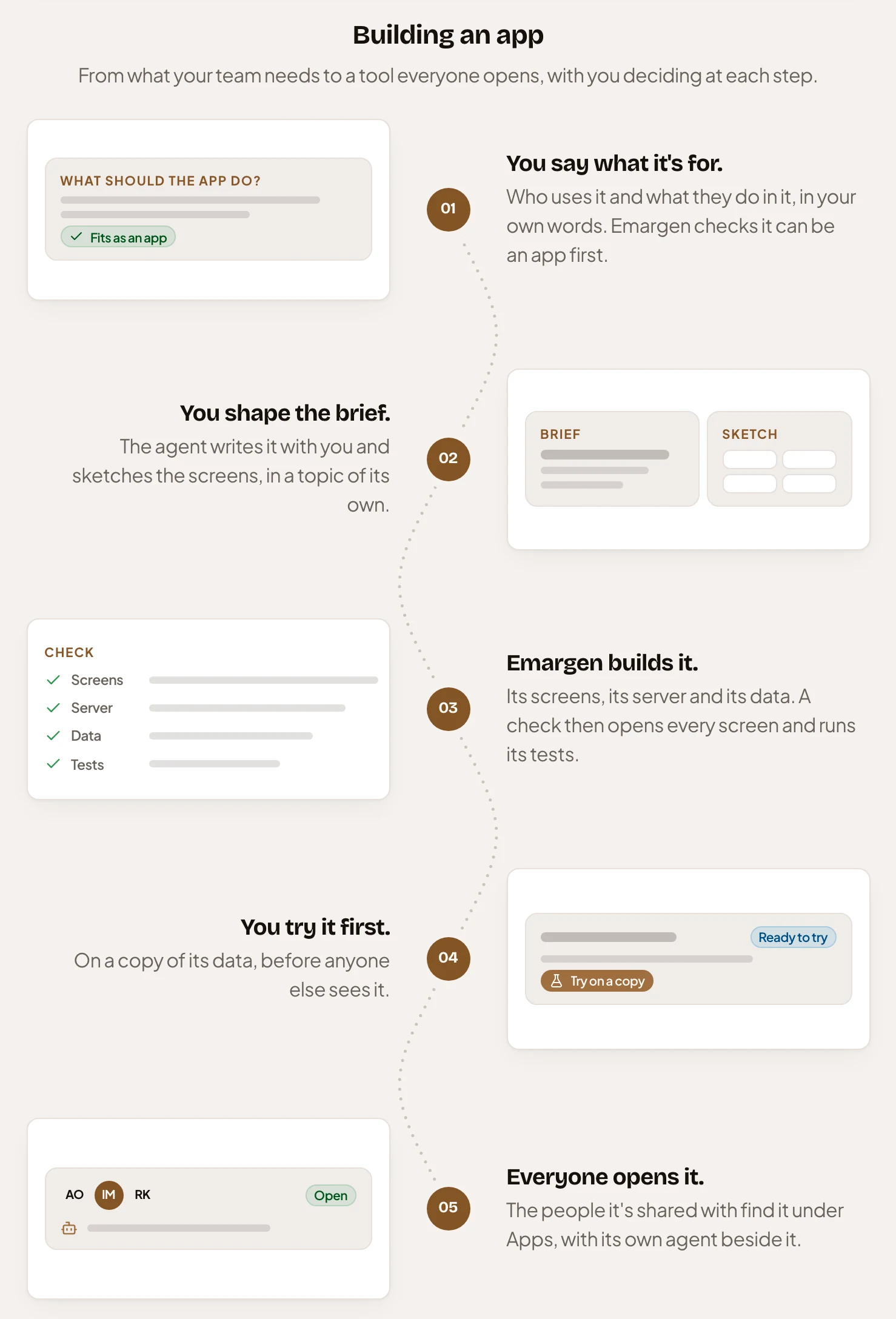
You start on New app, in the App builder, by saying who uses the app and what they do in it, in your own words. Emargen first checks it can be an app. When Emargen already does the job with a list, a board, a flow or an agent task, it says so and offers that instead.
Then the agent writes the brief with you, in a topic of its own. The brief says what the app is for and who may do what in it. It names the records the app keeps, what it reads from Emargen and what it changes outside. The agent sketches its screens too. It asks a few questions at a time, each with what it recommends. Nothing is built until you press Build.
At Build, Emargen reads the brief, writes the requirements into it and asks about anything still open. Then it builds the app, slice by slice. Emargen checks every screen and runs its tests, and checks each slice against its demo. You try the new version on a copy of the app’s data before anyone else sees it, and open it for everyone when it’s right. Each build is a version, and you can go back to an earlier one.
Inside Emargen, as you
Section titled “Inside Emargen, as you”An app runs only inside Emargen, for people signed in to it, and always as the person using it. It reads Emargen’s records with that person’s own access, so nobody sees more through an app than they could see anyway. An app can’t delete Emargen’s records, publish or approve them, or change your organisation’s settings or connections. You share the app in Emargen, and its administrators give people their roles inside it.
Each app has its own agent beside it. It finds records in the app, shows you where they are, and changes them only through what the app allows, as you. A change that removes records or reaches outside the app always waits for you to confirm. The agent never changes the app itself. Ask it for something the app doesn’t do, and it writes the change down. If you edit the app, the change waits for the next build. If you don’t, it goes to whoever edits the app, as a suggestion.
Two places
Section titled “Two places”You open the apps shared with you under Apps. You build or edit them in the App builder, under Workspace. To ask for a new app, you need the App builder role, which an administrator gives in People. Without it, you can still use apps and suggest changes to them.
You share an app as you share a topic. People can use it, or edit it, which means asking for changes and opening new versions.