

TopicsIdea
Sections and blocks
A topic’s document is made of sections, and the agent fills each section with blocks. A block is whatever shows that part of the work best. It might be a table, a check of your code, or a decision someone still has to make.
You don’t type into the document. You tell the agent in the chat, and it writes. Ask for a customer’s reply as three steps, and it rewrites it as steps. Each section it starts or changes gets a line in the chat that takes you there.
Sections, and tabs when there are many
Section titled “Sections, and tabs when there are many”The agent gives each part of the work a heading, so the next person goes straight to the part they need. The agent adds them as you go, or a template gives the first outline. Contents lists them all.
The agent splits bigger work into tabs, each with its own sections, when you ask. A rollout plan might keep the dates in one tab and what’s open with the customer in another. A template can bring tabs too. The app never switches the tab you’re reading.
Blocks that hold facts
Section titled “Blocks that hold facts”Most of a document is paragraphs. When a sentence comes from one of your sources, a number links to it.
The agent gives a fact the shape it needs with other blocks:
- A check asks your code and documents a question. It says what it found, where it looked and what it couldn’t see.
- The numbers go in tables, charts and key figures.
- The agent sets two or more options side by side, one recommended.
- A decision stays open until a person picks an option with Decide. The app records the choice, the reason, who decided and when.
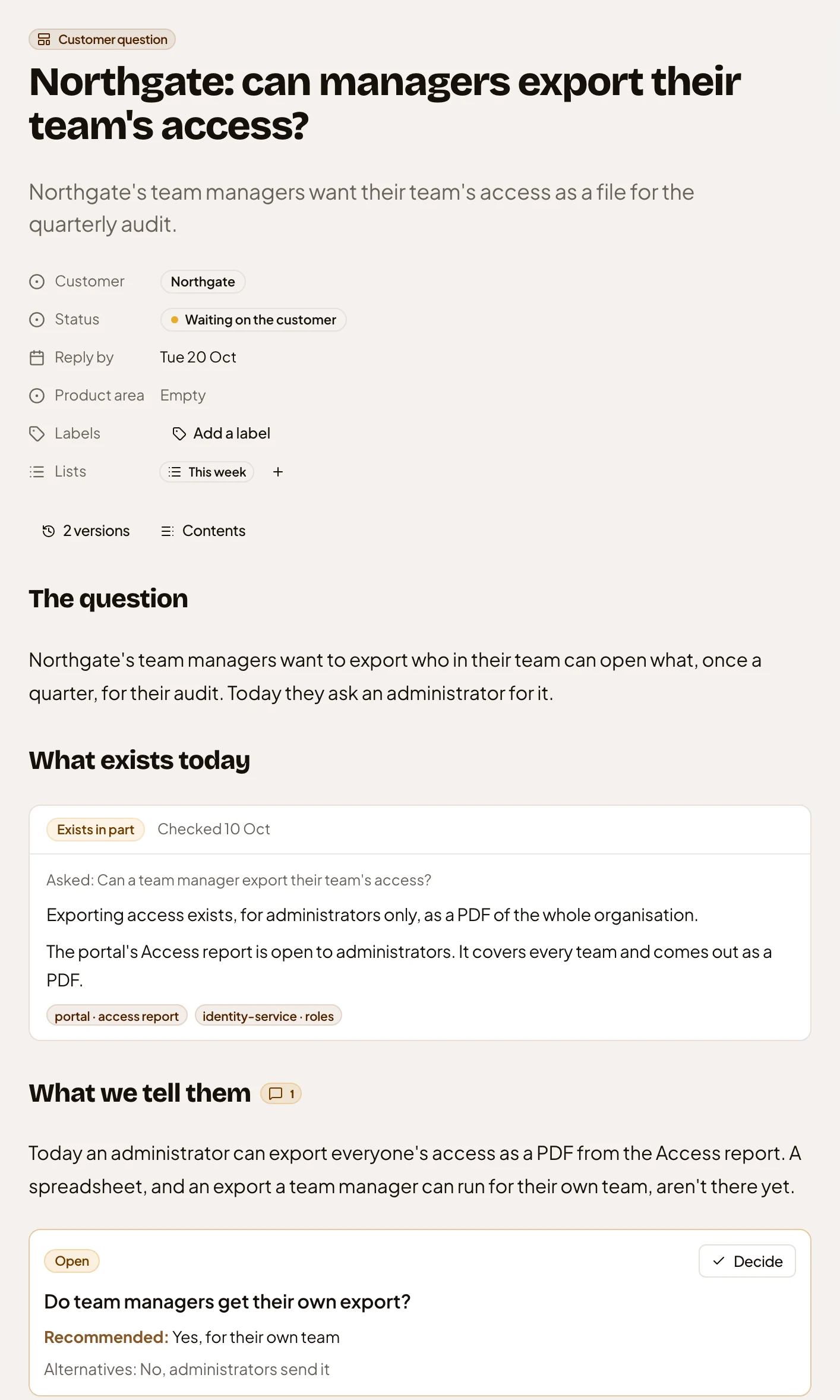
- Contents, which opens the list of every section.
- A section’s heading.
- A check, marked Exists in part: what it found, and where it looked.
- An open decision, with the option the agent recommends.
- Decide, for the person who decides.
Pictures you can work with
Section titled “Pictures you can work with”The agent turns a process, a timeline or the causes of a problem into a diagram, and you can ask for one on any section. The app checks the diagrams the agent writes, and sends the errors it finds back to the agent to fix.
When a picture has to do more, the agent draws a map. It can lay out who does what, in lanes, or how the pieces connect. The agent marks each shape from decided to unknown, and who might know when nobody does.
A map stays the agent’s to draw. To change a map, ask a question. Ask about a shape, or how it connects to another, and the agent looks in your sources and draws what it found on the map. You decide if a change to what’s already there stays. A map of how something happened can replay it, event by event, and you can present one to a room a step at a time.
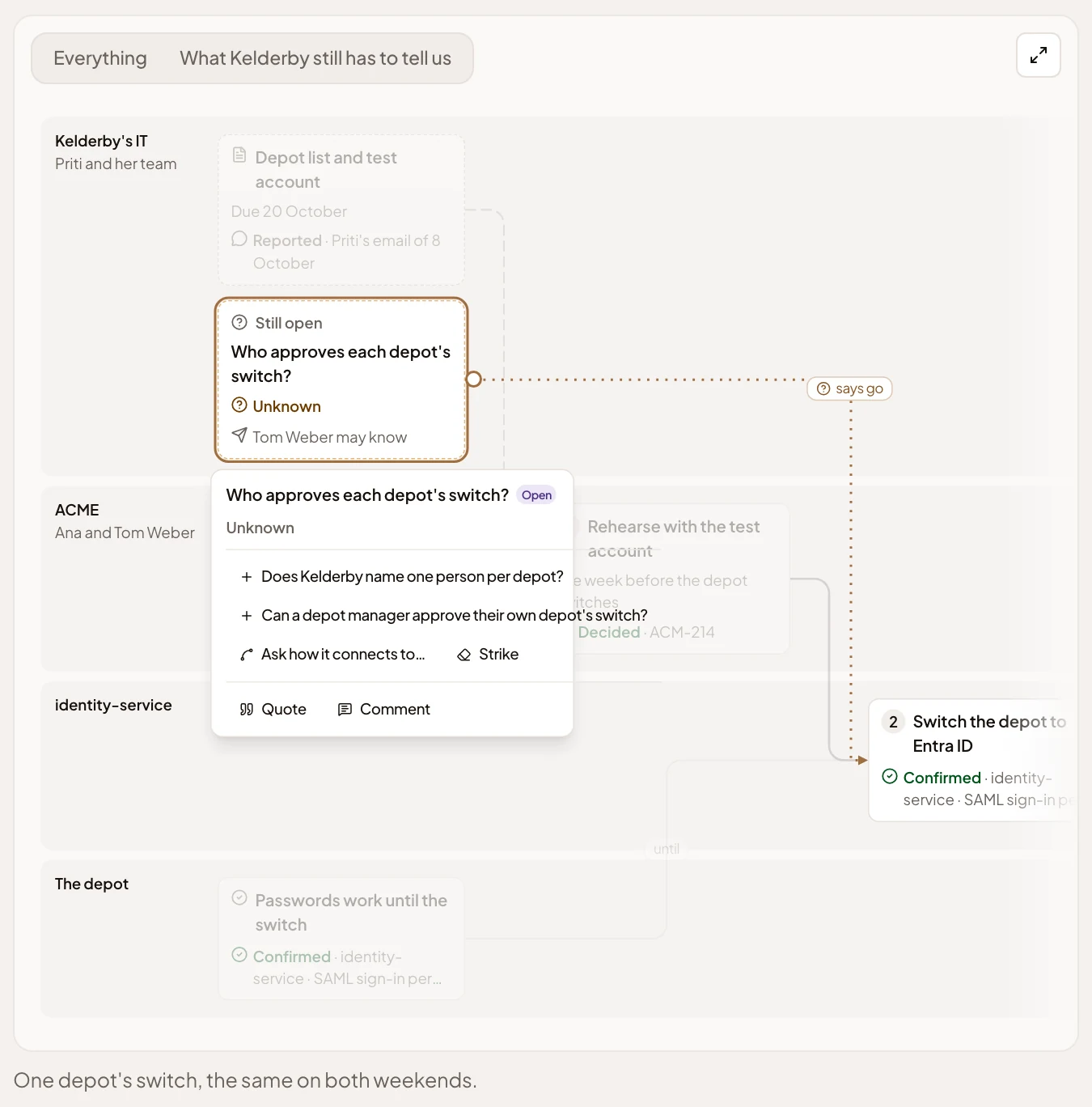
- A lane, for the people who do that part.
- An open question, Unknown, with who might know.
- Questions to ask next. Pick one, and the agent goes and looks.
- Ask how it connects to…: pick another shape, and the agent looks for the link.
- Strike, to ask the agent if it still holds.
Live parts, apps and sketches
Section titled “Live parts, apps and sketches”A live part shows work from elsewhere without anyone copying it in, like a Jira project’s open issues from a tool you’ve connected, or the topics on one of your lists. The app reads the live part’s rows each time the page opens, so it stays up to date where a table the agent wrote would go stale. A part from Emargen shows each reader only what they can open.
An app the agent places in a topic, like a calculator or a clickable mock-up, works for anyone who reads it. Ask for a sketch, and the agent draws a few rough screens you can click through.