

InboxHow to
Turn notes into a topic
Do this when a note your agent left you matters to someone else, or needs working out. A question a customer must answer. A trap the support team should know about. The note is yours alone, but the topic you make from it can be shared. Read about notes in Agent Notes.
Before you start
Section titled “Before you start”- You need
- An open note: one that hasn’t been done, dropped or turned into something already.
- The pictures
- The pictures show ACME’s platform engineer and the todo N2 that Claude Code left him while he worked on depot approvals. The todo asks Kelderby who approves while a depot manager is on leave.
-
Click Agent Notes in the menu. Your notes are listed newest first, after the ones you pinned. To find an older one, type a word from it in Search or filter, or pick its Session. In the picture, the list is narrowed to the session Depot approvals.
Open Agent Notes (opens Emargen in a new tab)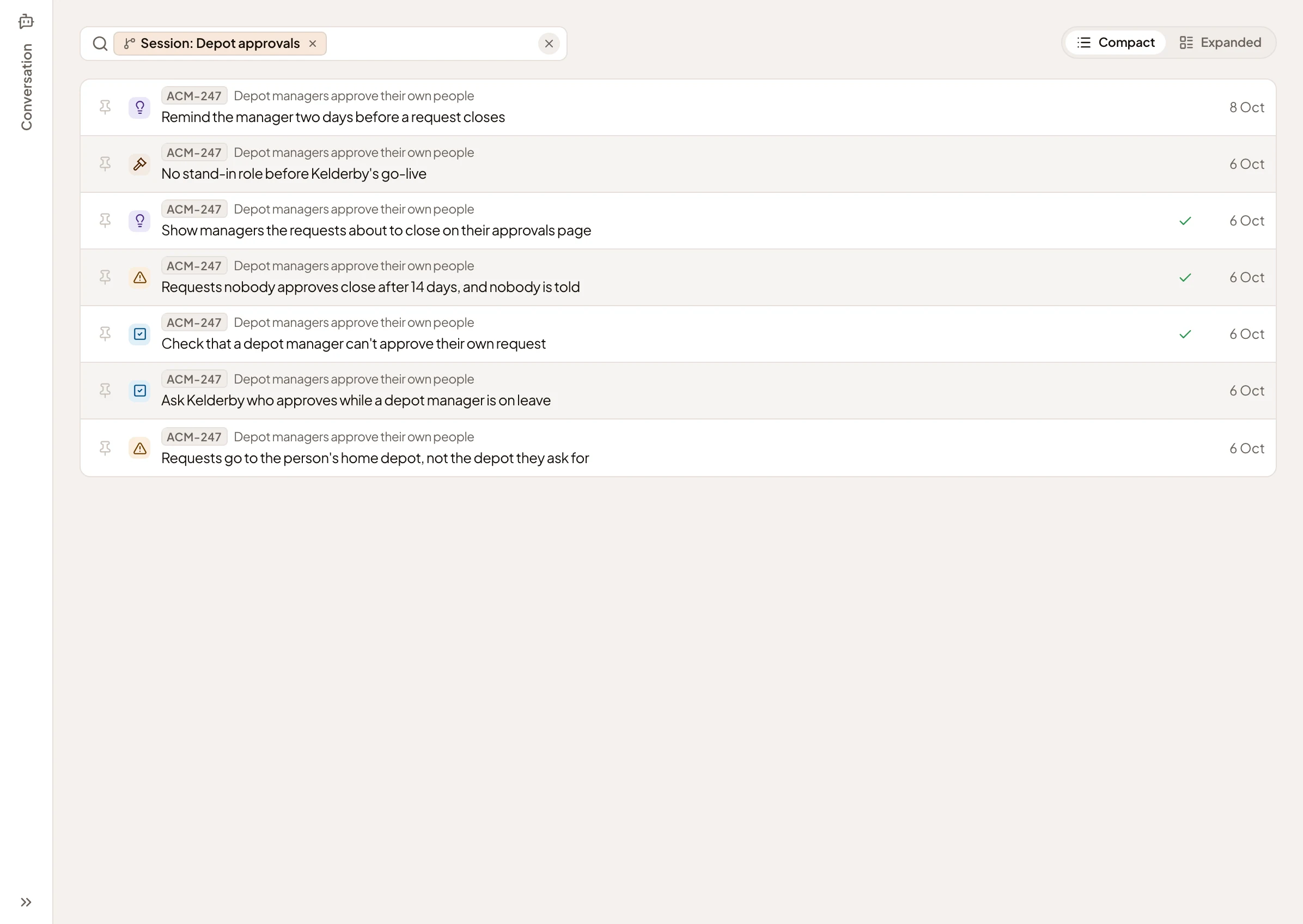
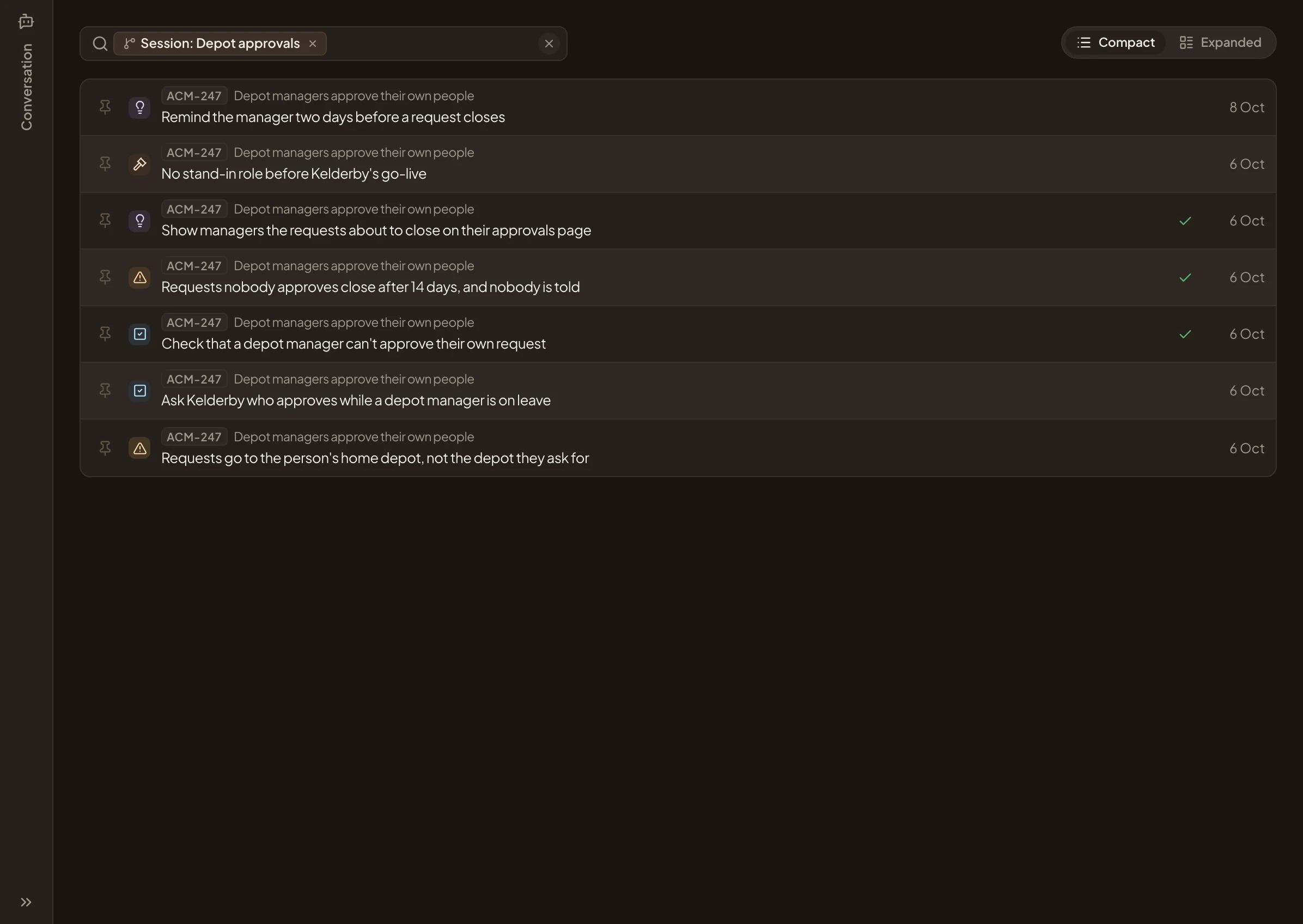
- The session, as a chip.
- The note to turn.
-
Click the note. Its page opens. What you can do with it is under Follow-up, at the end of the note.


- Turn into… Opens Turn into with the agent’s suggestion picked.
- More options. Opens it with your choice picked: Topic, New initiative or Change in an initiative.
-
Click Turn into…. The Turn into page opens. The agent has read the note and suggests what it should become, with its reason and a title. Its suggestion may differ from the picture. You’ll choose Topic next.
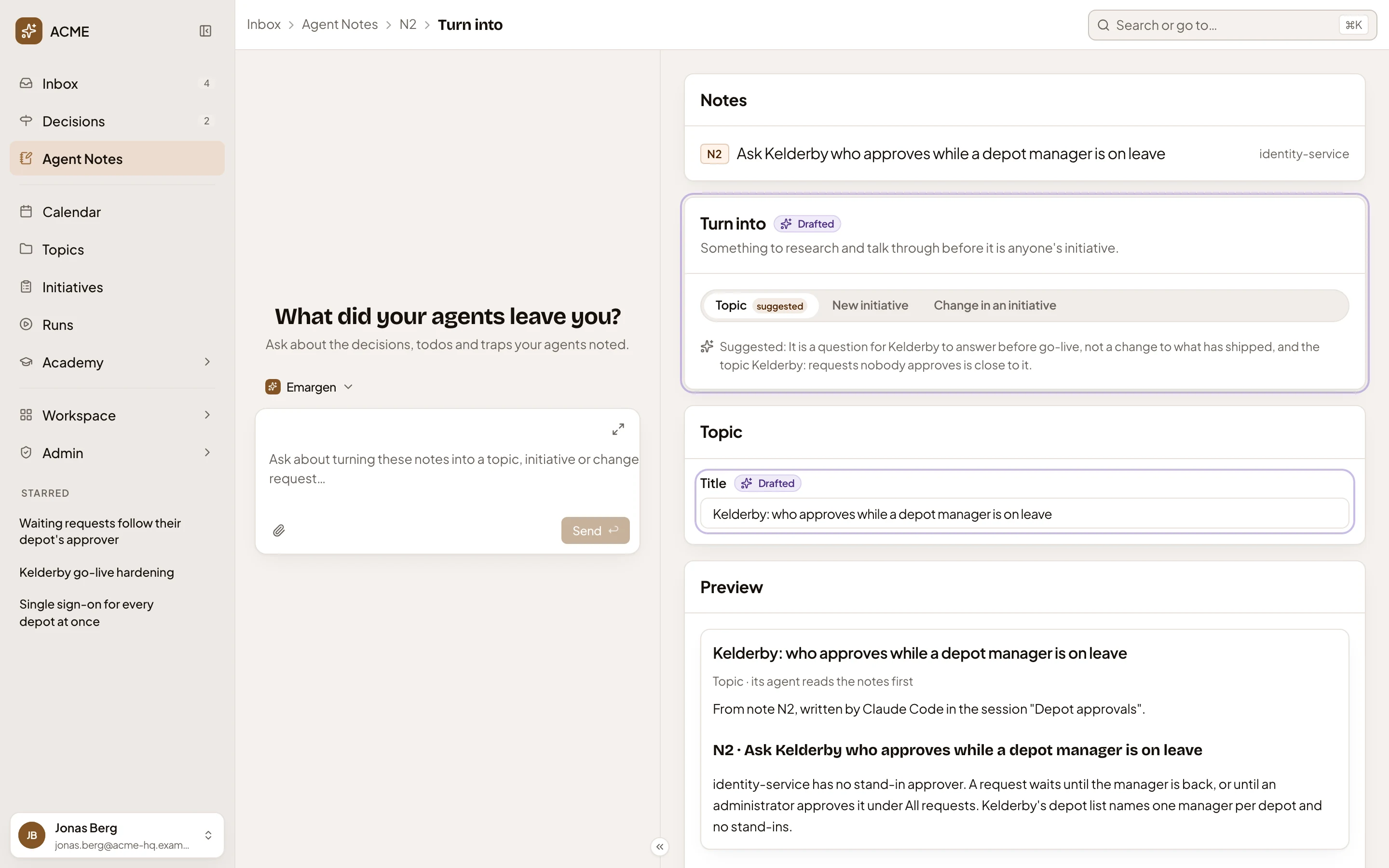
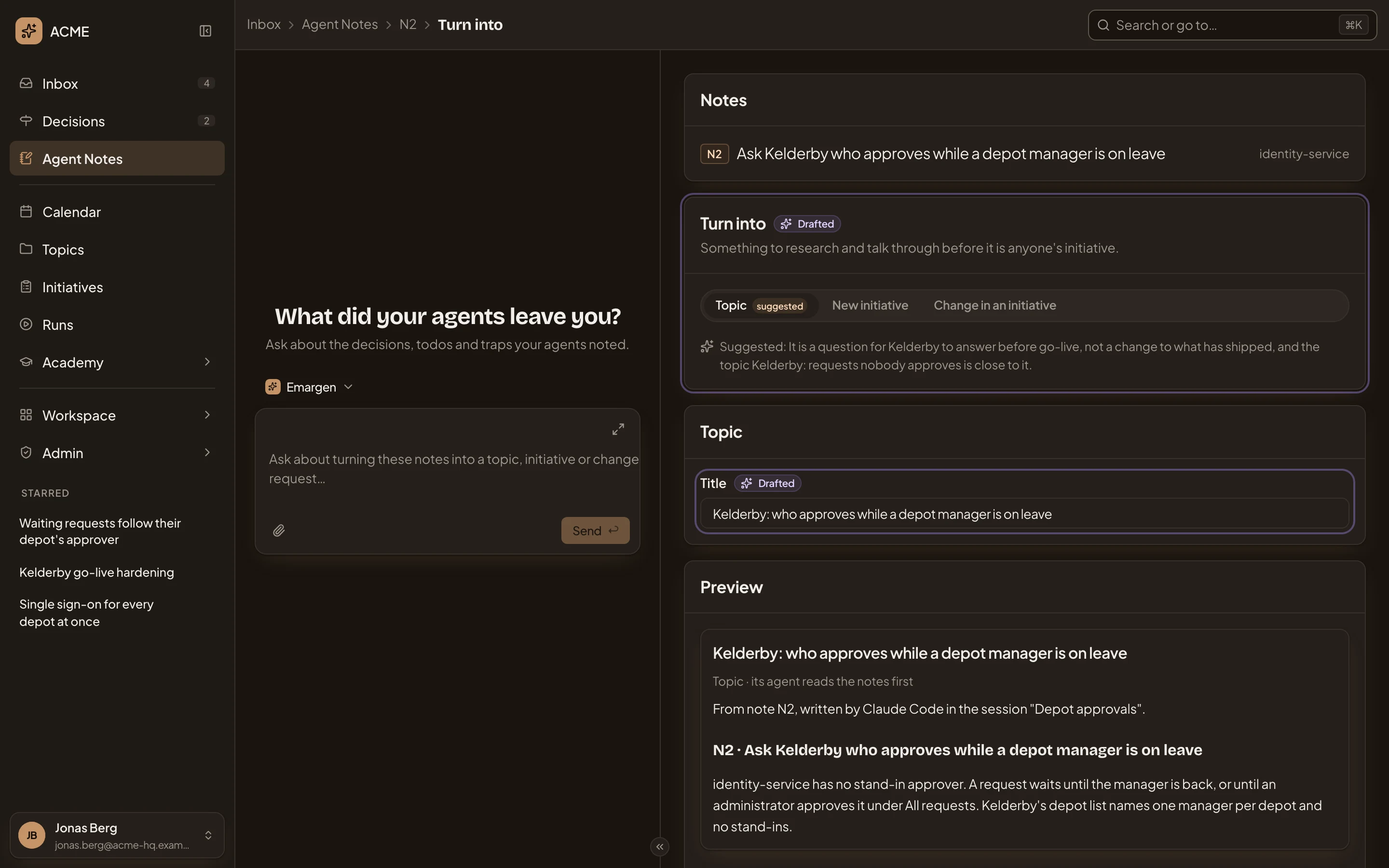
- Notes: the note you’re turning.
- Topic, marked “suggested”, and picked.
- Why the agent suggests it. It may also point to a topic that’s close. If that one already covers your note, you may not need a new one.
- Title, as the agent drafted it.
-
Make sure Topic is picked. If the agent suggested something else, click Topic. You’ll see the topic’s card, and Create topic at the bottom.
-
Check the Title. It keeps the title the agent drafted, so switch it to say what the topic is about.
-
Scroll down to Preview, read what the topic starts from, and click Create topic.
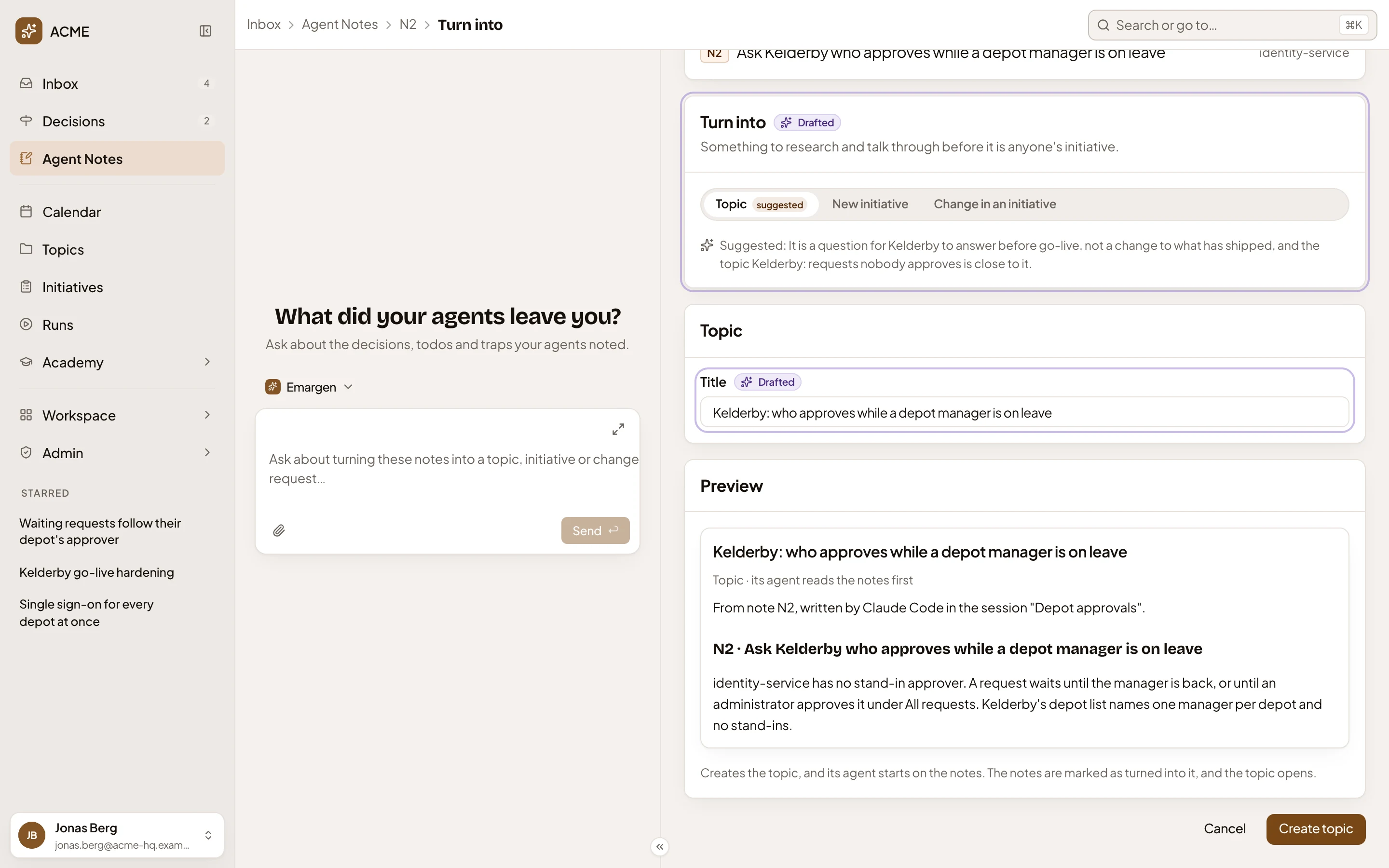
- Preview: the title, and the note’s words the topic starts from.
- Create topic.
What you get
Section titled “What you get”- The new topic opens. Its chat starts with “Start from this note.”, and the agent writes the topic from it, as on any topic. It may sharpen the title as it goes, and point you to topics that are close.
- The topic is yours, and only you see it until you share it.
- The note says “Turned into”, with the topic’s key and title. In Agent Notes it has a tick, and it leaves the Open count.
Several notes at once
Section titled “Several notes at once”To make one topic from several notes, ask the inbox agent. On Agent Notes, click Conversation and ask with the keys of your open notes, like “turn N11 and N13 into one topic”. The agent opens Turn into with those notes listed.
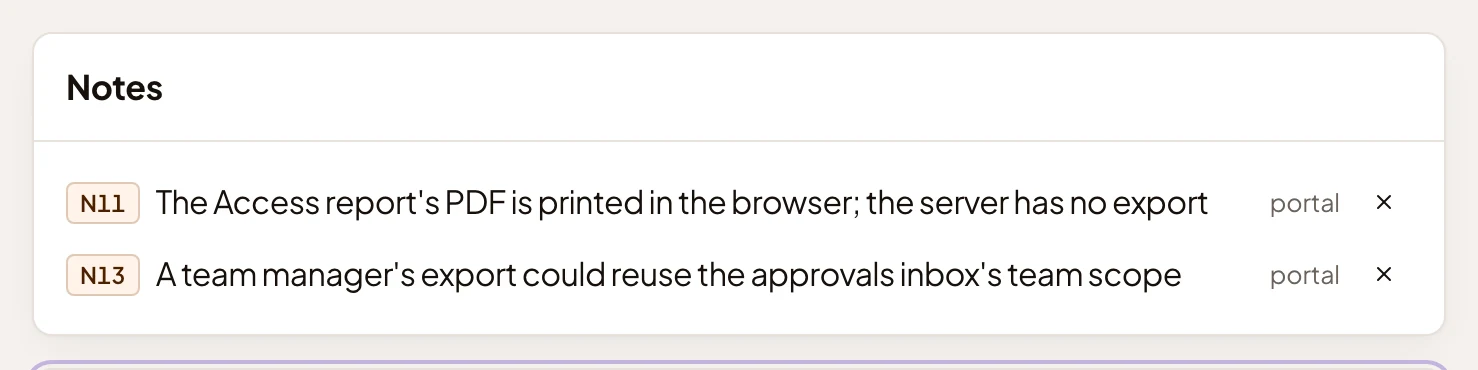
- Leave out N11: the × takes that note off the page.
Then go on from step 4.