

TopicsHow to
Explore an idea
Explore an idea in a topic when you want to know what it would take before anyone builds it. It might be your own idea, or one a customer asked for that a colleague shared with you. The agent checks your code and documents, and comes back with the ways to do it.
Before you start
Section titled “Before you start”- Who can
- Anyone in the organisation can start a topic. To explore one a colleague started, they need to share it with you so you take part.
- You need
- The idea, in your own words, and what you want to know about it.
- The pictures
- ACM-231 at ACME, the company in the docs’ pictures, as the product manager sees it. Customer success shared a customer’s request with them: depot managers approving their own people’s access.
-
Open the topic, or start one on New topic.
Open New topic (opens Emargen in a new tab) -
In the message box, say what the idea is and what you want to know. Here: “Kelderby wants depot managers to approve their own people before go-live. What would it take?”
-
Click Send. The agent checks what exists today. A Checking line shows each question, and the agent writes the answers into the document when it’s done. It says what it found and asks about what it couldn’t answer.
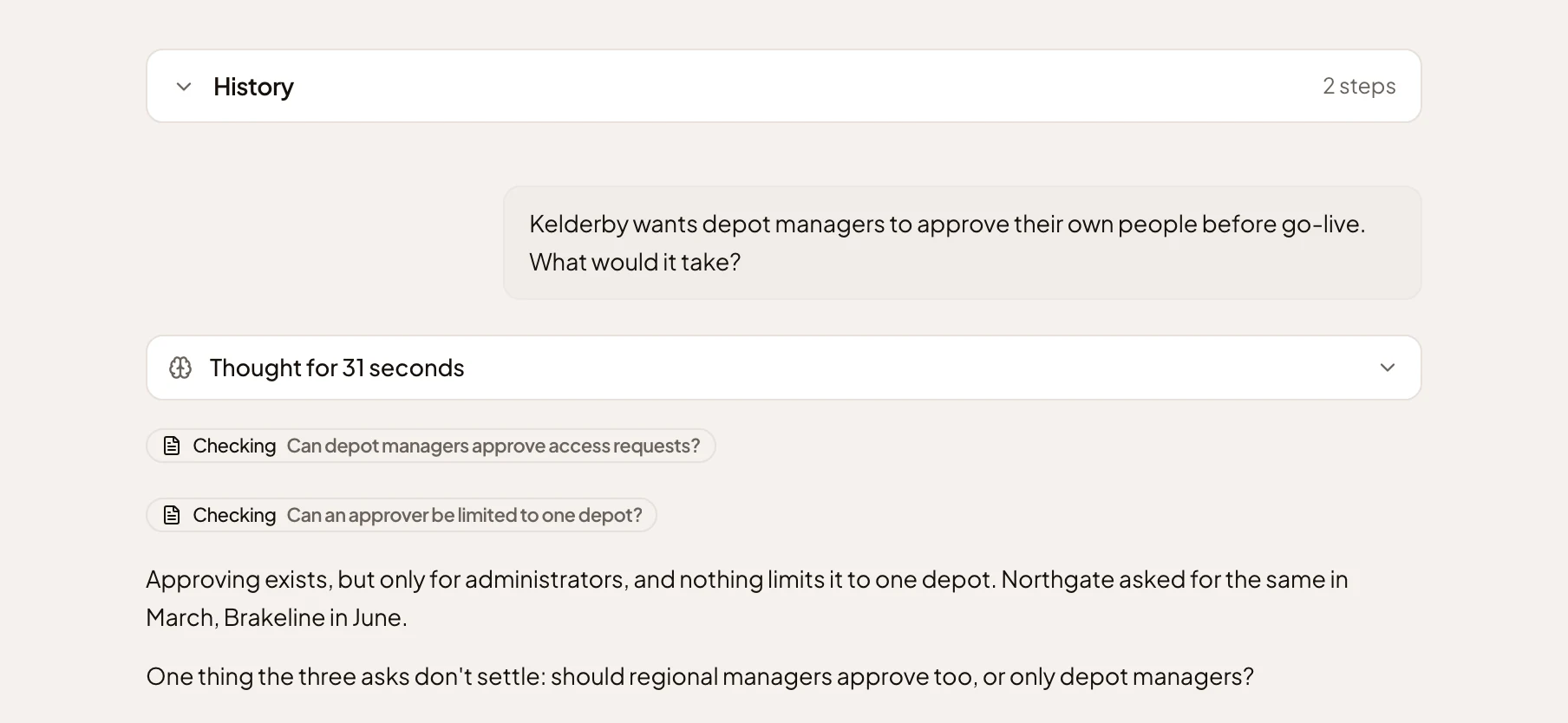
- What the product manager asked.
- The agent’s checks.
- Its question.
-
Answer its question. Here: “Only depot managers, for now.” The agent writes the ways to build it into the document, side by side, and opens a decision for a person to make.
-
Open the document with its Open button and compare the options. The one the agent would pick is marked Recommended. The decision under them waits for whoever should make it, with the agent’s reason. In the pictures, it’s already decided.
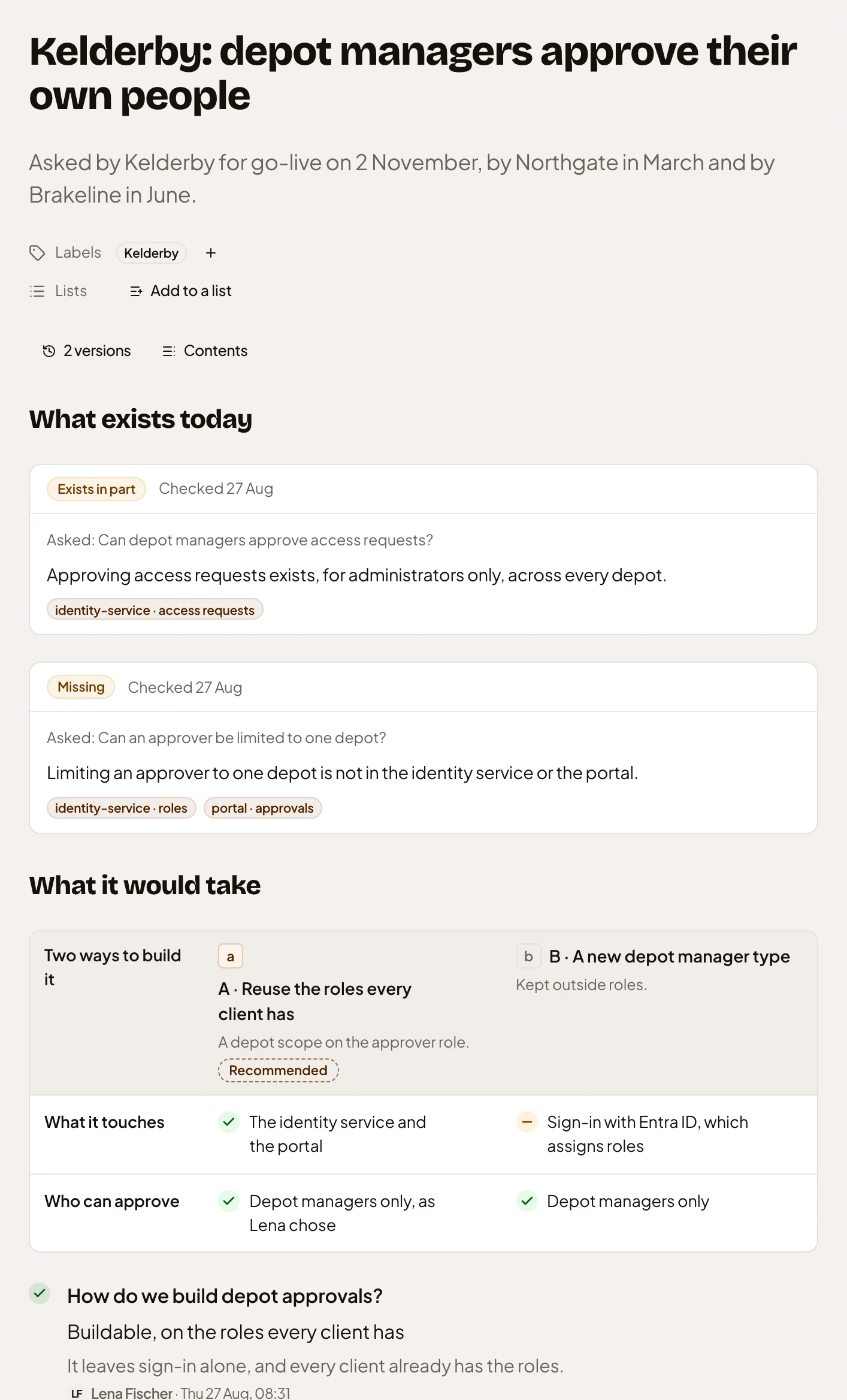
- The two ways, compared on what each touches and who can approve.
- The decision.
-
Tell the agent which way you’d go, and why if you like. In the pictures: “A. Tell Ana it’s buildable, and start a plan.” The agent puts your choice on a “Decide:” card with the question. Nothing is decided until you press Decide on the card. You can also decide in the document: see Decide an open question.
-
Ask for what comes next, like an answer for whoever brought you the idea. The agent writes it into the document. Here it wrote “Answer to Ana”, then added what the plan means for the customer’s date.
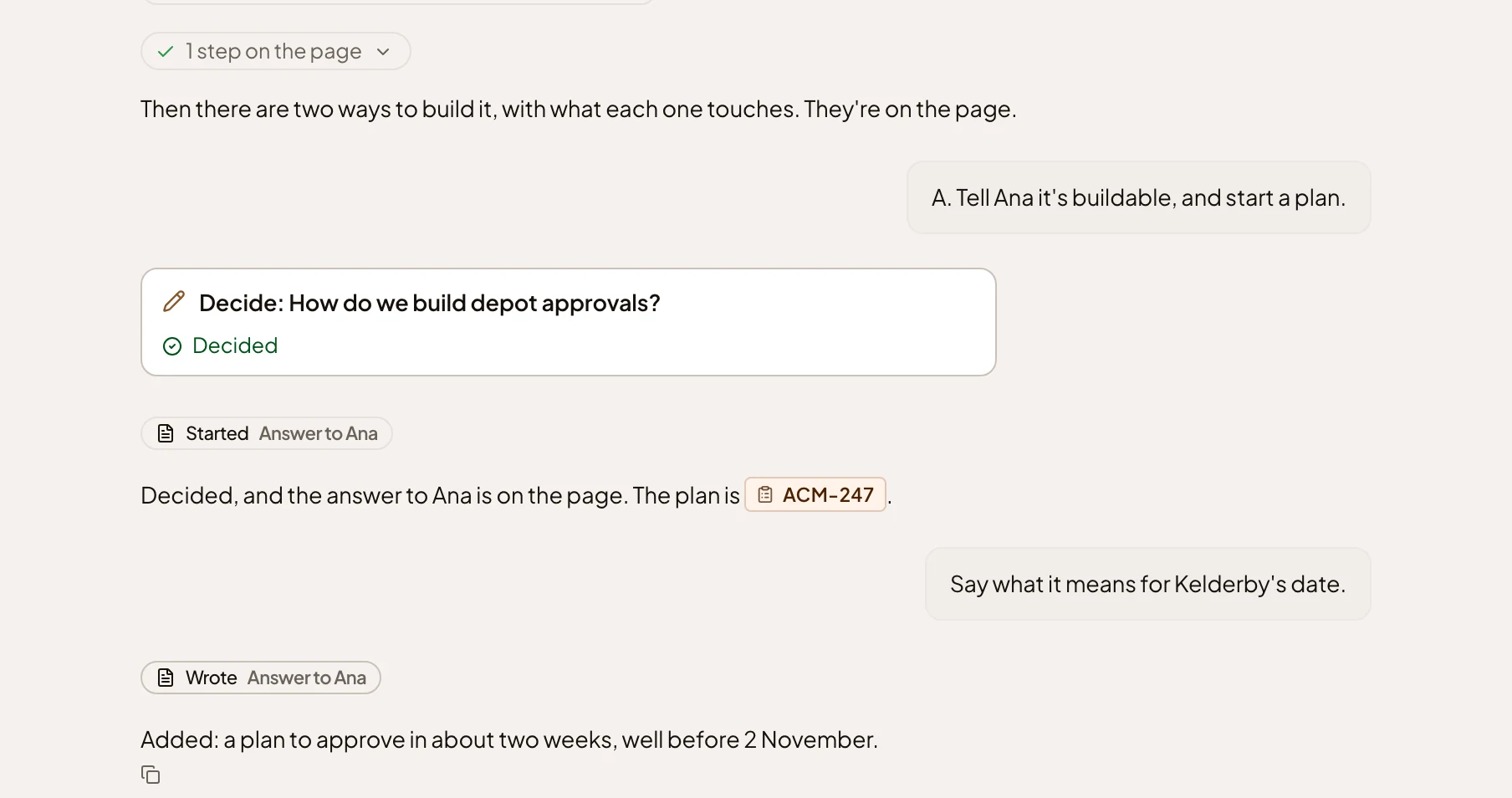
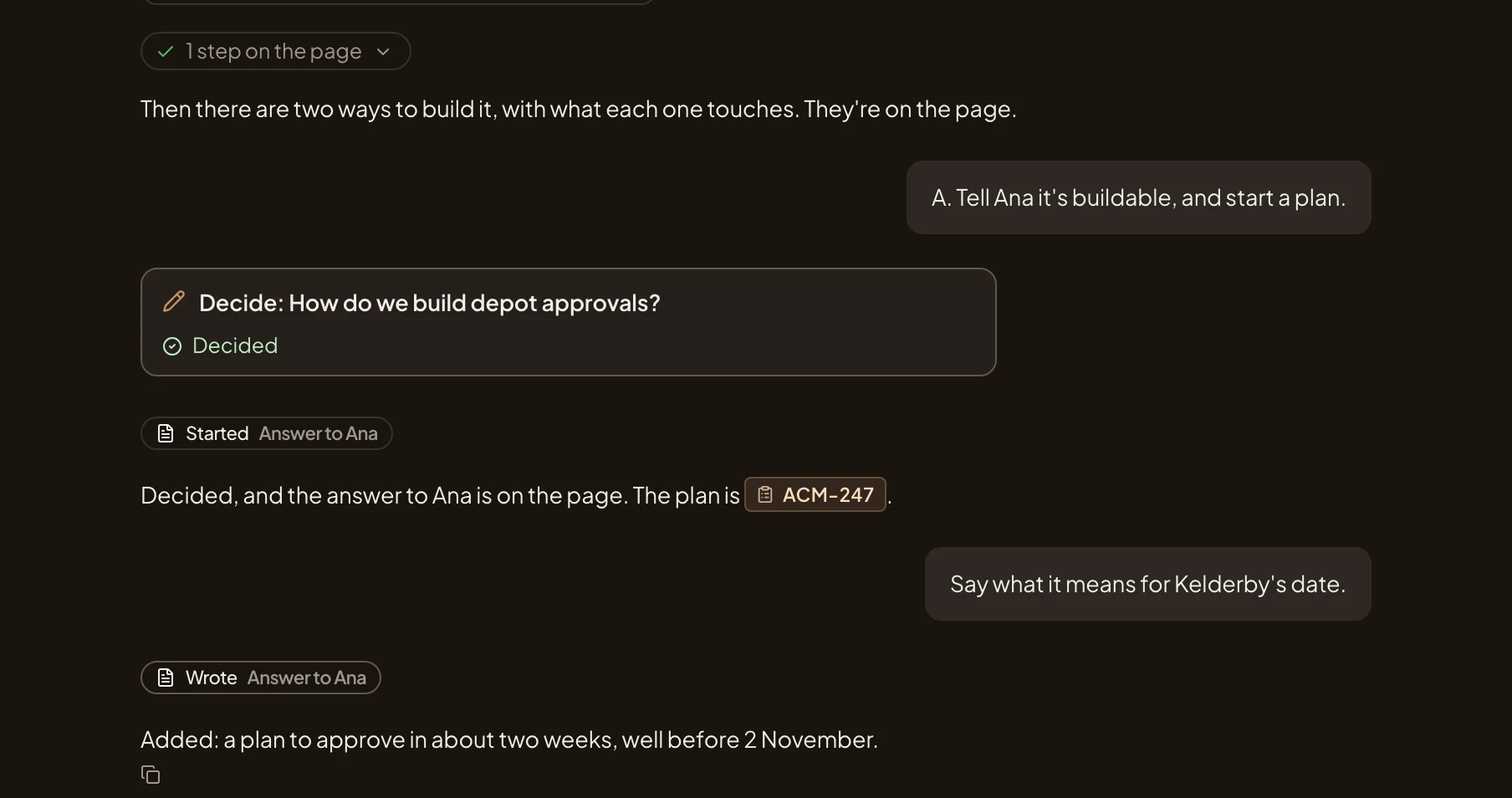
- The decision card, once it’s used.
- The line Wrote Answer to Ana, and what the agent did.
What you get
Section titled “What you get”- A topic that holds what exists today, the ways to do it, and who chose which way and why.
- The decision is off the list in Decisions once it’s made.
- When the idea should be built, start an initiative from the topic. The thinking stays in the topic.