

Area of Emargen
Topics
A topic is where you work something through with the agent.
It can be a question a customer asked, or research you need to get right, like what a new regulation means for your product. It can be an idea you want to think through before anyone builds it, or a plan with a date on it. We think most work can happen this way, with an agent that reads what your organisation has as it works.
Never start from a blank page
Section titled “Never start from a blank page”Most work starts on a blank page. You gather what you need from five tools and two colleagues. The next person starts over.
A topic starts with a conversation instead. Write what you’re after the way you’d tell a colleague. Half an idea is fine, and so is a pasted email or a file. When the agent isn’t sure what you need, it asks before it writes anything. Once there’s enough to work with, it names the topic and starts a document beside the chat, from what you said and what it found.
The agent goes and looks
Section titled “The agent goes and looks”While you talk, the agent does the legwork. It reads what your organisation has connected to Emargen, like Jira and Confluence, and it can use the tools switched on for agents. It also reads your code, and earlier topics and decisions colleagues made in Emargen. When the answer is public, like a competitor’s prices, it searches the web if your AI provider offers that. It links every page it used.
For a bigger question about your product, the agent runs a check. The check reads your code and documents, then says how much already exists and what it couldn’t see. It runs in the background. When it’s done, it writes the result into the document.
You can follow its work in the chat as it goes, and open what it read afterwards.
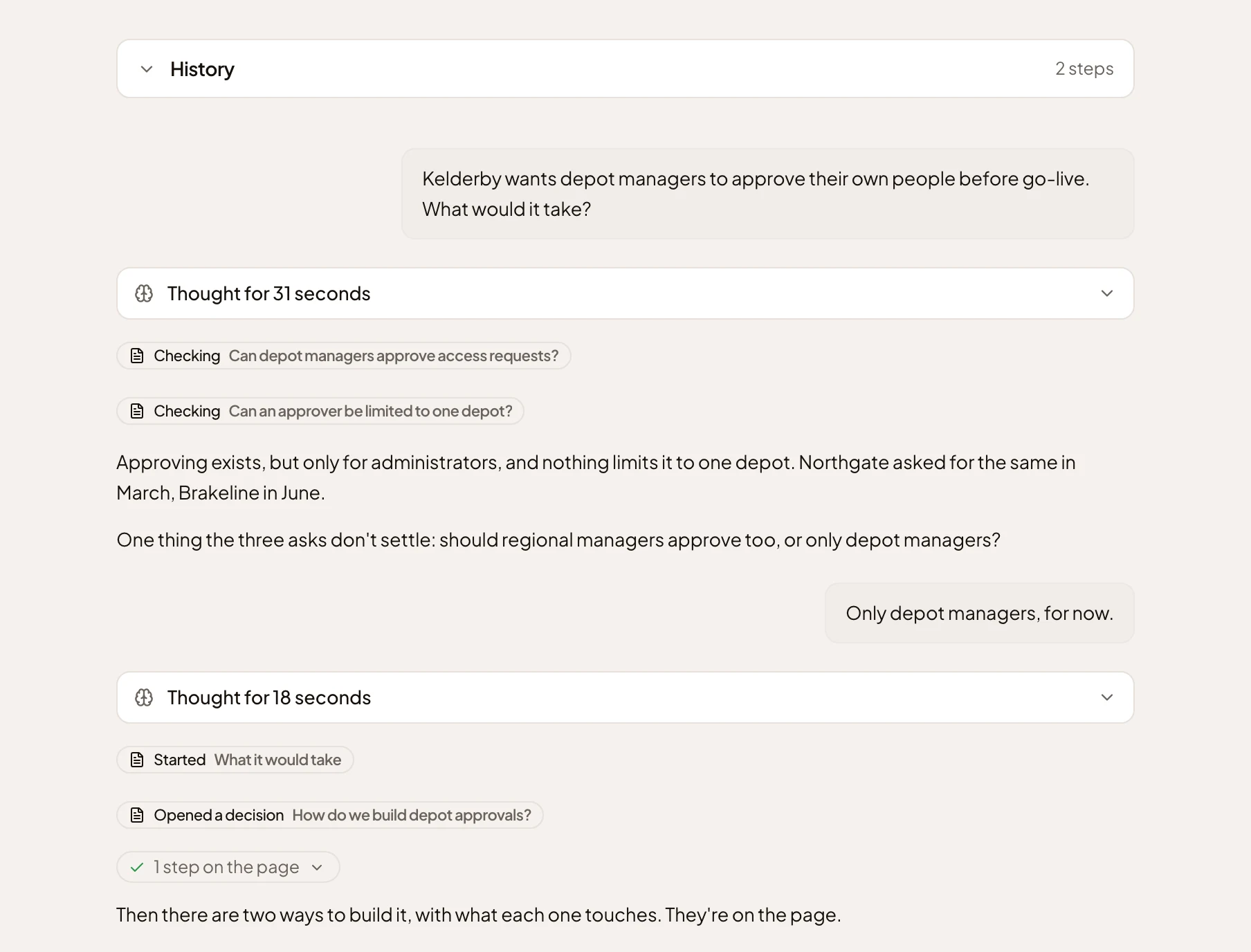
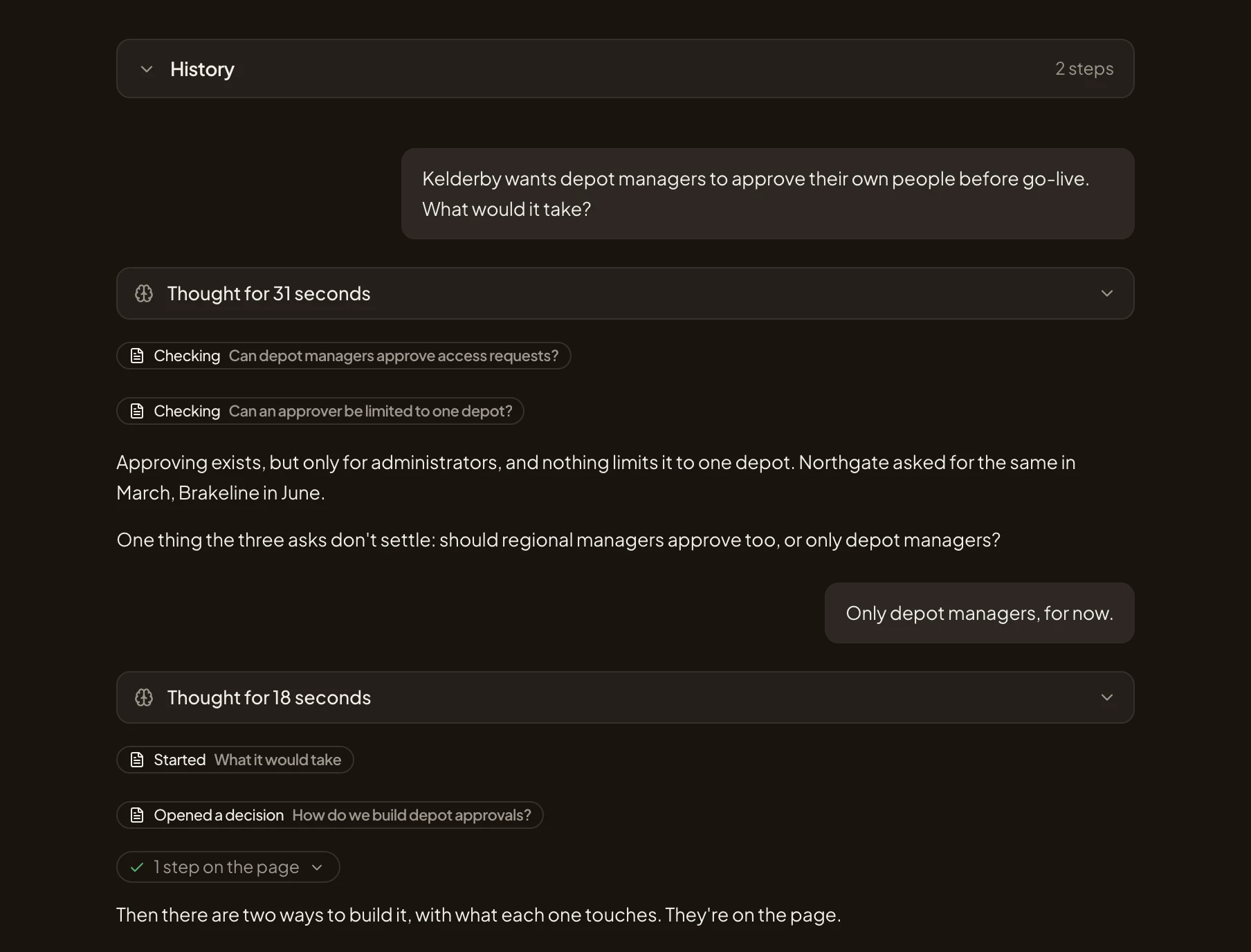
- The request, in the product manager’s own words.
- Checking: a check of the code, one line for each. A line opens the document at the check.
- The one thing the agent couldn’t answer from what it found, so it asks.
- The answer only the product manager knows.
- Started and Opened a decision: what the agent wrote in the document. Each line takes you there.
Options, and you choose
Section titled “Options, and you choose”When there’s a choice to make, the agent doesn’t make it. It sets out the options, says which it would pick and why, and leaves the choice to you. You take it with Decide, or it waits in Decisions for the person who should.
Along the way it offers what would help, each on a card that changes nothing until you take it. Under its latest answer it may suggest a next step, like the question you’d likely ask, a template that fits the topic, or a schedule when you ask for something every week. When only someone else knows, it drafts a comment for you to post. Ask for a sketch, and it draws a few rough screens you can click through.
More than a page of text
Section titled “More than a page of text”You don’t type into the document. You tell the agent, and it writes, in whatever shows the work best. It puts numbers in a table or a chart, and a process in a diagram.
Some of it you work with, not just read. On a map, you can ask the agent about any part of it, replay how something happened, or present it to a room. A live part shows work from a tool you’ve connected, like a Jira project’s open issues, without anyone copying it in. A plan can get tabs. You can even add a small app.
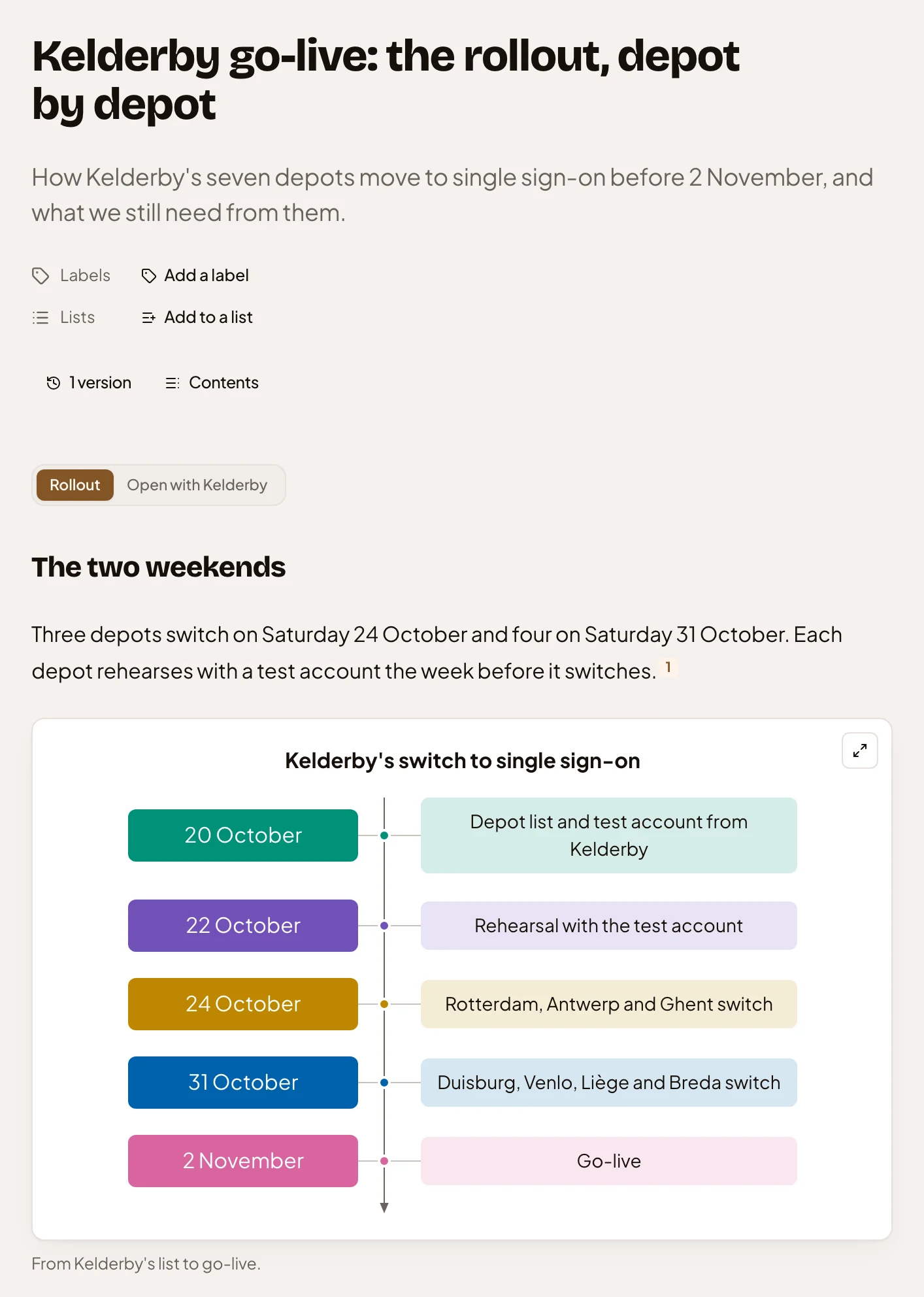
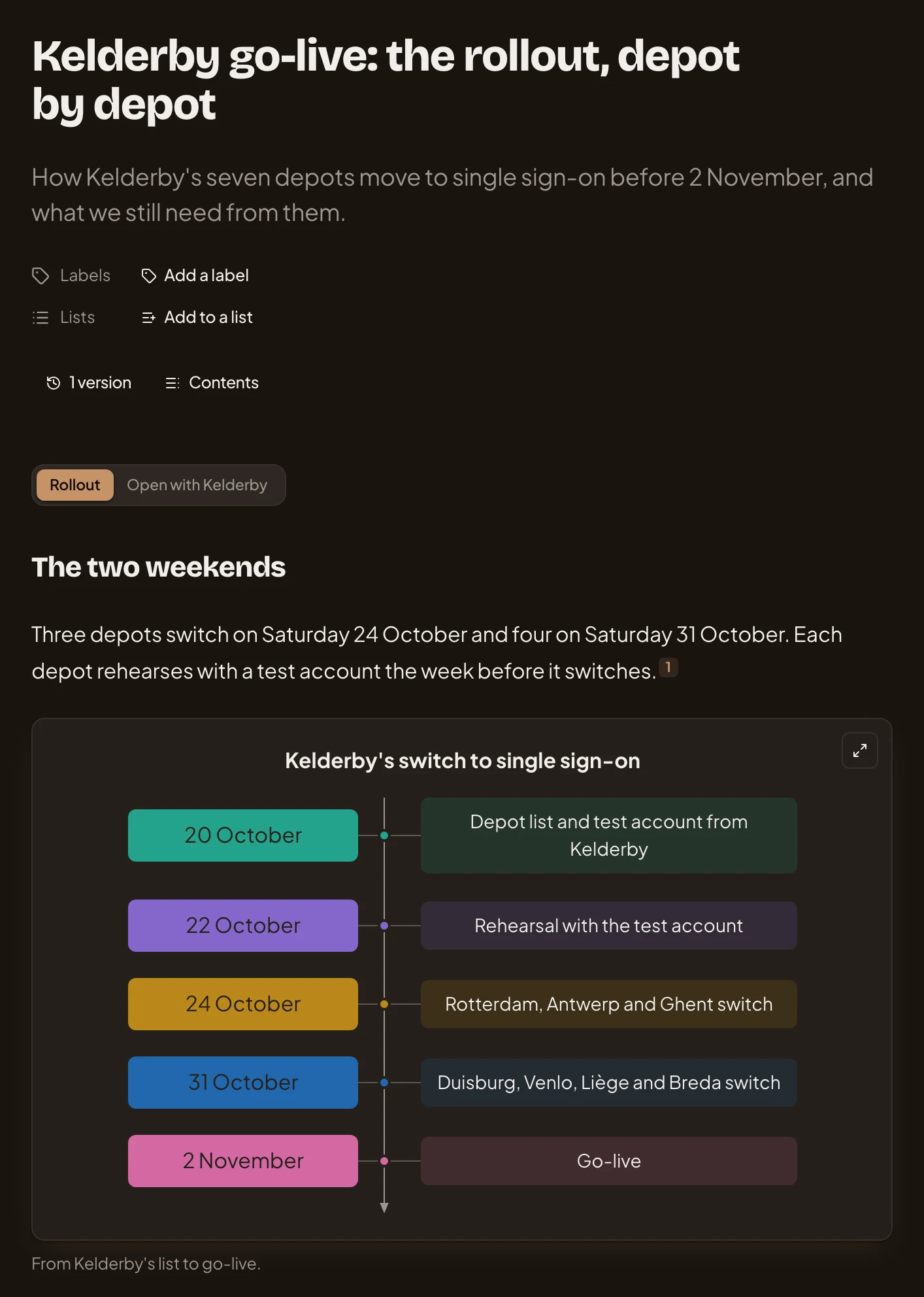
- Rollout and Open with Kelderby: the plan’s two tabs, each with its own sections.
- A source. The small number after a sentence opens what it rests on.
- The timeline to go-live, a diagram the agent drew.
It’s all sections and blocks. Every topic has a key, like ACM-319, that names it anywhere.
Keeping a topic up to date
Section titled “Keeping a topic up to date”Some topics are never finished, like what customers asked this week. Give one an agent task, and the agent looks again on a schedule and rewrites the sections the task keeps. Live parts move on their own. Nobody has to remember. The versions keep what it said before.
Yours until you share it
Section titled “Yours until you share it”Anyone in the organisation can start a topic. Most start on New topic and stay private until their owner shares them. Anyone who can open a topic reads the same document and has their own chat with the agent. Nobody else reads yours. To talk to each other, people comment.
You can also forward an email, or have a coding agent like Claude Code write a topic.
An idea, start to finish
Section titled “An idea, start to finish”A customer wants their depot managers to approve their own people’s access. Someone in customer success starts a topic, and the agent tells them it’s for the product manager, so they share it.
The product manager picks it up in their own chat, the conversation pictured earlier. The agent checks the code, asks the one thing three customers’ requests don’t answer, and sets out two ways to build it. The product manager picks one.
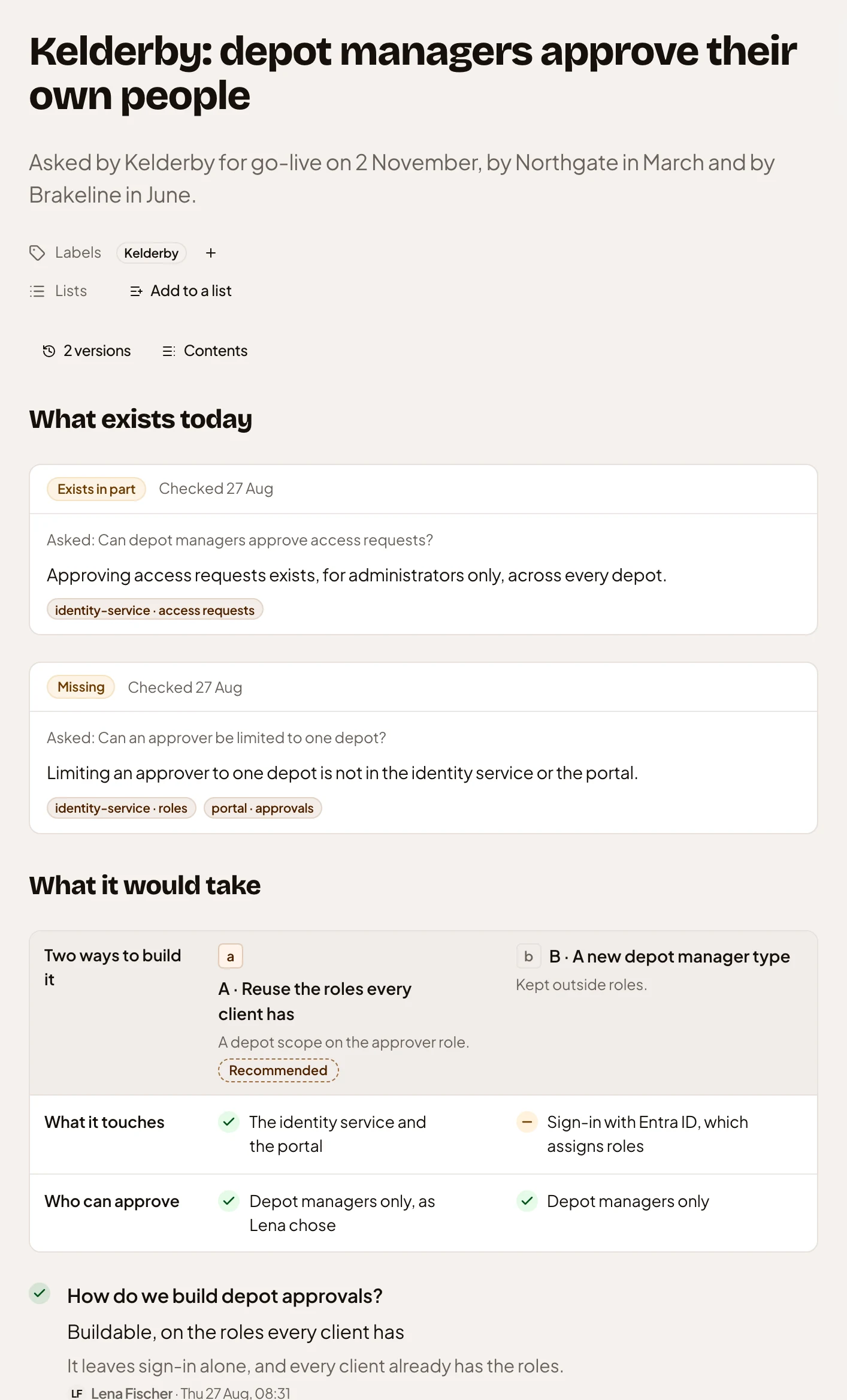
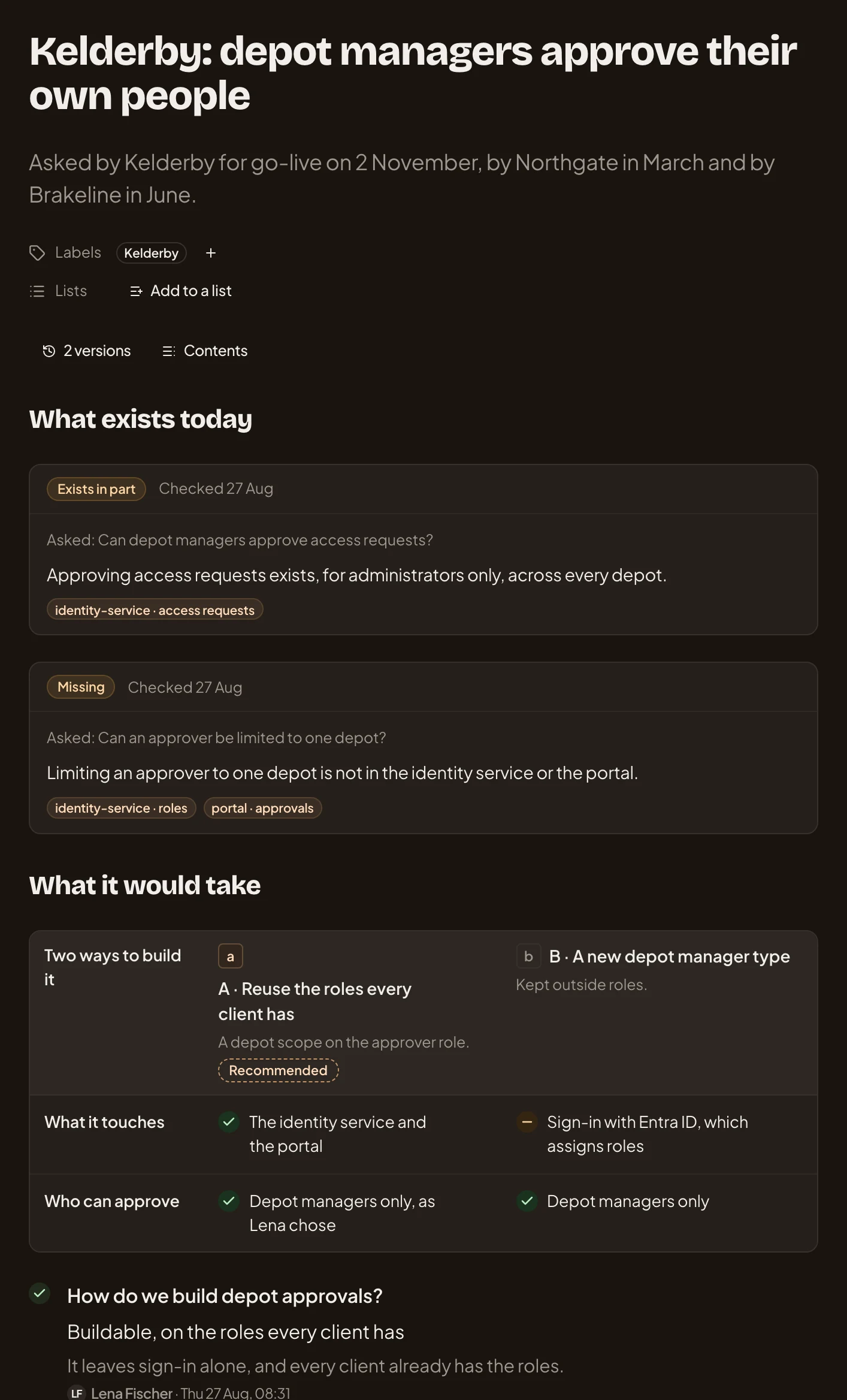
- Exists in part: a check against the code, with what it found and where it looked.
- Missing: the second check, for what isn’t built yet.
- The two ways to build it, side by side on the same questions.
- Recommended: the way the agent would pick.
- The decision: the way the product manager chose, and why.
The idea became an initiative, and the team built it. The topic stays, with the thinking, the checks and the choice.
Sharing, templates and the rest
Section titled “Sharing, templates and the rest”- Sharing. Private until you choose who reads it and who can change it.
- Templates and fields. A kind of topic can start with its own sections and fields.
- Subtopics. A big piece of work splits into parts.
- Versions. One for each time you work on it, so anyone can see what changed.
- A topic the agent keeps. Research goes stale, so the agent can look again on a schedule.
The agent leaves a choice open in Decisions for whoever has to make it. A comment that tags you lands in your Inbox. When a topic shows something worth building, its owner can start an initiative from it.