

Start here
What Emargen is
Emargen makes agents part of how your company works. It brings your company’s knowledge, agents and the AI models you choose into one place. With an agent, you investigate a question, agree a plan, run a process or build an internal app. The agent does the legwork. You set the direction and make the decisions.
Teams in silos
Section titled “Teams in silos”Each team holds its own share of the work. Sales has its email, product its plans, engineering its code and tickets. At every handover, someone explains the background again and chases a reply, and the same questions come back.
Adding AI doesn’t change that by itself. An assistant helps one person draft faster, but it only reads that person’s files, and the handovers stay.
Before AIPeople in silos
- Sales
 TomEmail and CRM
 - Product
 LenaPlans and docs
 - Engineering
 MiraCode and tickets
Each handover rebuilds the picture.
- Sales
AI addedNew agents, the same silos
- SalesTomA chat assistant
- ProductLenaA design copilot
- EngineeringMiraCode and tickets
Faster drafts, the same missing pieces.
- Sales
With EmargenWork across teams
- SalesTomwith an agent
- ProductLenawith an agent
- EngineeringMirawith an agent
Shared knowledge and workQuestions, findings, decisions
Everyone builds on the same findings and decisions.
- Sales
In Emargen, people and their agents work from the same knowledge. That’s your connected tools, your code and what colleagues worked out before. The questions, the findings and the decisions stay with the work, so the next person starts from them.
Working it through with the agent
Section titled “Working it through with the agent”Most work starts in a topic. Say what you want to work through, the way you’d tell a colleague. Half an idea is fine, and so is a pasted email.
The agent asks before it writes, when it isn’t sure what you need. Then it does the legwork. It reads what your organisation has connected, like Jira and Confluence, your code, and what colleagues worked out in Emargen before. When the answer is public and your AI provider offers it, the agent searches the web. It says where it looked, and what it couldn’t see.
When there’s a choice to make, it sets out the options and says which it would pick. The choice stays yours.
What you build together is a topic. Your chat sits on one side, and the document the agent writes on the other, from what you said and what it found. Most work can happen this way.
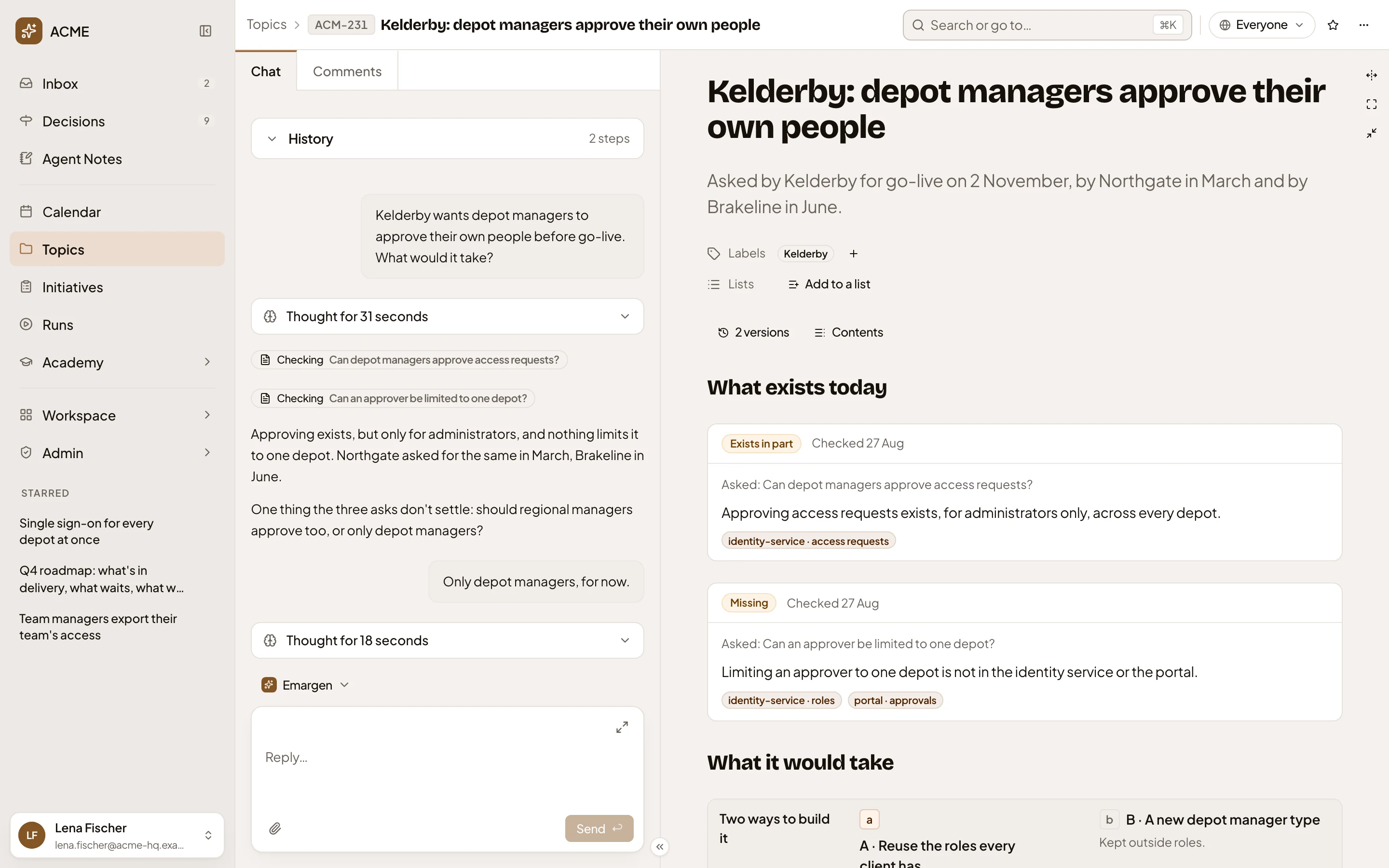
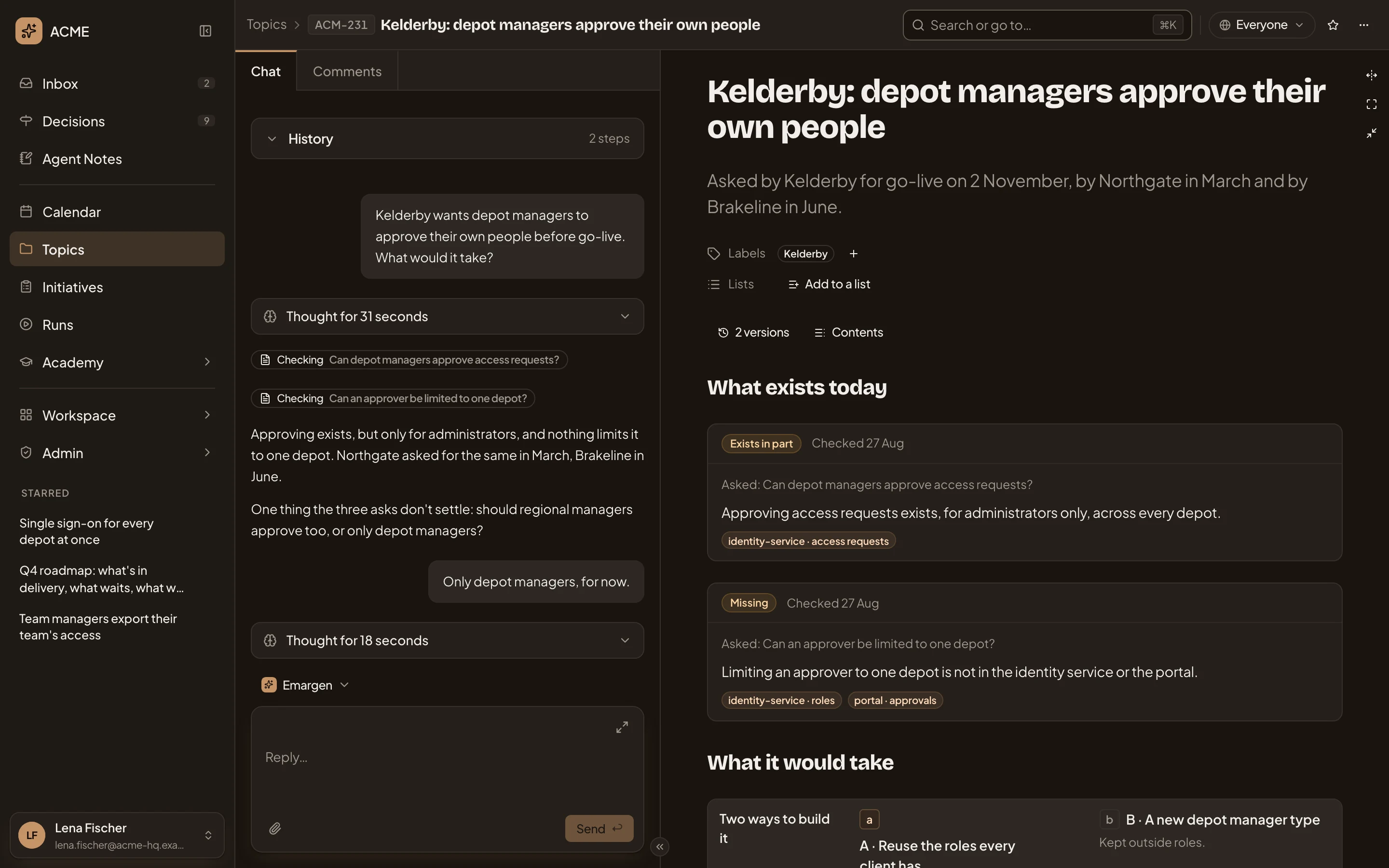
- The product manager’s chat with the agent.
- Checking: the agent’s checks of the code, a line for each.
- The one question it asked, because nothing it read could answer it.
- The document the agent writes, from what was said and what it found.
- Everyone: who sees the topic.
Once you share it, colleagues read the same document, each with a chat of their own, and their agents find it too.
Agreeing what to build
Section titled “Agreeing what to build”When a topic shows something worth building, it can become an initiative. The agent shapes it with you. It checks the code, sets out the requirements and compares ways to build it. Someone allowed to approve says yes at its Kickoff. Then engineers and their coding agents, like Claude Code and Codex, build it in slices. Their questions and proposed changes come back to the people who decide, and you follow the work to delivery.
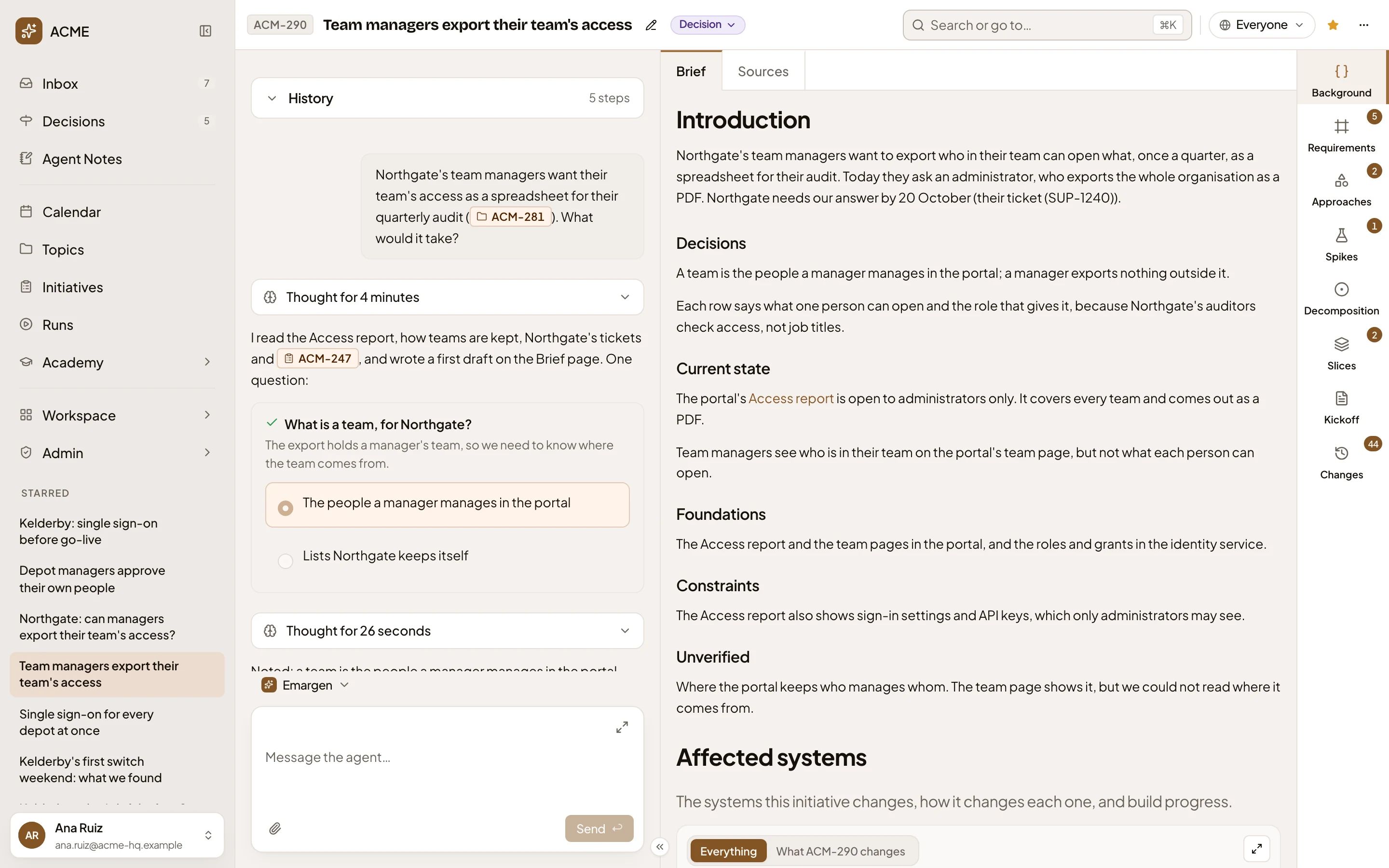
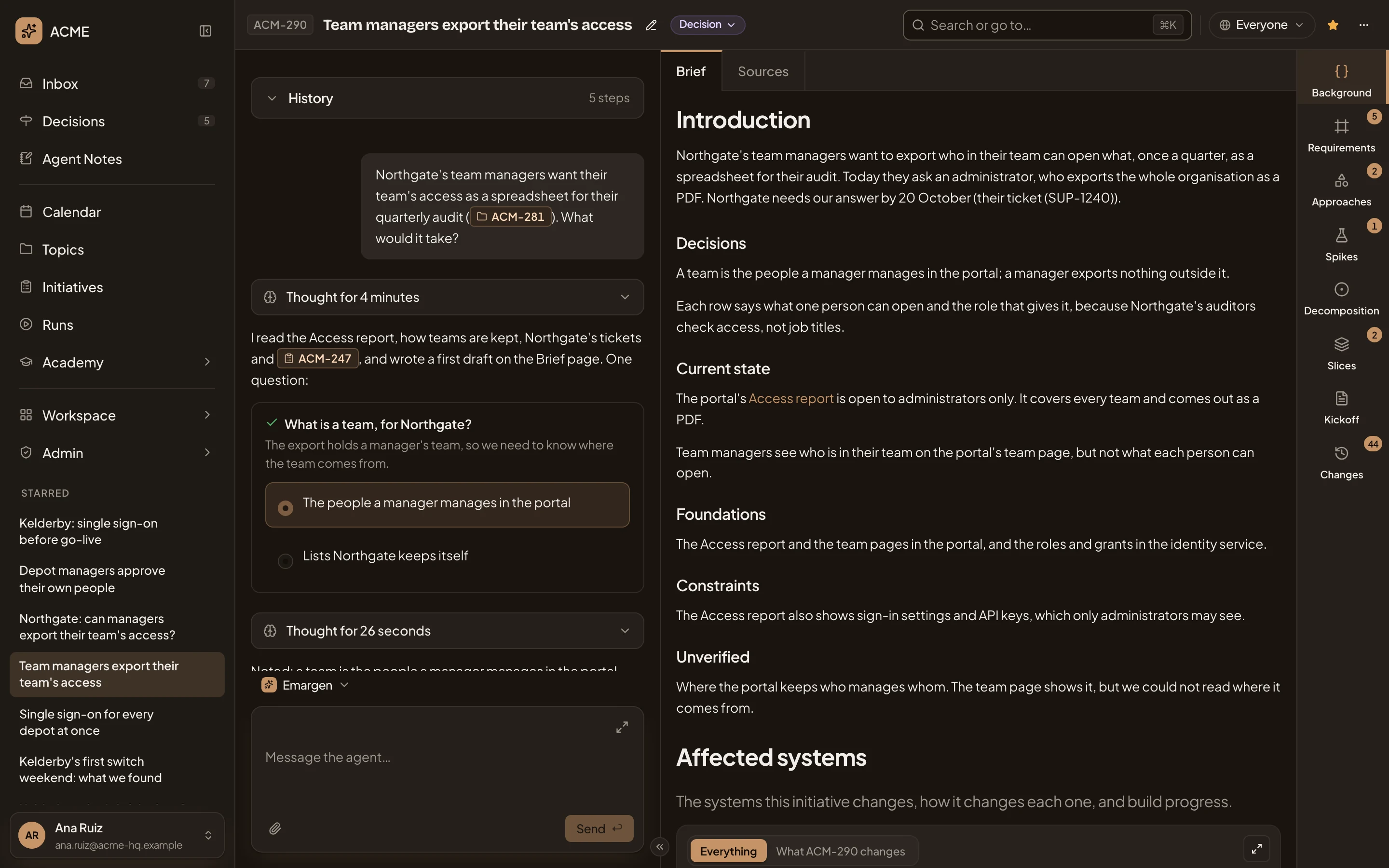
- The topic the initiative started from, by its key.
- What the agent read before it asked anything.
- Its question, with the options. The answer is picked.
- Brief, which the agent drafted from what it read.
- The initiative’s sections, from Background to Changes, filled in as the work goes.
Work that comes round again
Section titled “Work that comes round again”Some work follows the same steps every time, like a customer’s security questionnaire. A flow sets them out once: each step, who takes it and the approvals it needs. Each case is a run of it, started from Runs. Agents do their steps, and people find theirs in their Inbox.
For work on a schedule, like a weekly report, you set up an agent task once. At each run, the agent does the job and writes the result in a topic.
Tools your team needs
Section titled “Tools your team needs”When your team needs a tool Emargen doesn’t have, like a tracker for a rollout, you can have an app built. You shape its brief with the agent, and Emargen’s agents build it. You try it first, then share it.
Around the work
Section titled “Around the work”You’ll find replies and tasks at the top of your Inbox. In Decisions, you see the choices waiting on you, so you decide each one where you read it.
The agent sits beside nearly every page and knows the page you’re on. Your team sets it up. A persona sets how it works and which model. A skill gives it know-how. A template gives a topic its shape. The Workspace holds your team’s boards and lists, and the Landscape of your organisation’s own words, which the agents use.
In the Academy, you learn what your organisation knows, a few minutes of practice a day. Administrators run the organisation from Admin, from its AI models and connections to its people and its plan.
A customer’s ask, from topic to delivery
Section titled “A customer’s ask, from topic to delivery”A customer asks whether their team managers can export their own team’s access. Someone in customer success starts a topic, and the agent finds in the code that only administrators can, for everyone at once. They share it with everyone, and a colleague in sales asks in a comment if they may promise a spreadsheet.
The answer is no for now, so the owner starts an initiative from it. Once it’s published, its Kickoff waits in the Decisions of the product manager who approves it. Engineers build it, and their coding agents’ notes come back as they go.
Sharing, and what connections see
Section titled “Sharing, and what connections see”What you start is yours alone until you share it, except a subtopic, which starts with its parent’s sharing. You share it with the people you name, or with everyone in the organisation. You only find what’s yours or shared with you, and the agent sees only what you see.
Your organisation’s tools are a different boundary. A connection to a tool like Jira reads as one account for everyone. So the agent can bring anyone what that account sees, even what they couldn’t open in Jira themselves. Whoever connects a tool picks that account with this in mind.