

AgentsIdea
Templates
A template is the shape of one kind of topic. It says which fields the topic carries, which sections it starts with, what each section needs and how the agent writes it. For what a topic gets from one, see Templates and fields.
A shape someone already worked out
Section titled “A shape someone already worked out”An engineering team wants every incident to have a timeline, a cause and a fix. Write that into a template once, and the agent starts every incident from it. Nobody has to remember it, and the facts sit in fields where a board and the agent can read them. A topic follows a template when someone picks one on New topic, or agrees to the agent’s suggestion.
A template’s parts
Section titled “A template’s parts”You set the Fields every topic of the kind carries, like Customer and Reply by. You list the Sections in order, with what each needs at least, like a table or a check against the code. A long kind of topic can have tabs, each with its own sections.
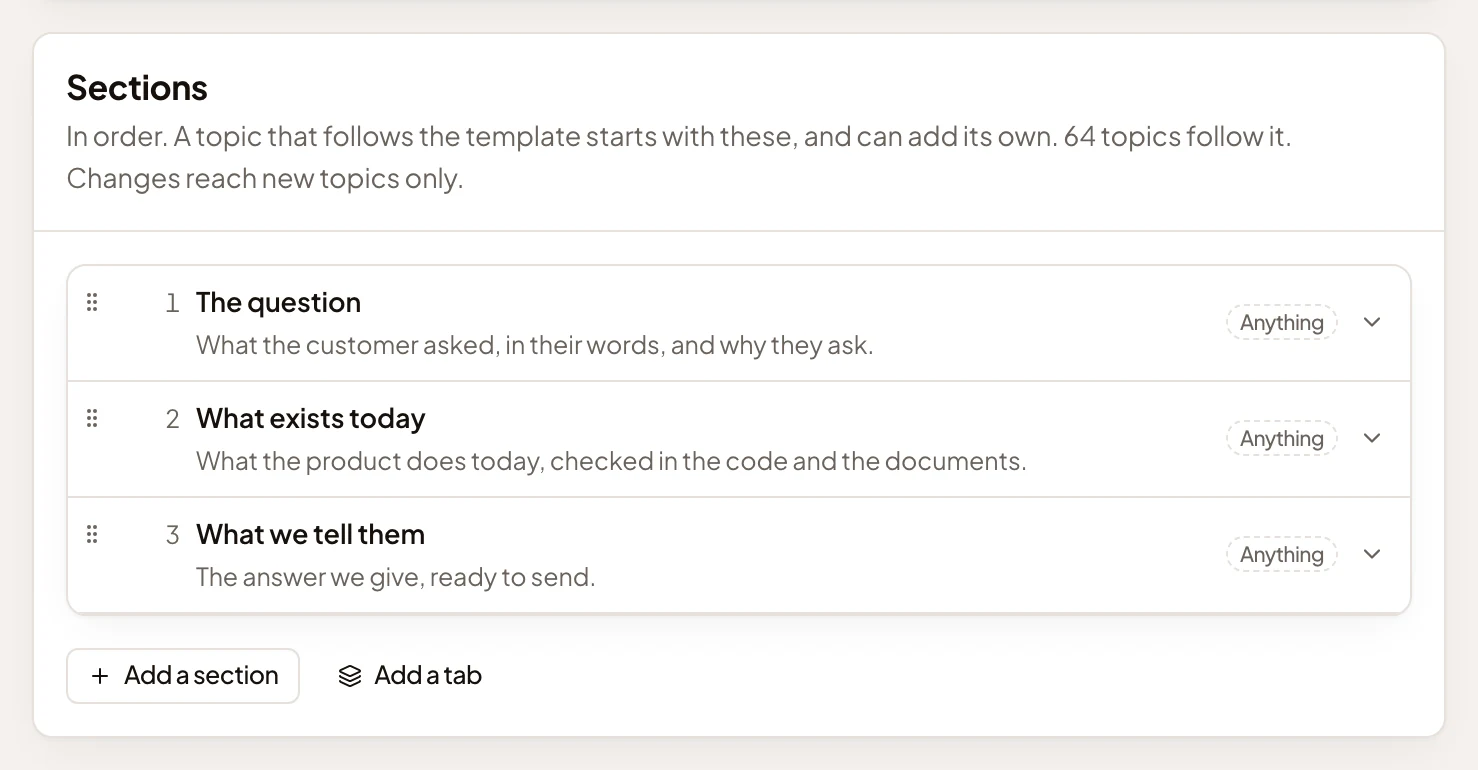
- How many topics follow the template. A change to the sections reaches new topics only.
- A section, in its place in the order, with what goes in it.
- What the section needs at least. Anything means it has no needs, so anything goes.
- Add a tab, for a long kind of topic, each tab with sections of its own.
Live fields, copied sections
Section titled “Live fields, copied sections”Fields stay live. Add one to a template, and every topic that follows it has the field at once. Remove one, and its values go from those topics. They stay in the history. You see how many topics hold a value before you save.
Sections are copied when a topic starts. A topic keeps the outline it started from, so a change to the sections reaches new topics only. The agent never rewrites what’s already written to fit a new outline. Every save is a version, with who saved it and what changed.
Made with the agent
Section titled “Made with the agent”The personas agent sits beside every template’s page. Tell it what a kind of topic should cover, or point it at a topic that already reads the way you want. It drafts the template on the page as you watch, then asks in the chat before it saves.
When a template needs fields that don’t exist yet, the agent puts the fields and the template on one checklist, so one Start makes them all, in order.
Emargen’s, the organisation’s and your own
Section titled “Emargen’s, the organisation’s and your own”Emargen comes with five templates: Decision brief, Idea, Prioritisation, Research findings and Rollout. They change only with its releases and carry no fields, so duplicate one to make your own version. Your organisation adds its own, made and changed by people whose role lets them manage templates. Anyone can make templates of their own and share them, so others can start topics from them or change them too, with Uses or Edits.
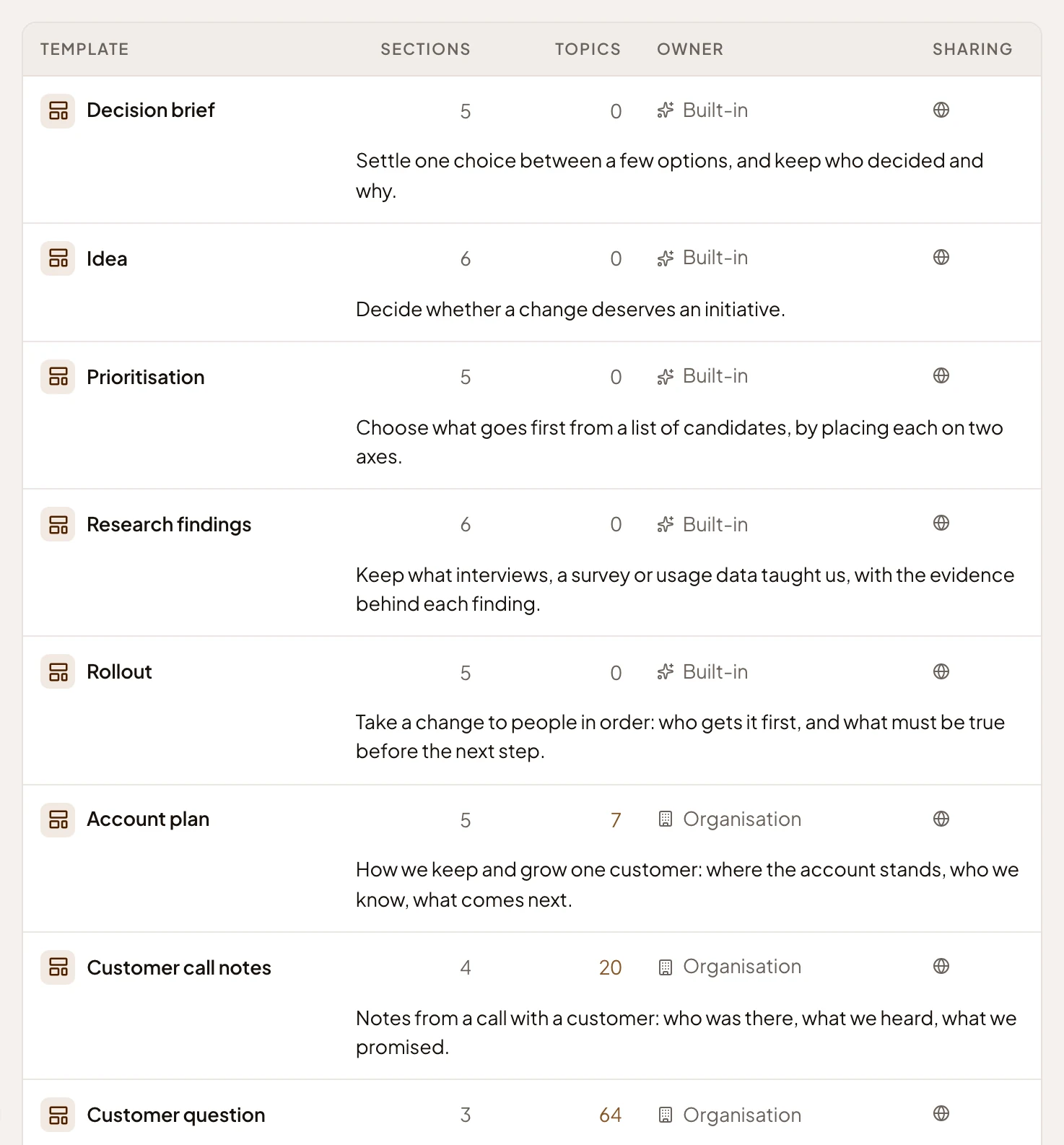
- Decision brief, one of the five templates Emargen comes with, marked Built-in.
- Customer question, one of the organisation’s own, marked Organisation.
- How many topics follow each. Pick the number to see them.
A template isn’t a form. The agent writes the sections from the conversation, and a topic can add sections of its own. A template doesn’t say who does what or when. That’s a flow.