

AcademyPage by page
A spot
A spot’s page shows its facts, the cards that ask them, and the source the facts come from. Click Open on a spot’s card on the map, or open a spot’s page in the List or on a track. See tracks and spots for what a spot and a fact are.
Approver is a term in ACME’s Landscape. Depot managers now approve their own people, so someone sharpened its second fact, and it says Changed.
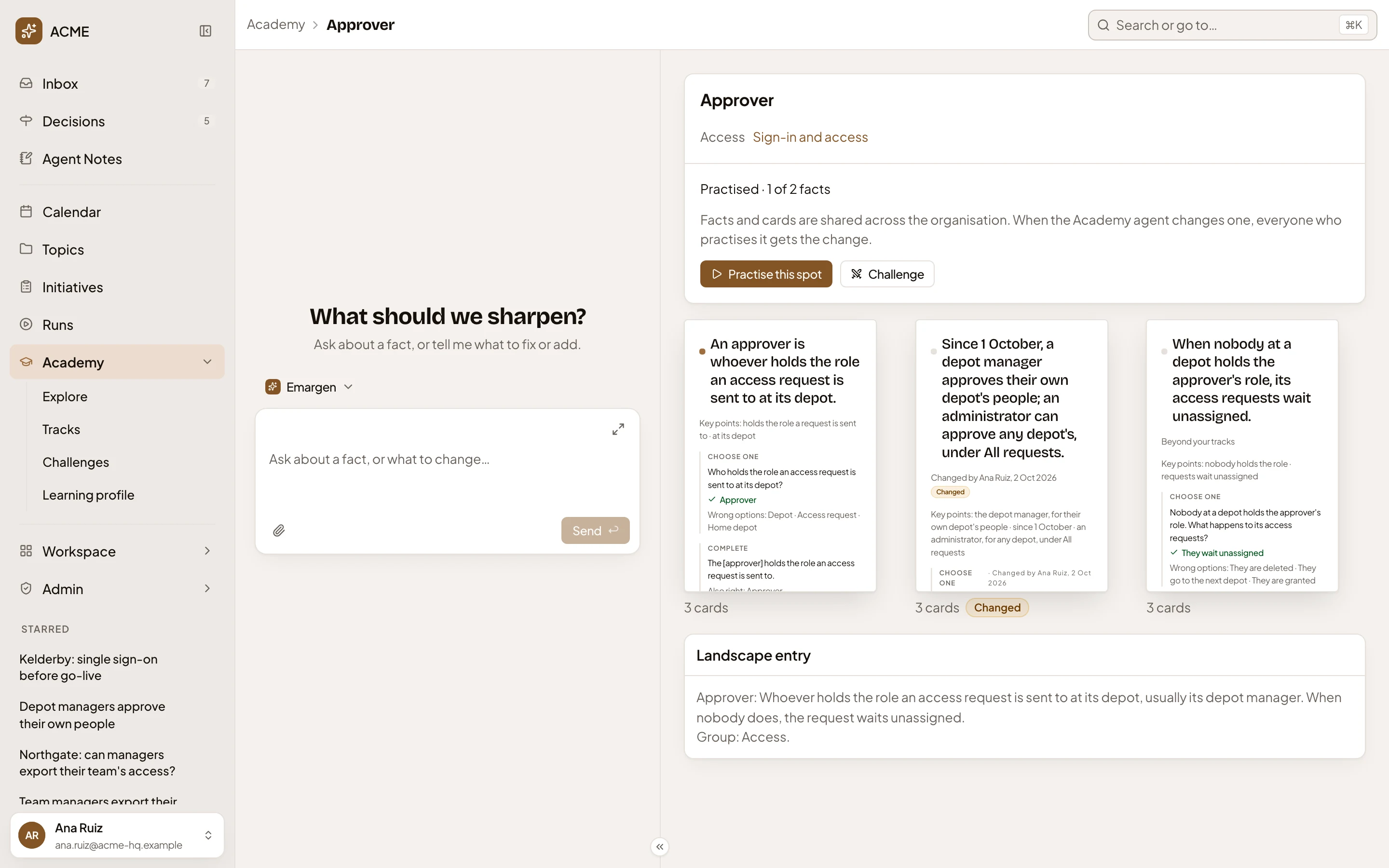
- Where you are. Opened from a track, the track’s name sits between Academy and the spot, to take you back to it.
- Message the Academy agent. Your own chat with the Academy agent, which knows the spot and the fact you open. Ask about it, or ask it to sharpen a fact or a card.
- Approver. The spot’s name, with its short code when it has one, like SSO for Single sign-on.
- Its Landscape group, Access, and the tracks of yours that practise it. Click a track to open it.
- How many facts you’ve practised, counting only those your tracks go deep enough for. A spot you haven’t practised yet says “Not practised yet”.
- Practise this spot. Practises this spot’s cards only.
- Challenge. Challenges a colleague on this spot (Challenges).
- A fact, with its claim, the points a written answer must cover, and its cards. Under it, how many cards it has, and Changed when it changed. Click it to open the fact.
- Landscape entry. The spot’s source: its entry in the Landscape, with its group.
Under the spot’s name, a line says its facts and cards are the organisation’s, so a change you ask for reaches everyone who practises it. On a spot in none of your tracks, it says “Add it to one of your tracks to practise it or fine-tune it.” instead.
A spot on Emargen’s own continent reads the same, with its source in these docs. It opens with a short lesson and links to the whole page.
A fact, opened
Section titled “A fact, opened”Click a fact to open its page. The address changes with it, so a link you copy opens the same fact.
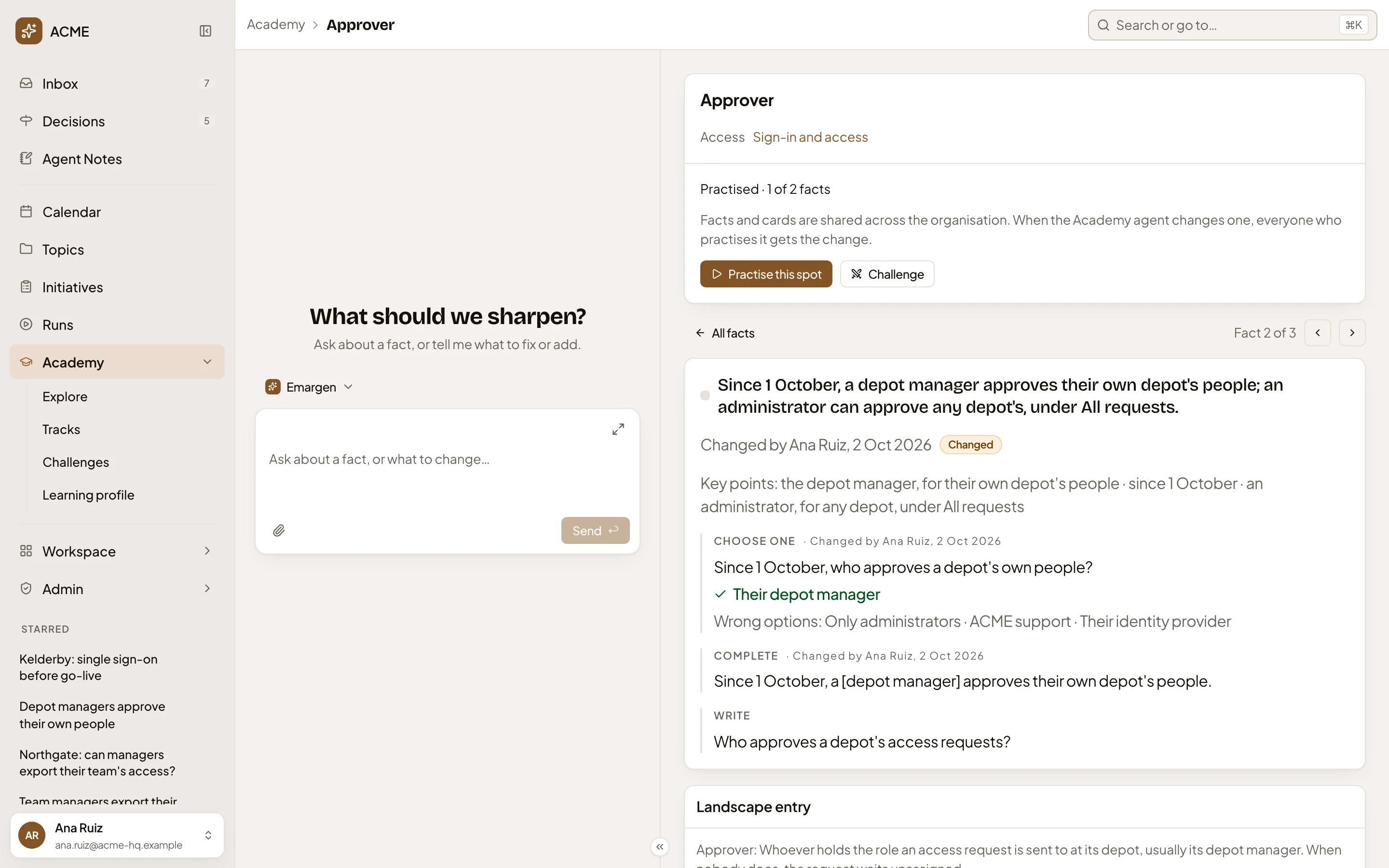
- All facts. Back to all the spot’s facts.
- Which fact this is: Fact 2 of 3.
- Previous fact.
- Next fact.
- The fact’s claim. The mark before it is filled once you’ve practised the fact.
- Who changed it last and when, and Changed while it’s new to you.
- Key points: the points a written answer is checked against.
- Each card that asks the fact, by kind, with its answer. Choose one shows the right answer ticked and the wrong options. Complete shows the sentence with its answer in brackets, and any other answer that also counts. Write shows the question. A reworded card shows who changed it, and when.
A fact marked “Beyond your tracks” still shows on the spot, but your practice doesn’t ask it. Approver’s third fact is one. The person looking has tracks that cover how the parts work together. This fact is a rule or an edge case.
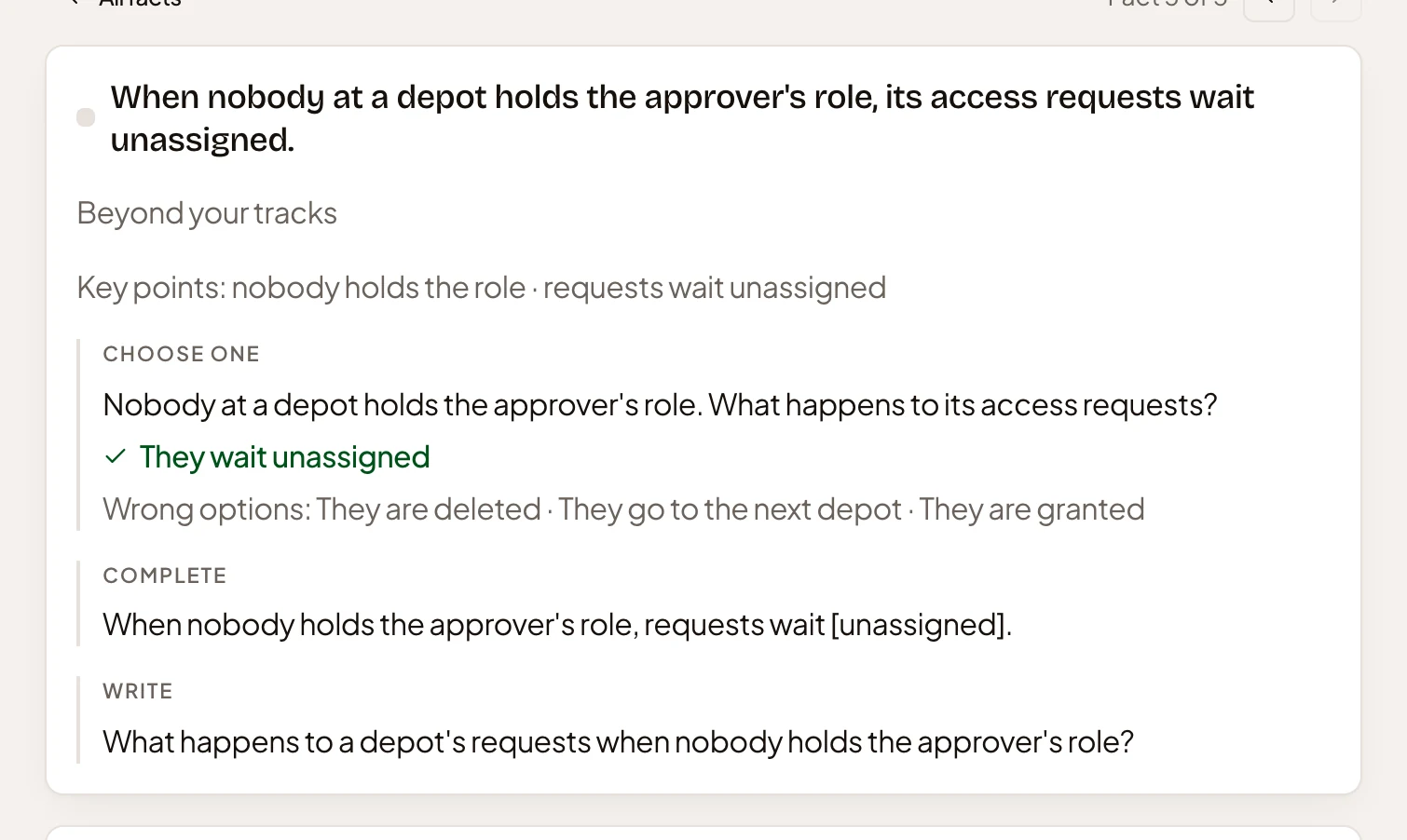
- Beyond your tracks.
Sharpening a fact
Section titled “Sharpening a fact”You don’t type into a fact. You ask the Academy agent in the chat. When your organisation changes who approves what, for example, ask it to rewrite the fact that said otherwise. It can change a fact’s claim or the points a written answer must cover, reword a card, or take a fact or a card out. The change reaches everyone who practises the spot, marked Changed with your name, and a changed fact starts over in everyone’s practice.
A small notification says when it’s made. If your organisation reviews changes, the agent puts one on a card to apply. Nothing changes until it’s applied (see A track). You can change a spot only while it’s in one of your tracks.
Challenge from a spot
Section titled “Challenge from a spot”Challenge opens the dialog with the spot under Subject.
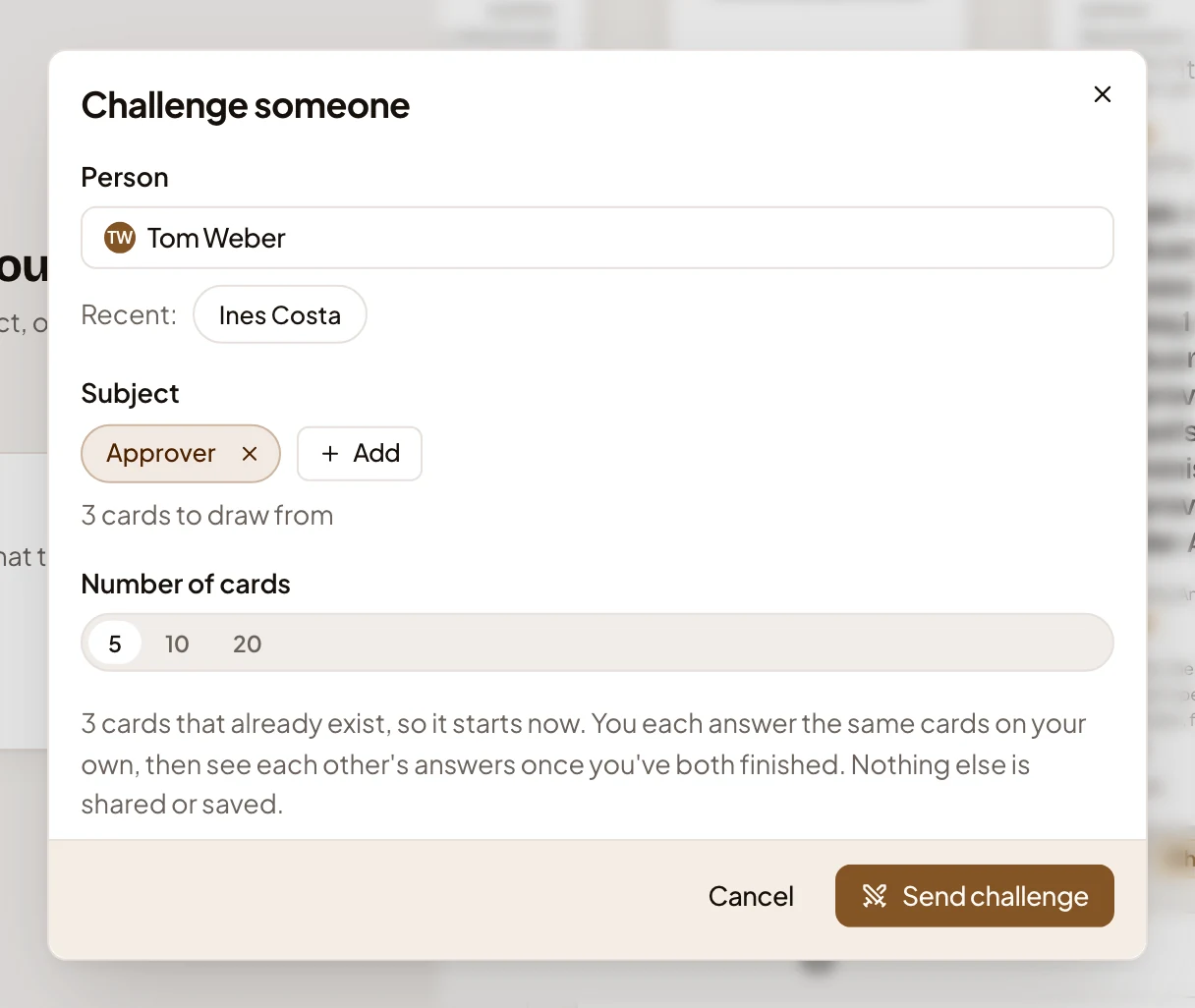
See Challenges for the rest of the dialog.
Access
Section titled “Access”Anyone in the organisation can open a spot’s page, and the facts and cards are the same for everyone. What you’ve practised, and your chat, are yours alone.