

InitiativesHow to
Decide a change request
Decide a change request when a coding agent or a colleague asks to change the approved plan. A setup turned out to take far longer than promised, say, or a customer changed what they need. When a coding agent raised it, the agent carries on with the option it marked until you decide. Change requests explains the idea.
Before you start
Section titled “Before you start”- Who can
- The initiative’s owner decides its change requests, and so does anyone who edits the initiative. Everyone else who can open it reads them.
- You need
- A change request waiting on you to decide. It also shows under To do on the initiative’s Slices tab, where Decide opens it, and in your Decisions.
- The pictures
- The pictures show ACM-391 on ACME’s ACM-293, Single sign-on for every depot at once, as its owner sees it. A colleague’s Codex raised it while building a task, when it found that every depot still needs its own app in the customer’s Entra ID. The owner has decided it, so the pictures show it under Decided.
-
Open the approved initiative from the initiatives list, and click Change requests in the bar on the right. Triage lists what’s still to decide, and Decided the rest.
Open the initiatives list (opens Emargen in a new tab)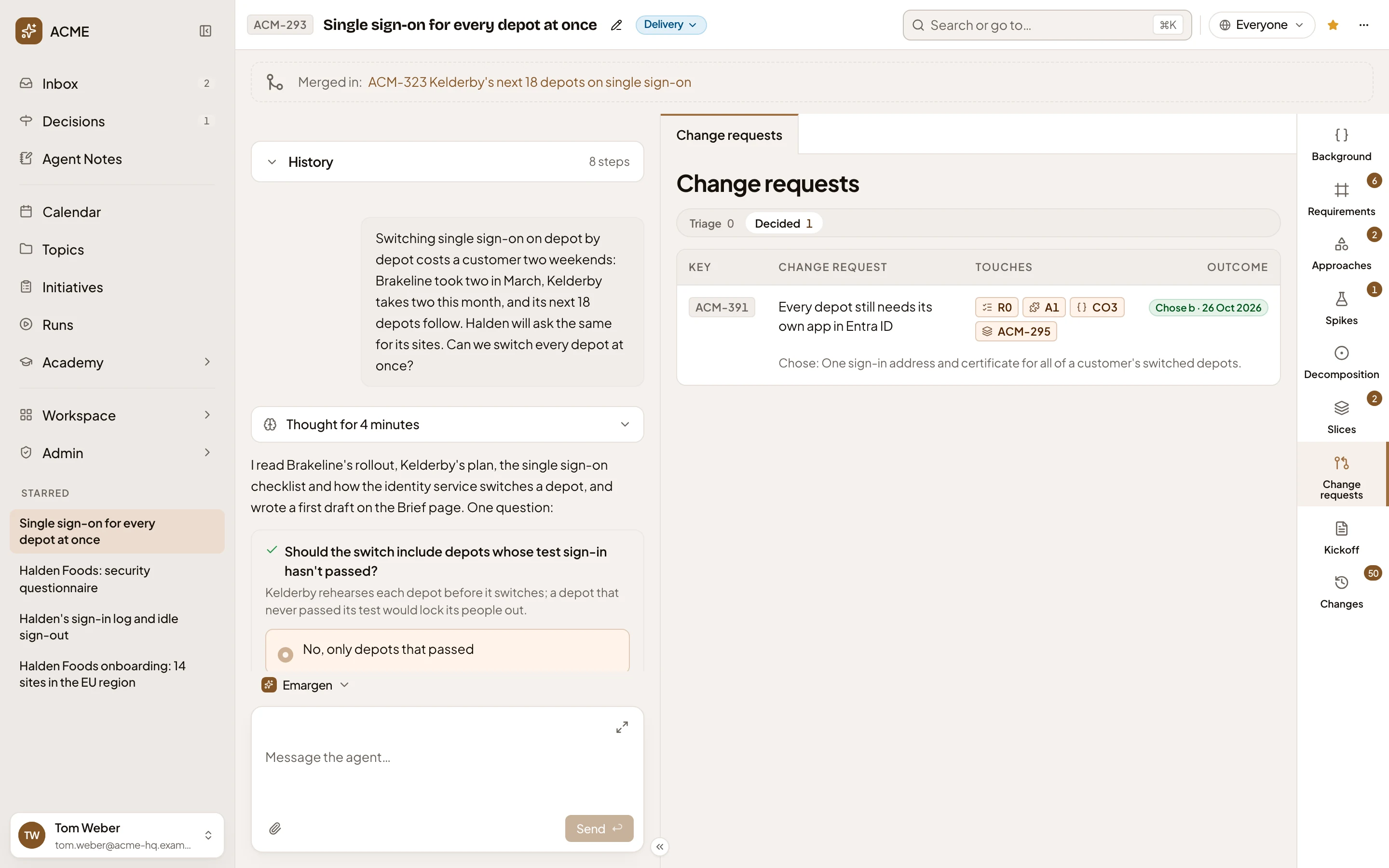
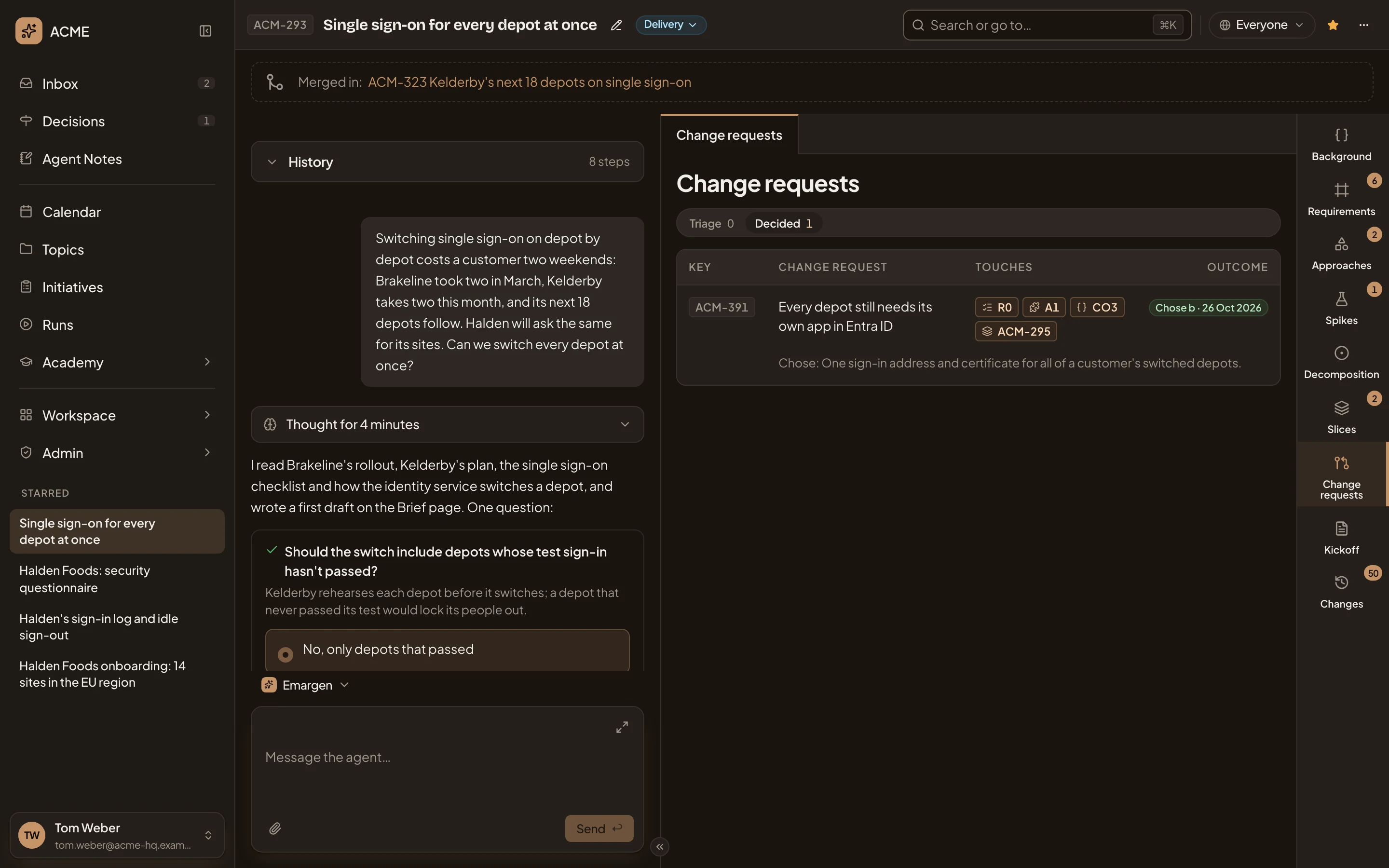
- Change requests, in the initiative’s bar. While requests wait, it says how many.
- Triage and Decided.
- The request. Click its title.
-
Click the request’s title. Its page opens with the problem, its source, and the options.
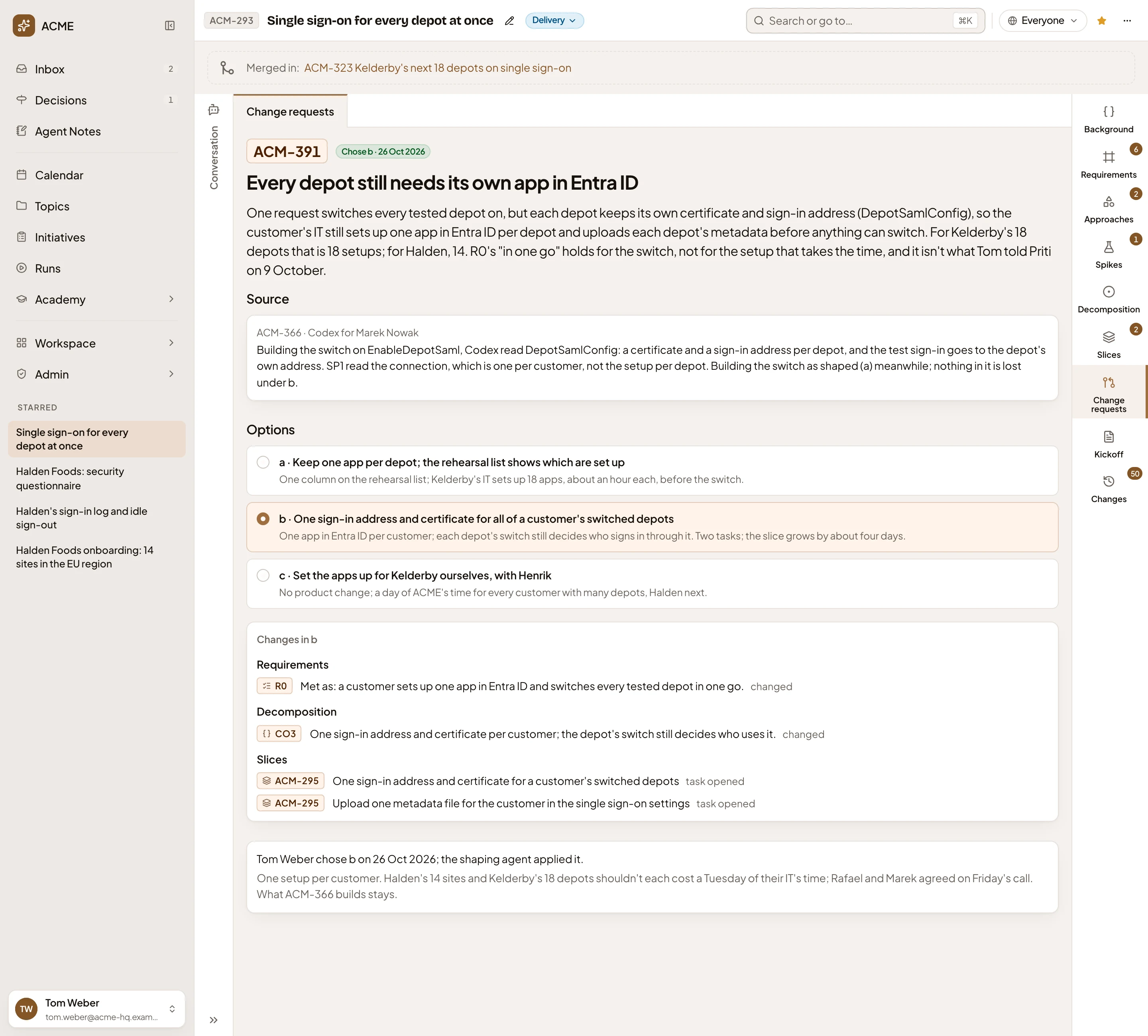
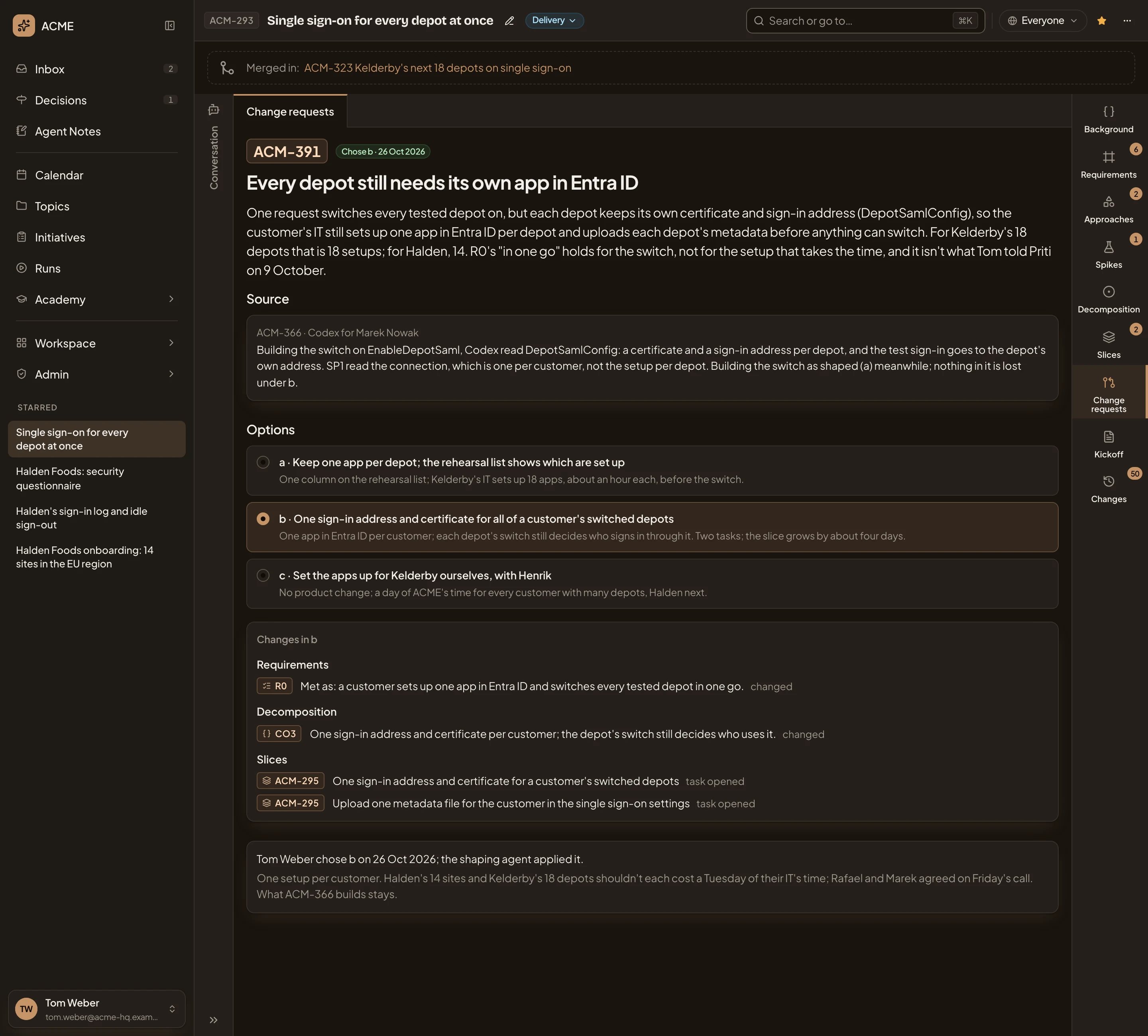
- The problem: why the approved plan can’t stand as it is.
- Source. Who found it, and what they found.
- Options. Each with what it costs.
-
Click each option to see what it would change. Below the options, you read the changes it would make to the requirements, the approach, the decomposition and the slices. The button at the bottom follows the option in view. In the picture, option c would meet R0 by setting up each depot’s app for the customer.


The option marked “in use until decided” is the one the coding agent builds on until you decide.
-
If no option is right yet, click Explore. The agent sums the request up in your chat and asks what matters most to you, on a card. Pick a choice or write your own, then press Answer. When the two of you agree on a way that’s none of the options, the agent adds it with what it would change, under the next letter. Exploring never decides the request for you.
-
Click the option you want, then its Choose button, like Choose b. It takes effect at once, without asking first. To keep what was shaped instead, click Reject (step 6).
-
If you clicked Reject, a box opens, named for the request. Give a Reason if it helps the build, or leave it empty, and click Reject.
What you get
Section titled “What you get”When you choose an option:
- The agent puts the tasks it opens on their slices at once, each with its own key, ready for a coding agent to take. With b in the pictures, that’s two tasks on the slice the request came from. One gives the customer’s switched depots one sign-in address and certificate. The other uploads one metadata file for them.
- The agent updates the requirements and the approach, here R0, and replies in your chat. It looks at the slices the request touches and says in your chat that the decomposition changed. If the option changes a slice beyond adding a task, the agent cuts the slices again in another turn.
- If that analysis can’t read the repositories, the chat says “The decomposition analysis didn’t finish.” Your choice and the changes to the requirements and the approach stand. Click Refine, on the Decomposition tab, to try again.
- The request moves to Decided. Its page keeps every option, including any you explored, and says who chose which and when. Its key leaves the rows it touched, the initiative’s To do and your decisions.
When you reject it, what was shaped stays as it is. The request moves to Decided, with who rejected it, when, and why. When the build raised it from a slice that’s still in the plan, that slice gets a task to undo what the build did meanwhile and build what was shaped. A request a person proposed opens no task.