

InitiativesIdea
Approval
Approval is the yes that lets an initiative go ahead as planned. Someone allowed to approve reads its Kickoff and approves it there.
Someone stands behind the plan
Section titled “Someone stands behind the plan”Building shouldn’t start on a plan nobody agreed to, and an agreed plan shouldn’t change unnoticed. So the Kickoff names who said yes and when. From then on the plan changes only in the open, through change requests.
A person publishes and approves, in the app. An agent can shape a whole initiative, but it never does either.
From published to approved
Section titled “From published to approved”When the owner or someone who edits the initiative publishes it, its status becomes Decision. The people who may approve it find it on its Kickoff, and under Initiative approvals in their Decisions.


- Initiative approvals. Initiatives waiting for your approval.
- The initiative, and who it’s from.
- The hourglass: delivery can’t start without it.
The people who may approve it read the Kickoff, ask in its comments if something’s unclear, and press Approve. The approval is recorded against the version that was published. The status becomes Approved, and the Kickoff says who approved it and on which day.
A product manager reads that onboarding won’t finish until someone picks the customer’s region, and approves the plan to keep that customer’s data in the EU.
Approved isn’t building yet. Someone who edits the initiative starts delivery when the work begins.
Allowed to approve
Section titled “Allowed to approve”Anyone whose role allows approving initiatives can approve one they can see and don’t edit. The Administrator role allows it, and an administrator can give it to other roles, like the one your product managers have. See People and roles.
The owner can approve their own initiative too, unless its approval gate is on. Someone who edits an initiative without owning it never approves it.
The approval gate
Section titled “The approval gate”Some work needs a yes from someone other than the person who shaped it. A change to how people sign in, say, or a customer whose contract asks for a second pair of eyes. For that, the people who edit an initiative switch its approval gate to Required.
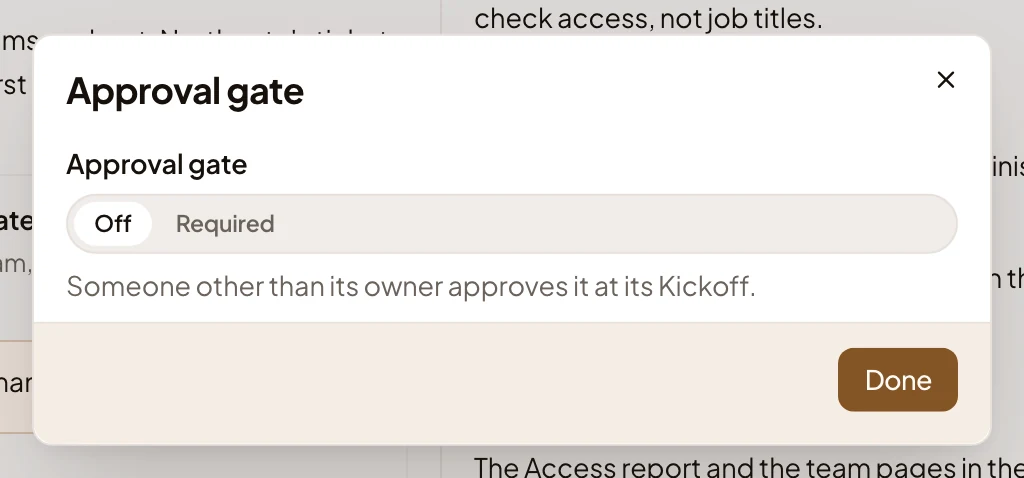
- Off or Required.
- What Required asks for: someone other than the owner approves it, at its Kickoff.
You publish with the gate on as usual. The initiative then waits in the Decisions of the people who may approve it. The owner can’t approve it, so it isn’t in theirs. Until someone else has approved it, nobody can set it to Approved, Delivery or Done by hand. When nobody who can see it may approve it, the Kickoff asks the owner to share it with someone who may.
Not every answer is yes
Section titled “Not every answer is yes”An initiative that shouldn’t go ahead is rejected or postponed, and Emargen asks why. The reason is optional, and agents read it when a later initiative looks like this one.
Someone who edits it can also set the status to Approved by hand. That records nobody’s approval, and the Kickoff says so.