

AgentsPage by page
Apps
Apps lists the apps shared with you that have a version open. Open the page from Apps in the menu, below Runs. The menu shows it once you have an app to open.
Open Apps (opens Emargen in a new tab)An organisation with no apps yet.
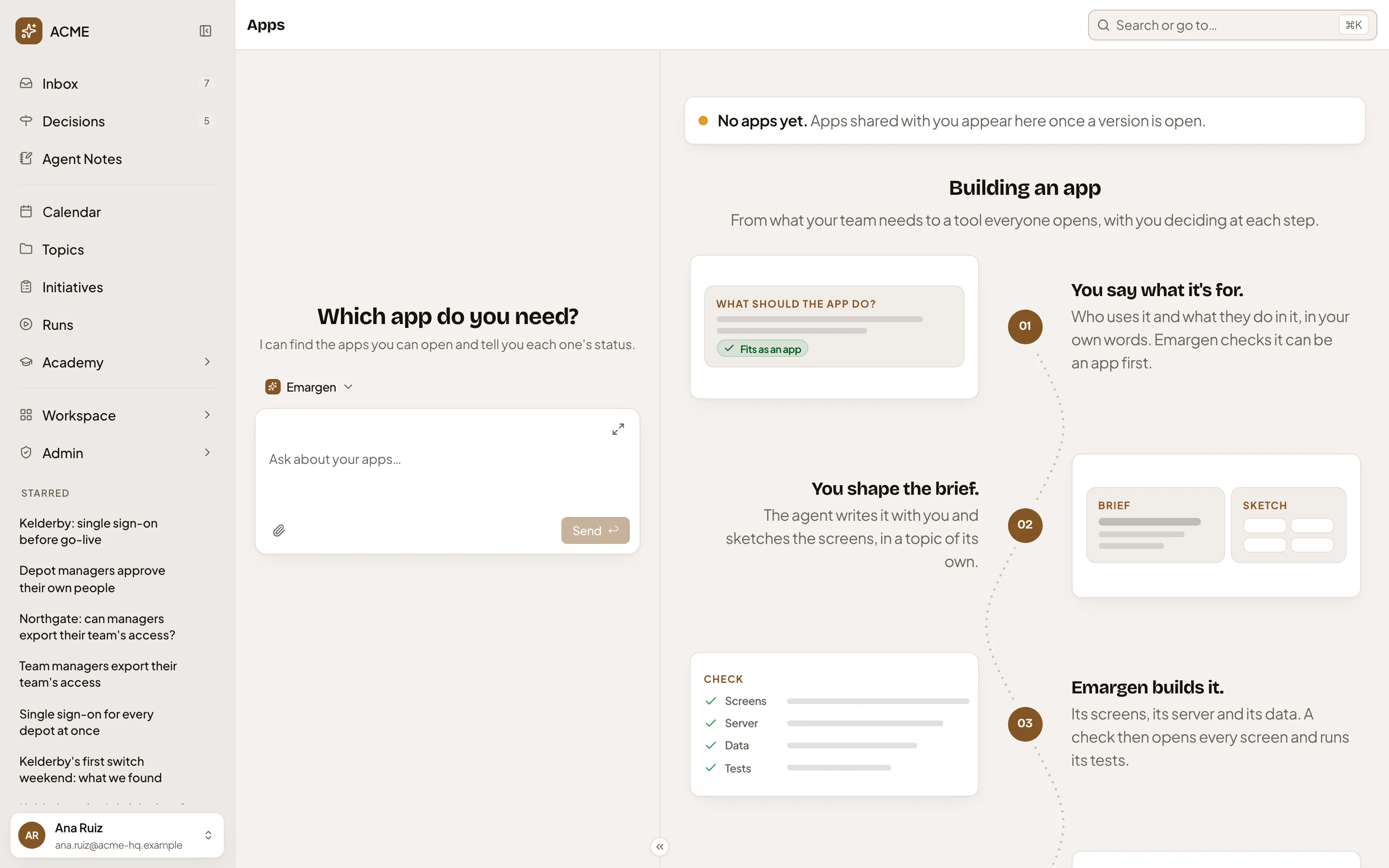
- Apps. This page.
- The chat. The workspace agent finds the apps you can open and says each one’s state.
- “No apps yet.” The apps shared with you appear here.
- Building an app. Five steps, from saying what it’s for to everyone opening it.
Each app is a card with its name, the version that’s open and its owner. Click it to open the app. In its ⋯ menu, Edit app opens its build page if you may edit it. Otherwise, Suggest a change sends your idea to the people who do. Share is there if you may share it.
Access
Section titled “Access”Everyone in the organisation sees the apps shared with them, once a version is open. To ask for a new app, you need the App builder role, and you ask on New app.