

For engineersGuide
The tools
A tool is one thing a connected agent can do in Emargen, like read a topic or claim a task. You don’t call tools yourself. Your agent calls one when what you ask needs it, and tells you which, by the names on this page. Ask Claude Code to take the next open task of an initiative here, and it calls get-slice-work, then claim-slice-task, and tells you which task it took.
Every tool acts as you, in one organisation. It sees what you can see, and what it writes is yours. The agent also gets a few sentences on when to use them. Emargen for coding agents has them.
Reads and changes
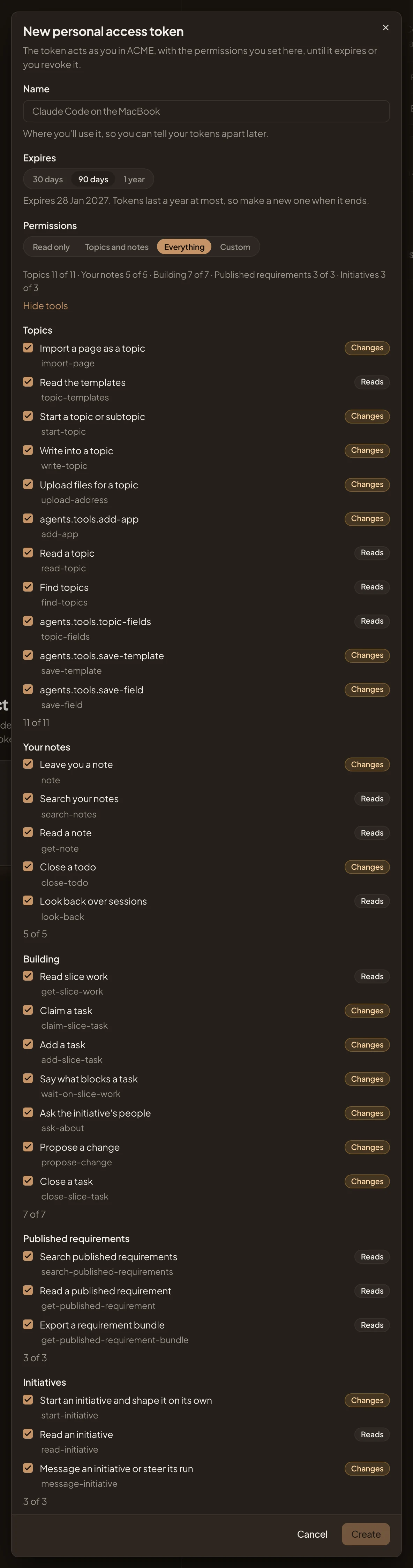
Section titled “Reads and changes”Each tool either only reads, or changes something in Emargen. You see which when you choose what an agent may use, as in the dialog below, where a new token has Everything chosen.
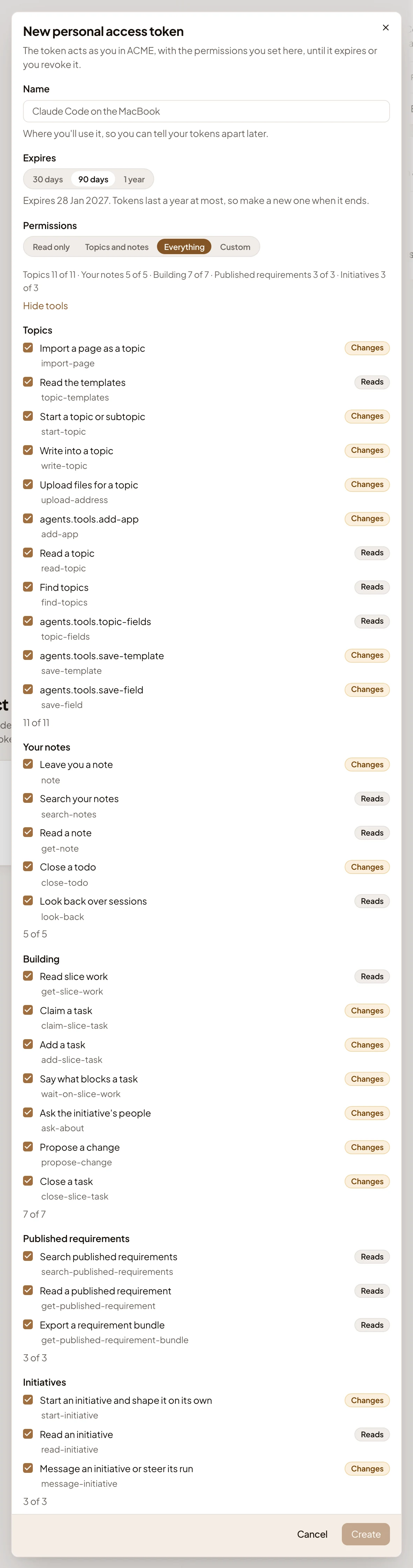
- Permissions. Read only, Topics and notes, Everything or Custom.
- One area’s tools, each ticked when the choice includes it.
- Changes. The tool changes something in Emargen.
- The tool’s name, the one your agent tells you when it calls it.
- Reads. The tool only reads.
In the app, add-app, topic-fields, save-template and save-field show a placeholder instead of a description.
A tool you haven’t allowed isn’t in your agent’s list at all. If it calls one anyway, Emargen refuses it, and tells you where to allow it on your profile’s Security page, if your organisation lets agents use it.
Tools by choice
Section titled “Tools by choice”- Read only gives every tool that only reads.
- Topics and notes gives the topic and note tools, except import-page and close-todo. It also gives the tools that read published requirements and initiatives, but none of the Building tools.
- Everything gives every tool. A new token starts on it.
- Custom gives the tools you tick.
Your agent also gets new tools Emargen adds to Read only, Topics and notes or Everything. A custom list never gains a tool by itself. An assistant that signs in, like Claude, starts on Topics and notes.
Published requirements
Section titled “Published requirements”These tools read the published snapshots of initiatives you can open. They don’t read live drafts or anyone’s chat.
| Tool | What it does |
|---|---|
| search-published-requirements | Finds published initiatives by words, ten at most. |
| get-published-requirement | Loads one published initiative in full, and as one Markdown document too. |
| get-published-requirement-bundle | Exports one as a spec-kit bundle of four files, for an agent that works from a specification. |
Building an initiative’s slices
Section titled “Building an initiative’s slices”| Tool | What it does |
|---|---|
| get-slice-work | Reads the slices in plan order, their tasks and who has each, what blocks what, the questions and their answers, and the change requests. |
| claim-slice-task | Takes an open task for you, giving the agent’s name. It refuses a task someone has, or one that’s still blocked, and says what blocks it. |
| add-slice-task | Adds a task to a slice: work found on another task, a subtask, or a piece the breakdown missed. |
| wait-on-slice-work | Says a task you claimed is blocked by another task, or by a whole slice, when it needs that work’s output. |
| ask-about | Asks the initiative’s people a question only they can answer. It waits on the owner, and the answer comes back in get-slice-work. |
| propose-change | Raises a change request when what was shaped can’t be built, with options and the one the agent carries on with meanwhile. |
| close-slice-task | Closes a task you claimed once it’s done, with its merge request. A person still marks the slice done. |
Your notes
Section titled “Your notes”Notes your agent leaves for you alone. Notes has when it writes one.
| Tool | What it does |
|---|---|
| note | Leaves you a decision, a todo, a trap or an idea, in Markdown, with tables or diagrams when they say it better. |
| search-notes | Searches your notes by words, repository, session or initiative, so nothing is told twice. |
| get-note | Reads one note in full. |
| close-todo | Marks one of your open todos done, because the agent did it, with the commit or merge request. |
| look-back | Says how to read the agent’s own earlier sessions on your computer, and leave you the notes they call for. |
Topics
Section titled “Topics”Your agent writes topics as you.
| Tool | What it does |
|---|---|
| topic-templates | Lists the templates you can use, with their sections and fields. |
| topic-fields | Lists the organisation’s fields, and where each is used. |
| find-topics | Finds topics you can see, by a few words, or the ones that changed most recently. |
| read-topic | Reads a topic as it stands: its outline, blocks, fields, files, open comments and subtopics. Never anyone’s chat. |
| start-topic | Starts a topic of yours, or a subtopic, with a template when one fits. |
| write-topic | Writes into a topic, a section at a time, in the blocks that say it best, and records the decisions you took. |
| upload-address | Gives an address to upload files for a topic, so a file never travels inside a call. |
| add-app | Adds an app to a topic: a web page that runs there for whoever reads it. |
| import-page | Brings a page you keep elsewhere, like a Claude artifact, into Emargen as a topic of yours. |
| save-template | Makes a template, or changes one you may change. |
| save-field | Makes one of the organisation’s fields, or changes one. |
A web assistant, like Claude on claude.ai, can’t upload files, or add an app that needs them.
Initiatives
Section titled “Initiatives”When a topic turns into work worth building. Initiatives from your agent has how it goes.
| Tool | What it does |
|---|---|
| start-initiative | Starts an initiative from your topics, which Emargen then shapes on its own up to a Kickoff ready to publish. |
| read-initiative | Reads where an initiative stands, what rests on assumptions, and what waits on you. |
| message-initiative | Passes your words on to an initiative’s chat, or stops or restarts its run. |
No tool publishes or approves an initiative. People do both, in the app.
Three prompts
Section titled “Three prompts”Emargen also gives the agent three prompts. Claude Code lists them among its slash commands, under the connection’s name, such as /mcp__emargen-ORG__wrap-up. Codex doesn’t offer them, so ask in words instead.
- wrap-up: look back over this session and leave the notes it should leave.
- look-back: look back over your earlier sessions in this repository and leave the notes they call for.
- initiative-from-topics: start an initiative from the topics you worked on together.