

AdminPage by page
A Git host
A Git host holds one GitHub or GitLab token. Emargen uses it for every repository on that host. With a host, New repository lists what the token can see, so you pick repositories instead of typing their addresses. Open a new host with New Git host under Git hosts on Repositories, or with Add a Git host on New repository.
New Git host
Section titled “New Git host”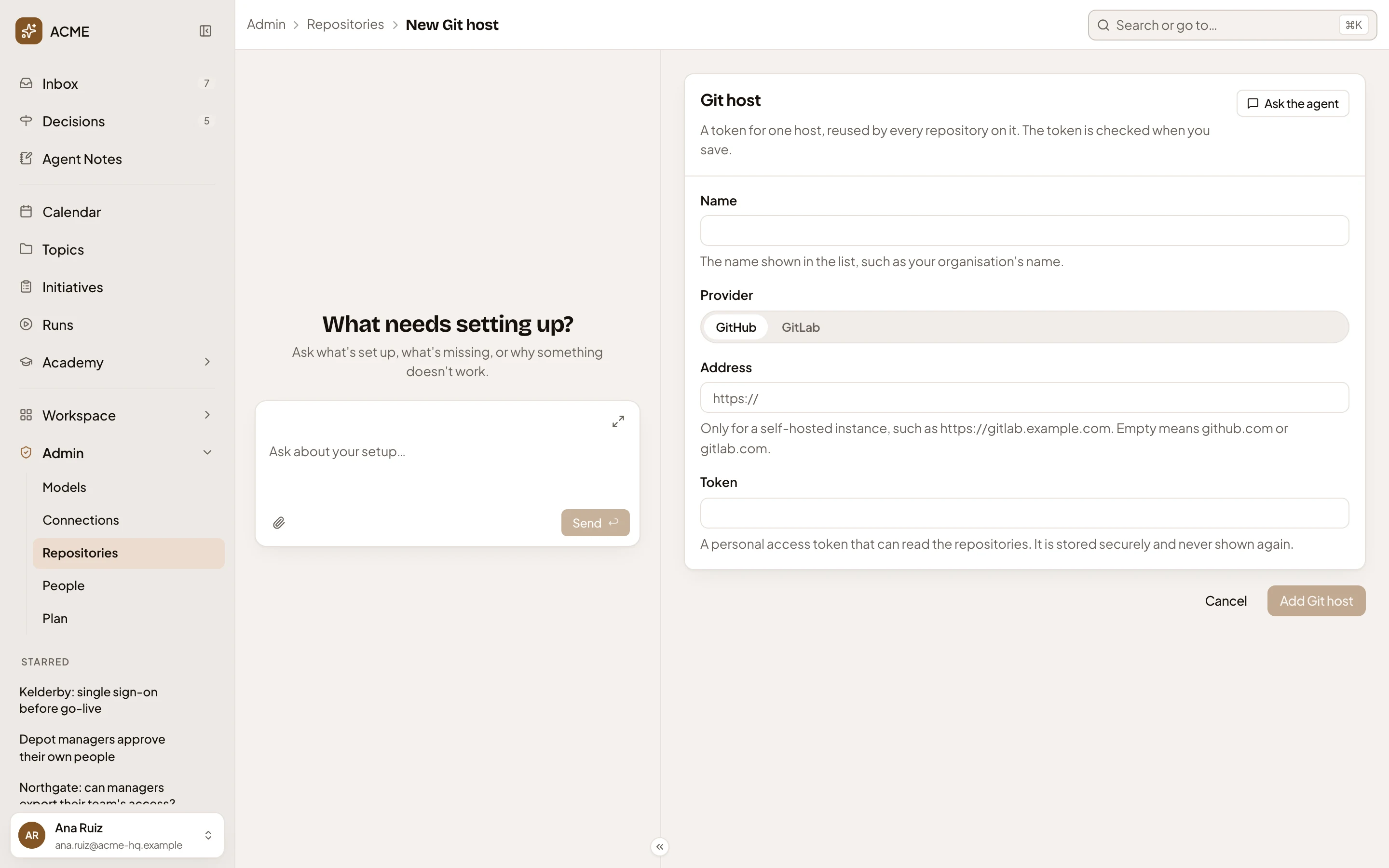
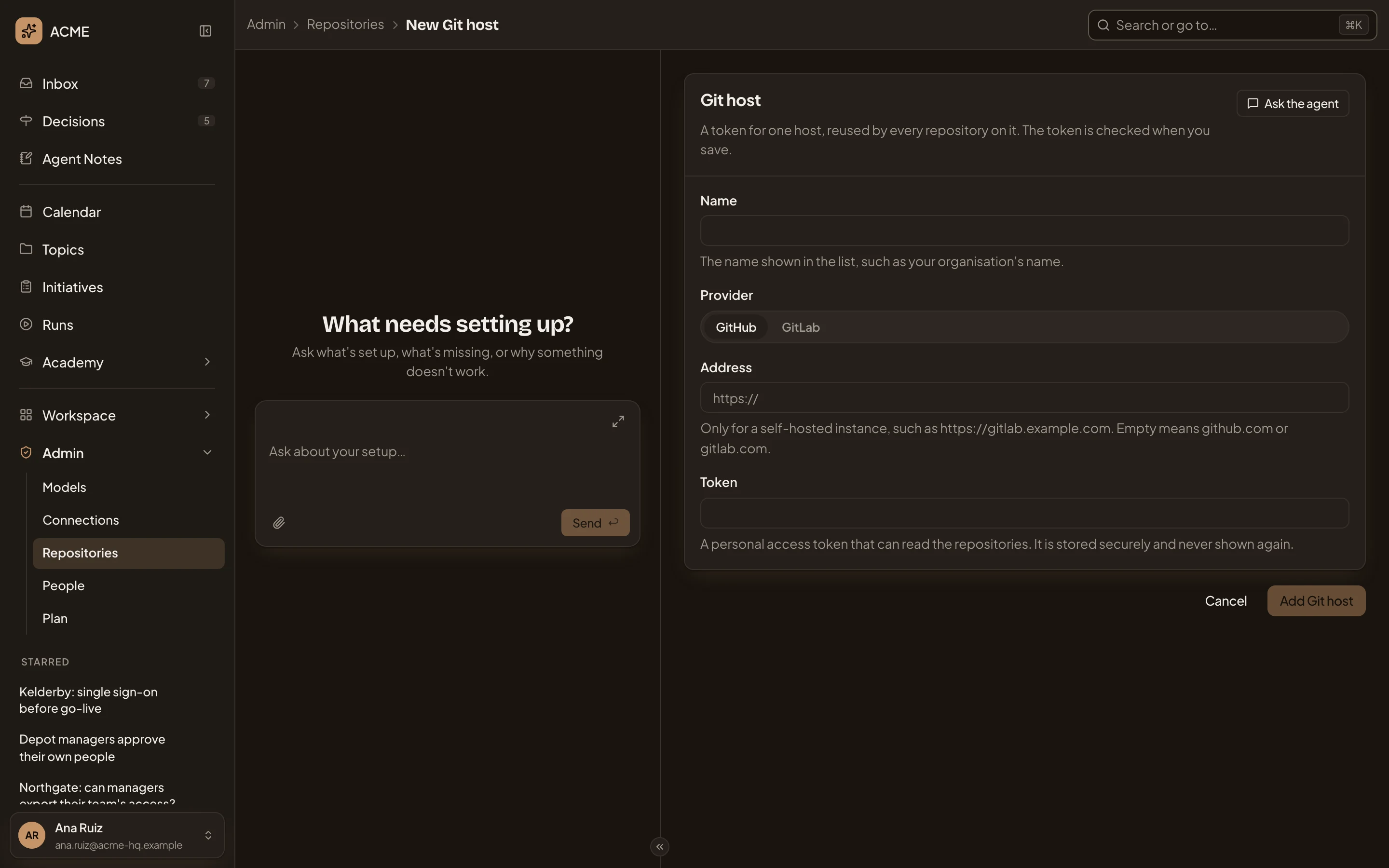
- Ask the agent. Hands the job to the admin agent in the chat on the left. Nothing you typed goes with it.
- Name. How the host shows in the list, such as your organisation’s name on GitHub.
- Provider. GitHub or GitLab.
- Address. Only for a self-hosted instance. Empty means github.com or gitlab.com.
- Token. A personal access token that can read the repositories. It’s stored and never shown again.
- Add Git host. Checks the token and adds the host. Greyed until there’s a name and a token.
If the host refuses the token, the page says why and stays open. Otherwise you go back to Repositories, or to New repository with the new host picked.
For New repository’s list, the token must list repositories as well as read them. GitHub needs the repo and read:org scopes, or Metadata read for a fine-grained token. GitLab needs read_api. A token that can only read still works, but you type each repository’s address.
On github.com or gitlab.com, the list holds the repositories of the token’s own account and of the organisations or groups it belongs to. On your own server, it holds everything the token can see.
Click a host’s row under Git hosts on Repositories, then Edit. A repository’s page links to its host too, under Access.
The form is the same, with three differences. Provider is fixed once the host exists. In place of the token, the form says “A token is stored.” Choose Keep the stored token, or Replace it and type a new one. Emargen checks a new token when you save. And Add Git host becomes Save, which goes back to Repositories.
Give a host a new token when its row says Needs a new token. Until then, none of its repositories can fetch. The row updates when you save the token or click Check. It also changes when the host refuses the token while New repository lists its repositories.
To remove a host, select its row on Repositories and click Remove. A host still used by a repository can’t be removed.
Access
Section titled “Access”You need the permission to manage repositories, which administrators have. Tokens never show, to anyone.