

InboxIdea
Agent Notes
An agent note is something an agent tells you from a session, for you alone. A decision it took on its own. Something left to do. A trap that would cost the next person time. An idea it didn’t build. Your notes gather in Agent Notes in the menu.
Knowledge a session would lose
Section titled “Knowledge a session would lose”When a coding agent like Claude Code or Codex works with you on your organisation’s code, it learns things that aren’t in the code. It answered a customer from the version they run, not the newest code. A request nobody approves closes after fourteen days, and nobody is told. Usually that ends with the session. It scrolls away in a terminal, and the next person walks into the same trap.
Once your coding agent is connected to Emargen, it leaves a note on its own when one of these happens. Any agent in Emargen writes one too, when you ask it to note or remember something. There’s no button for it. You say so in the chat.
Inside a note
Section titled “Inside a note”A note leads with its point in a few sentences. Then it explains how the agent got there, and points you to the code. Like a topic, it can hold a table, a diagram or a map. Each note has a kind: a decision, a todo, a trap or an idea. Its key, like N12, is yours alone.
A note doesn’t change once it’s written. When the agent learns better, it writes a new note that says which one it replaces. When it does a todo itself, it marks it done and says how. The only thing you change on a note is its labels, your own words to find it by.
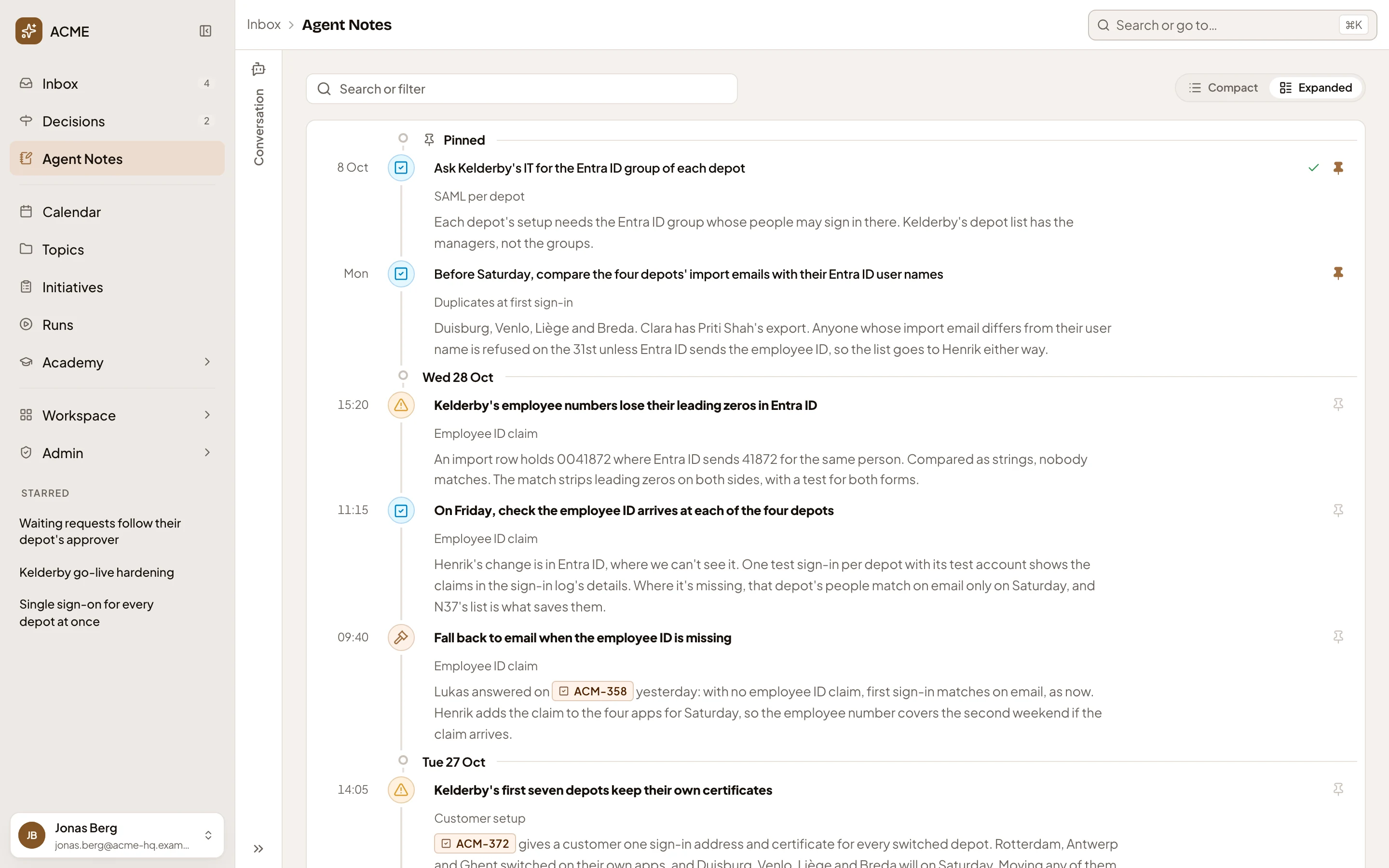
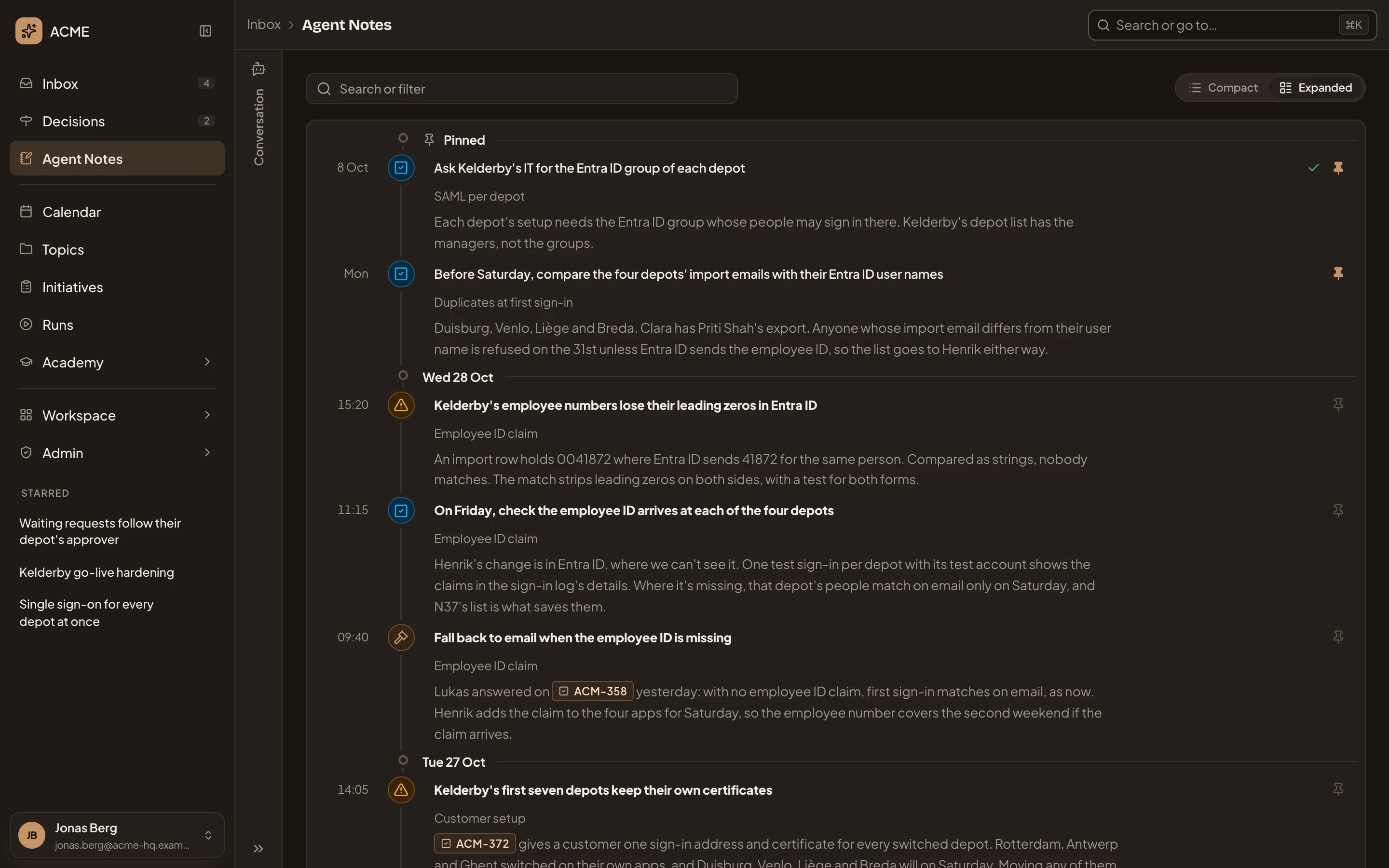
- Pinned. The notes you keep in sight at the top, until you unpin them.
- A note’s title says its point. The mark beside it says its kind.
- The session it came from.
- Click a key to open the topic or initiative it names.
Separate from your Inbox
Section titled “Separate from your Inbox”Notes stay out of your Inbox, so a day of coding sessions doesn’t fill it. The exception is a todo that’s still open. It waits in the Inbox’s To do until it’s done.
Click a note and it opens on a page of its own, beside the inbox agent. Ask the agent what the note means, what the code it points at does, or for the short version of a long one.
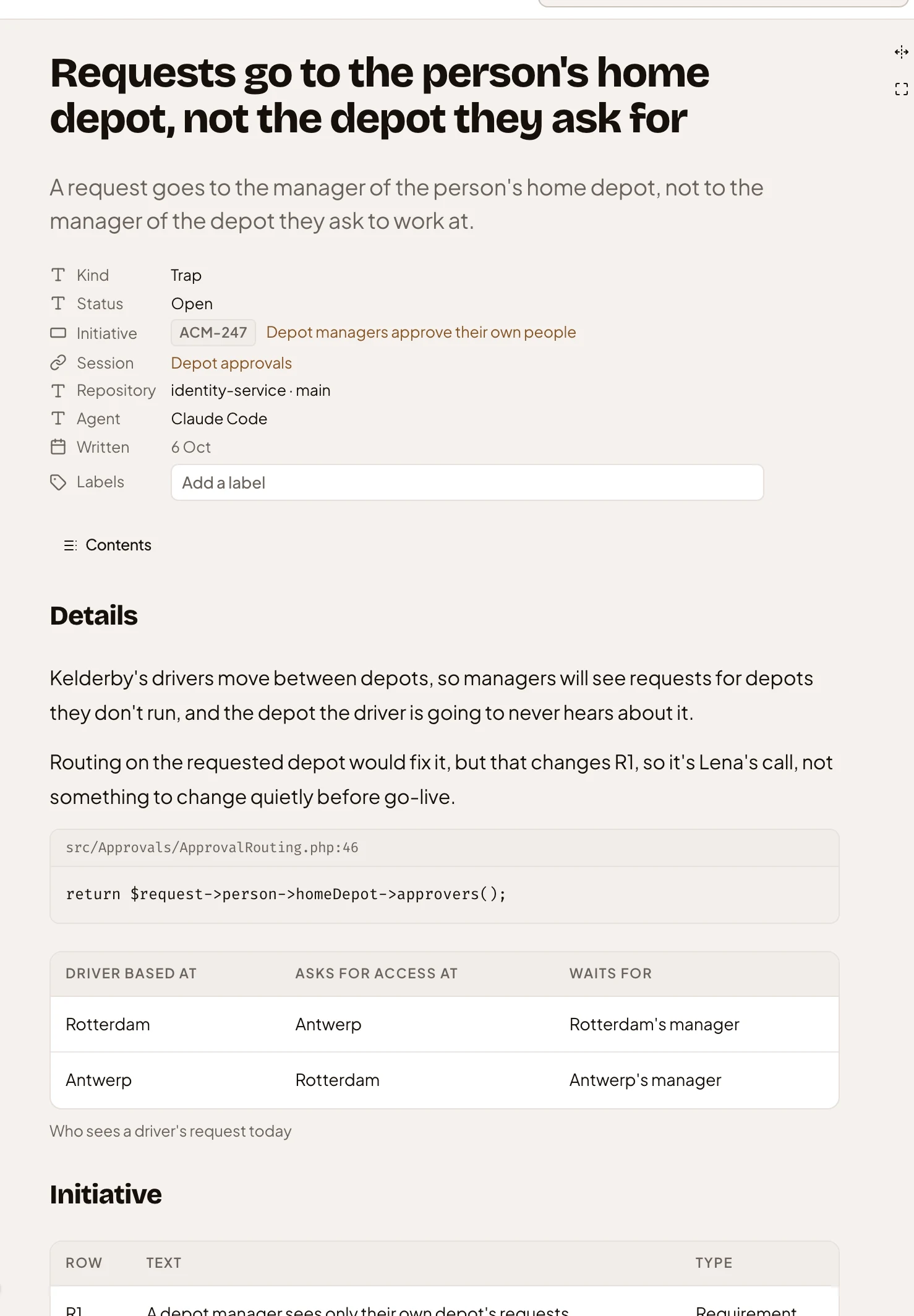
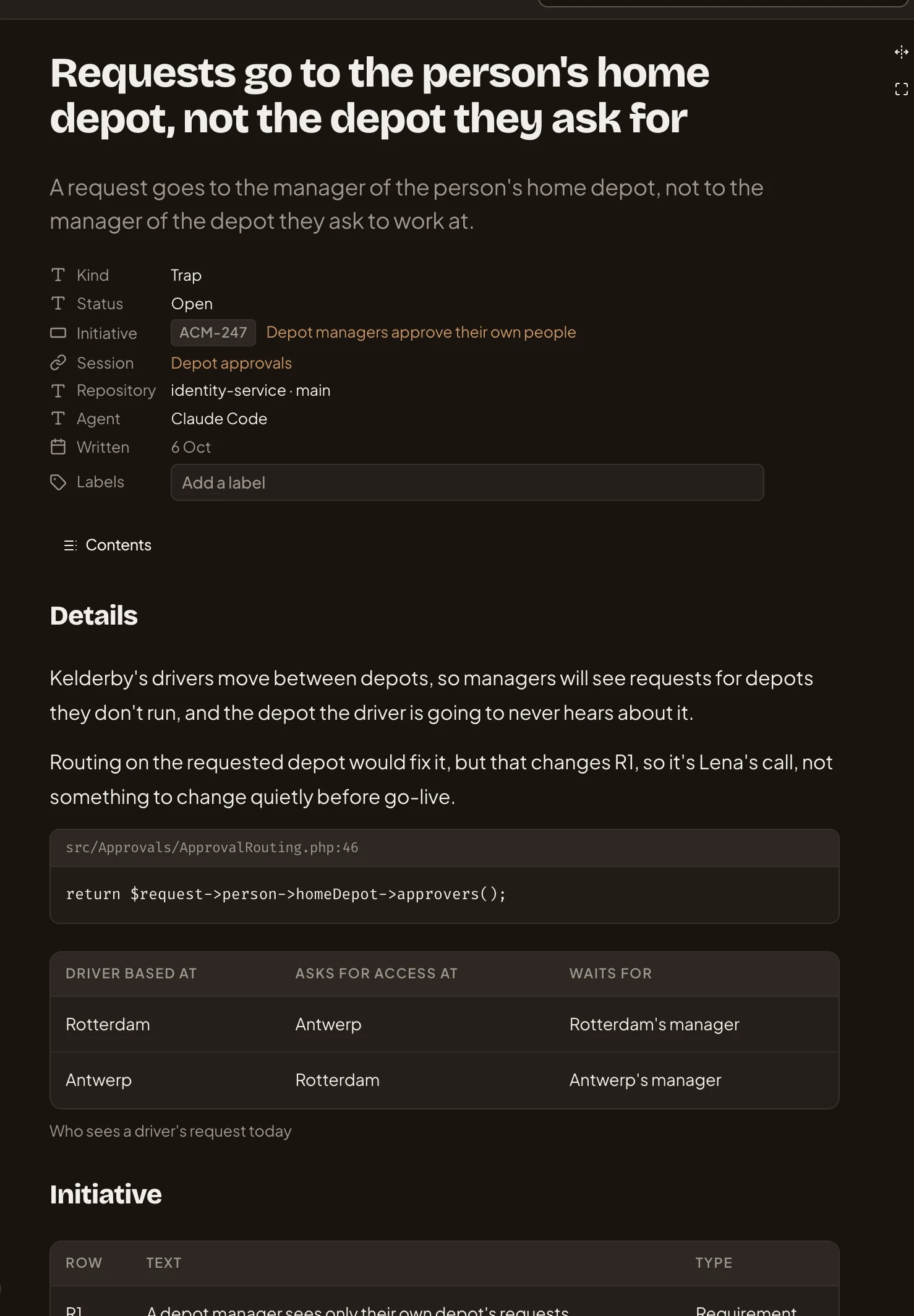
- Its point, in the title and the line under it.
- Its kind: a decision, a todo, a trap or an idea.
- Session. Click it for every note from that session.
- Labels. Your own words to find it by, and all you change on a note.
- The line of code it means.
- What it found, as a table.
Turning a note into something
Section titled “Turning a note into something”Most notes need nothing from you. Mark a todo Done when you’ve done it, or Drop a note that no longer matters.
When a note matters to other people, you turn it into something they can see. The agent reads the note and suggests what it should become, with its reason and a title. A topic to work it out with the agent, a new initiative for work worth building, or a change request when an approved plan has to change. You change what you like before anything is made. A new topic or initiative starts as yours, to share when you’re ready. To make one thing from several notes, ask the inbox agent to gather them.
Yours alone
Section titled “Yours alone”Nobody else reads your notes, administrators included. A link to N1 opens your own N1. To show a colleague a note, turn it into a topic and share that.
A coding agent leaves at most ten notes a session, unless you choose another number under “Notes per coding session” in your preferences. A note you ask for is always written.