

InitiativesPage by page
New initiative
Start an initiative here. Say what should change, and the agent works it out with you. Click New initiative on the initiatives list.
Open New initiative (opens Emargen in a new tab)In the picture, someone in customer success has written the problem and picked the customer’s topic it grew out of.
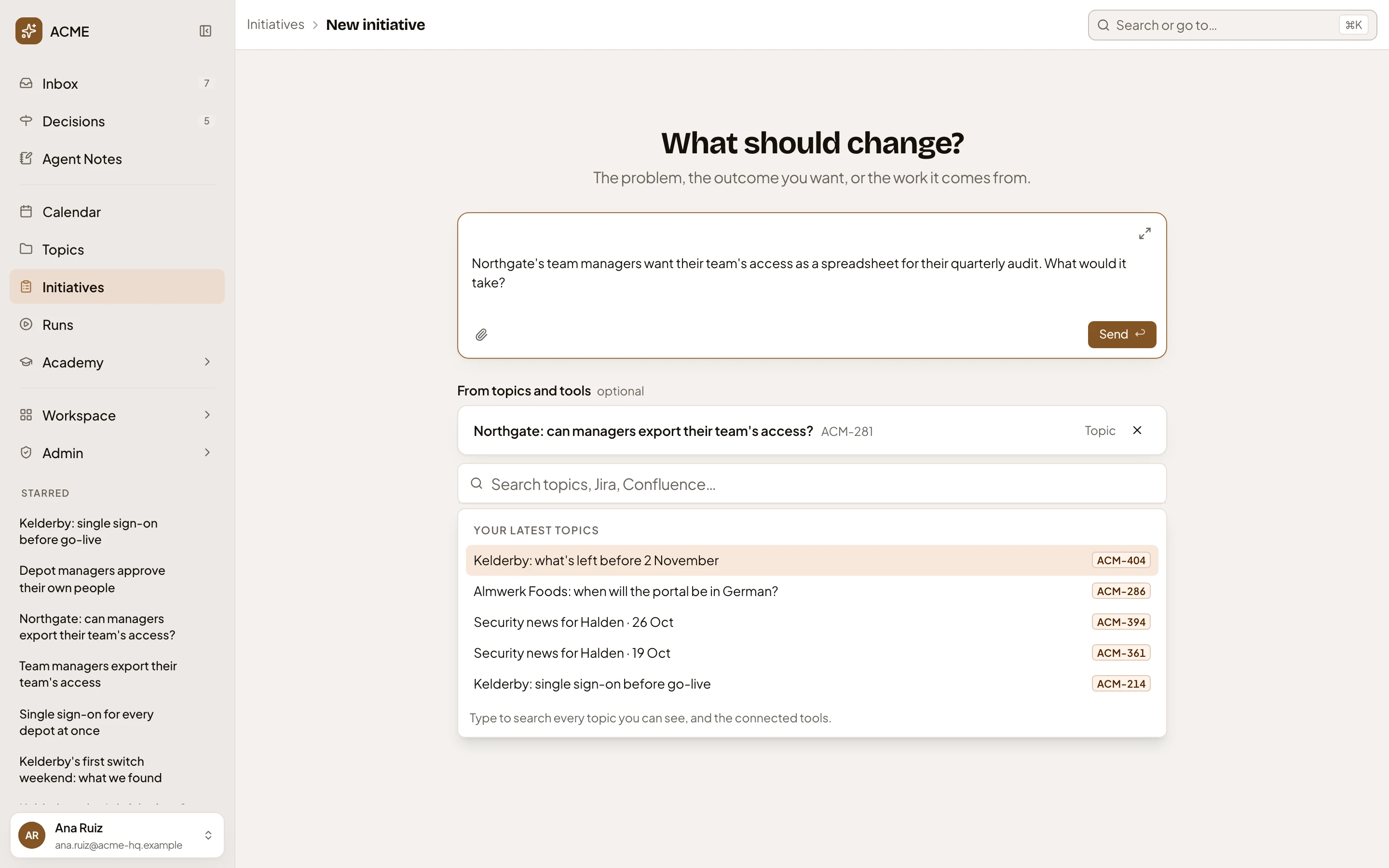
- What should change? The problem, the outcome you want, or the work it comes from.
- Start an initiative. The message box. Write it in your own words, and paste notes if you have them.
- Attach files. Add a file for the agent to read with your message.
- Send. Starts the initiative. It stays greyed until you write something.
- A topic you picked, with its key. The × removes it.
- From topics and tools. Search for the topics and the items of your connected tools that the work comes from. It’s optional.
- Your latest topics. What the field offers before you type.
- Type to search every topic you can see, and each connected tool, such as Jira or Confluence. Results show as they arrive.
You can pick up to ten. The agent reads the topics you picked before it answers. An item from a tool joins the initiative’s Sources, and the agent reads it first. A topic’s key in your message works too.
The new initiative
Section titled “The new initiative”Your initiative isn’t created until you press Send. Then the initiative’s page opens with your message at the top of the chat, and the agent starts answering. The agent names it from your message. Until then, it shows as New initiative. An initiative’s page shows the rest.
A new initiative is yours alone. Share it from its page, with Sharing. Set labels and a target date there too.
A similar initiative
Section titled “A similar initiative”Before anything is made, Emargen reads your message and the topics you picked, and looks for an open initiative that aims at the same outcome. When it finds one, nothing is made. The page keeps your message and says A similar initiative is already open, with a link to each one and why it looks the same.
Open the one it found from its link. Or say how yours differs in Reason it’s different, and press Start anyway. The reason stays on the new initiative, next to the similar one. Closed initiatives never count.
Access
Section titled “Access”Anyone in the organisation can start an initiative, and owns the ones they start. The field finds only the topics you can see.