

TopicsHow to
Decide an open question
When the agent comes to a choice only a person should make, it leaves it open on the topic. It sets out the options and the one it would pick. Decide it there, and your choice stays beside the work that led to it, with your name and your reason.
Before you start
Section titled “Before you start”- Who can
- You can decide on topics you own or take part in. Someone who only reads the topic sees the decision without Decide.
- The pictures
- ACM-281 at ACME, the company in the docs’ pictures: a customer question with one decision left open, “Do team managers get their own export?” The agent opened it in a colleague’s chat, and it’s in the document everyone on the topic shares.
-
Open a topic with an open decision.
Open the topics list (opens Emargen in a new tab) -
Click the small document on the right of the chat, or its Open button, to open it.
-
Find the open decision. It’s a box marked Open, with what there is to decide, the option the agent recommends after “Recommended:”, and the others after “Alternatives:”. In the pictures, it’s the last thing under What we tell them.
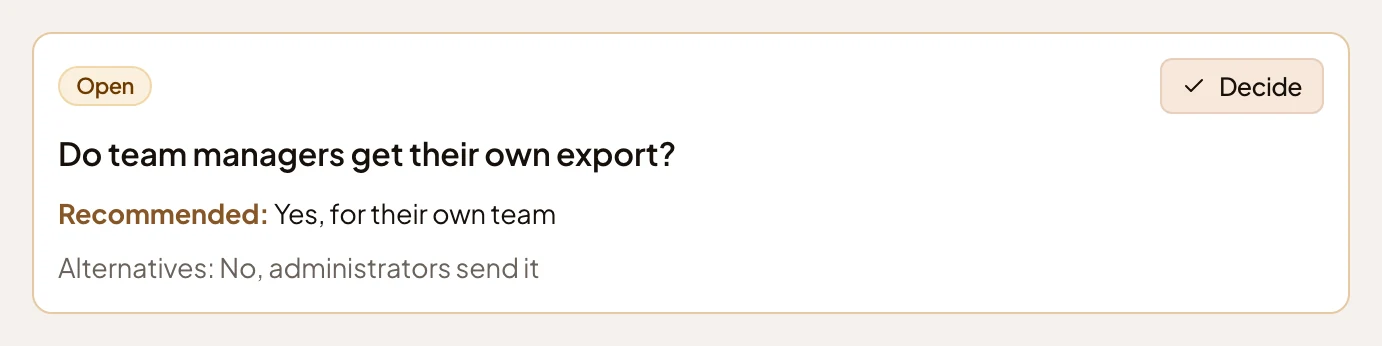
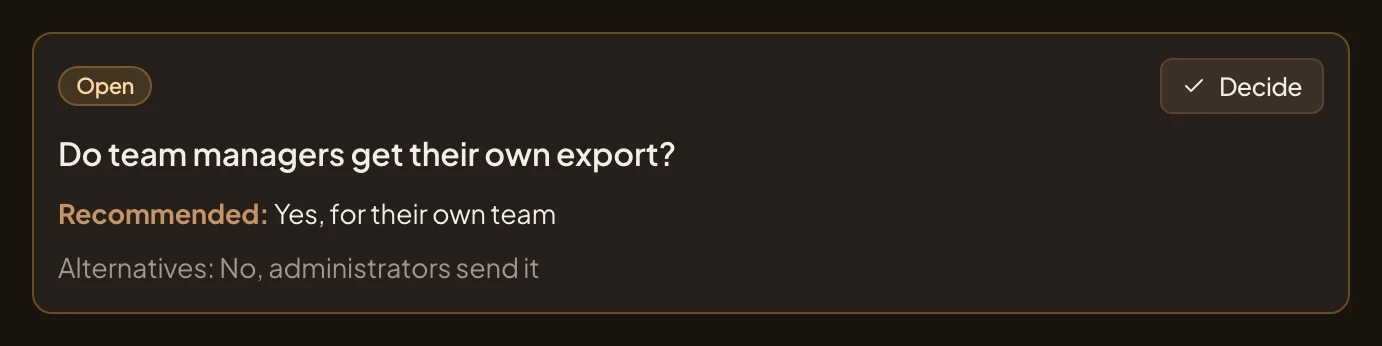
-
Click Decide. A dialog opens, titled “Decide:” and the question. It lists the options, with the agent’s recommendation marked and picked to start with. Under them is Reason, which you can leave empty. Closing the dialog with × changes nothing.
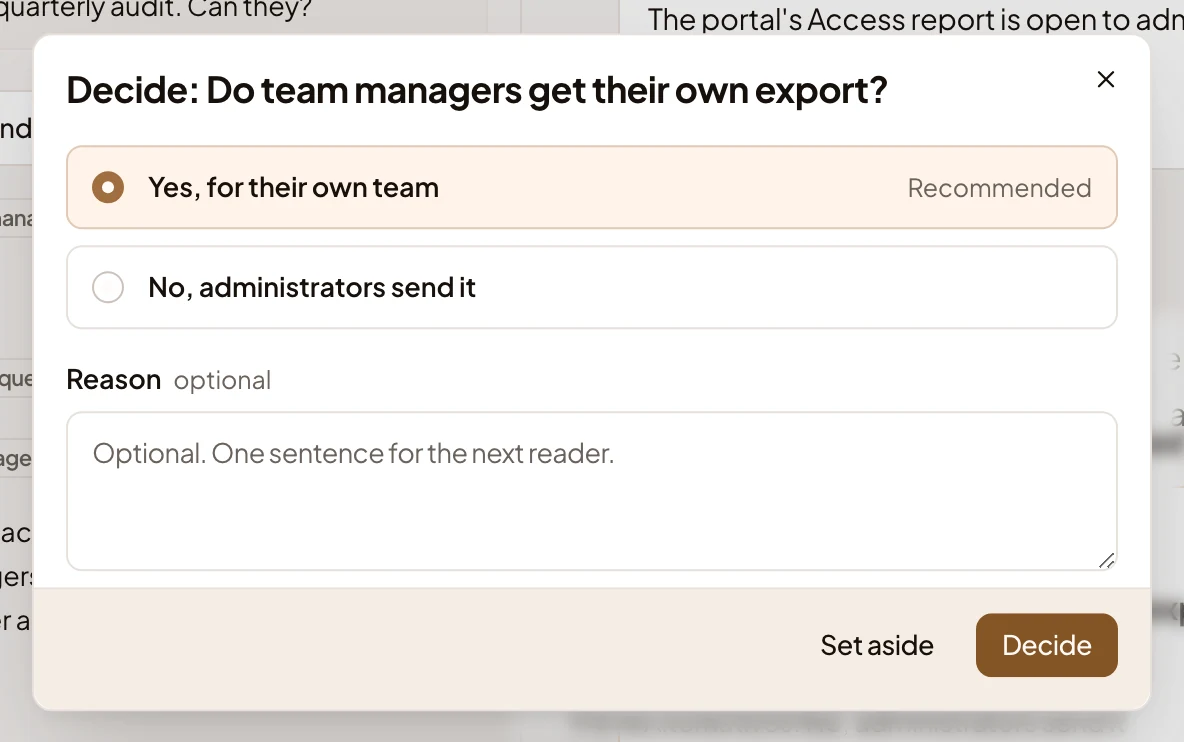
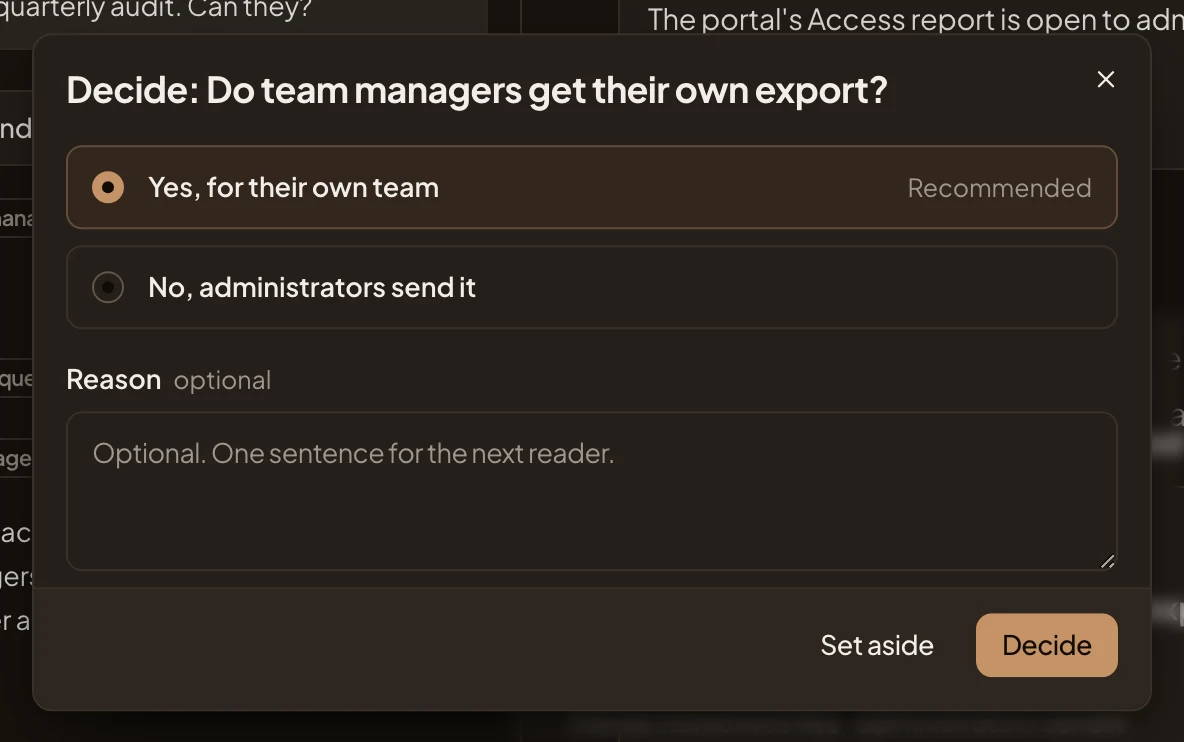
-
Click the option you’re going with, for example No, administrators send it. When the agent left a question without options, the dialog has a box, “Your decision”, instead. Write your answer there.
-
Under Reason, say why in a sentence, when it helps the next reader: “The customer audits once a quarter; an administrator can send it until more customers ask.”
-
Click Decide. The dialog closes, and the box on the topic changes. It shows a tick, the question and your answer. Below them are your reason, your name and when you decided.
Set aside isn’t for later. It closes the question without a decision. The box stays on the topic, muted, with “Set aside”, your name and when, and the question leaves Decisions. To come back to it later, close the dialog with × instead, or postpone it in Decisions.
What you get
Section titled “What you get”- Your decision on the topic, with your reason, for anyone who opens it.
- The decision in the topic’s version for this sitting. See what changed on a topic.
- The question is no longer open in Decisions.
- You can also tell the agent in the chat which option you pick. It puts your choice on a card, and nothing is decided until you press Decide there.