

InitiativesPage by page
Changes
Changes shows how the initiative got where it is. Every change is there, with who made it and when, newest first. Everyone who can open the initiative reads it, from its first change. Click Changes at the bottom of the rail of an initiative’s page.
In the picture, ACM-293’s Changes, as its owner sees them.
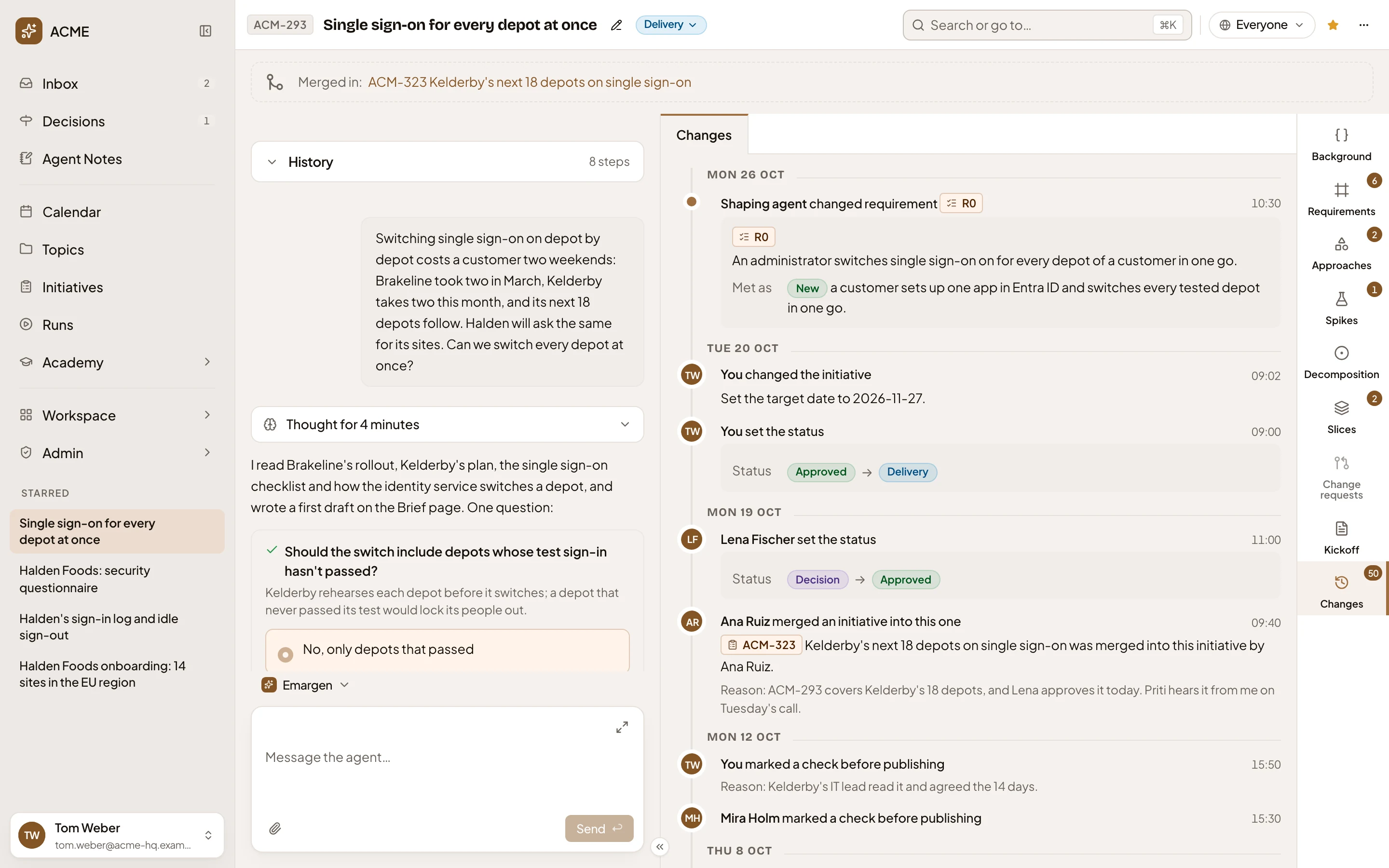
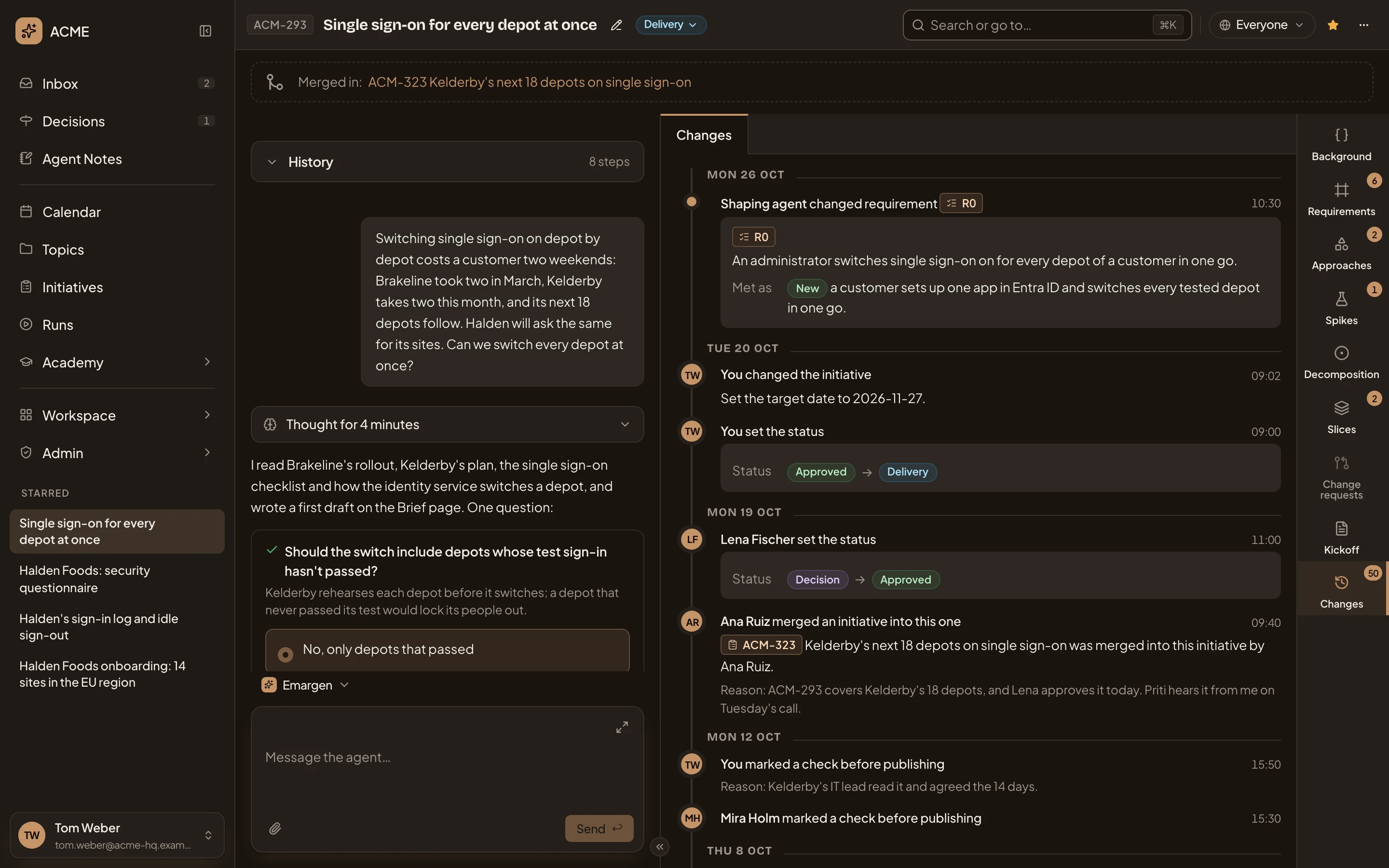
- Mon 26 Oct. The changes of that day.
- Who did it, what changed, and when.
- The key of what changed: requirement R0. Click the key to open the requirement.
- What was written, marked New.
- A status or level that moved, old to new, here Approved to Delivery.
- Changes 50. How many changes the initiative has.
The agent’s changes read Shaping agent. People’s show names. Owners see their own as You. One entry holds what the agent changed in one answer, or what one person changed within a minute. A merge or a split shows too, with its reason. Repeated changes are counted together, such as “set 3 requirements to Must have”. Three of each kind show, and 3 more opens the rest.
Rewritten words show the old and the new. Longer passages fold under Show the text. Each time the agent reworks the plan, it logs what it added, changed and retired, with its notes.
Nothing here undoes a change. To change something back, ask the agent in the chat, or change it on its section.
Access
Section titled “Access”Everyone who can open the initiative. A change that names another initiative or a list, such as a merge or a split, shows only to people who can see that one too.